I’m currently taking a Networking class to help meet my goal of successfully passing the CompTIA Network+ exam. The class offers virtual machine labs where I can put into practice the theoretical learning- really helpful!
So, for example, Networking Addressing and Services in the subject matter, which included a number of important topics: IP Addressing, APIPA and alternate addressing, DHCP, DHCP Relay, DNS, NTP, IPv6, Multicast and then…ta dum!…troubleshooting IP Communications. This was where I would be given a scenario such as the following:
The employees in the IT Administration Office and Office 2 report that their workstations can communicate with some computers on the network but cannot access the internet. You need to diagnose and fix the problem.

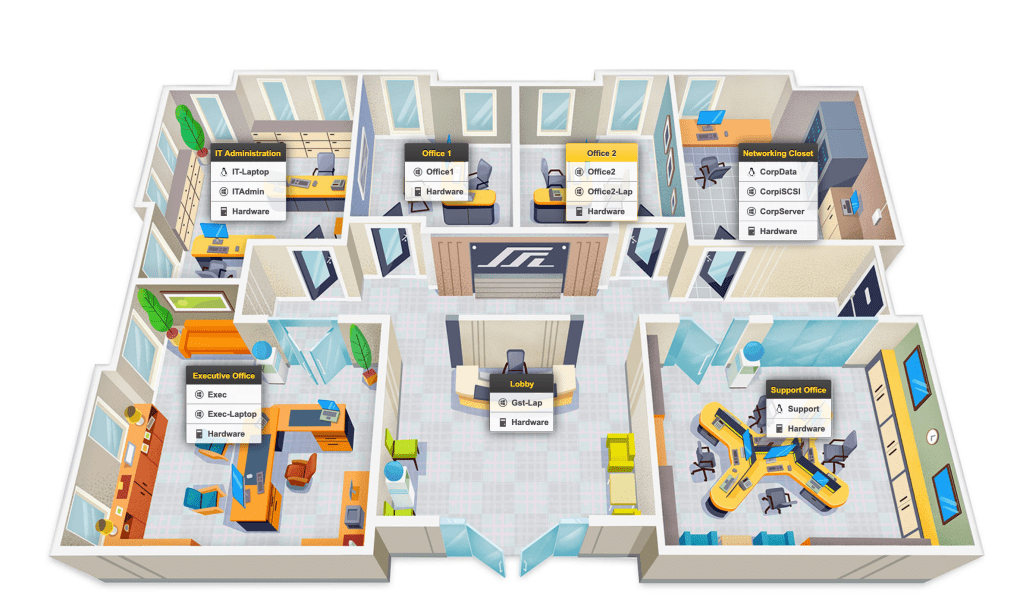

With this given information, I could access virtual machines within the lab (Windows or Linux) which were virtually located in each of the rooms in the above diagram. I could then use a variety of command line commands, such as nslookup, ping, netstat, ipconfig /all, and more to determine the scope of the problem and look for solutions.
I typically don’t work with Windows clients and so having access to this type of activity is really helpful for me. In other exercises, I have been building out the physical networks using a kindof drag-and-drop activity within the lab. Even though it’s not in-person, it really helps to bring down the theoretical understandings to a practiced experience. Really helpful!
 davethemaker