In my security class, I am learning much more about the Windows security environment, and that including creating user accounts. Here are some of what I learned from my hands-on practice to put into play what I learned.
Here I’m working on a Windows Server Virtual Machine:

Next, I select Tools > Active Directory Users and Computers. I select the OU that I am interested in creating a new user in- in this case, a Marketing Manager within Manager:

And I add the information for the user:
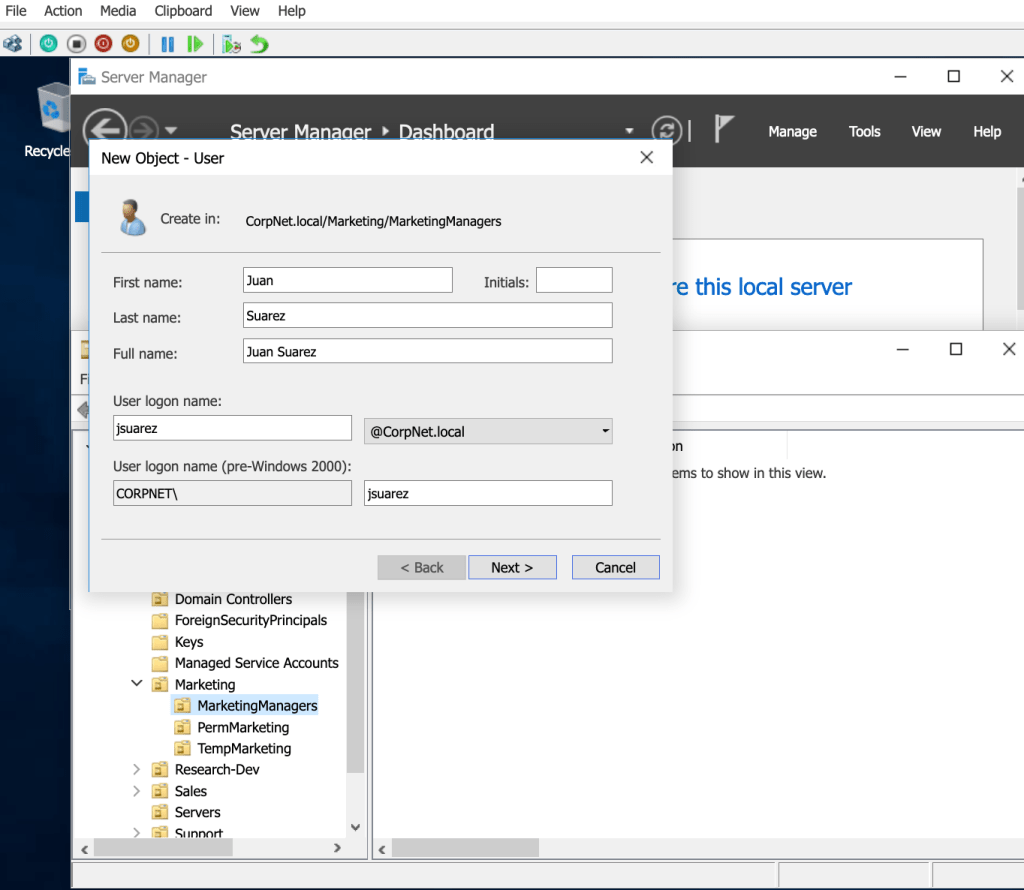
That adds that user to the OU, and I added some rules that set a temporary password and required that the new user would need to set a new password upon first logging on. That’s so that even the sys admin doesn’t know the password (best practice).
 davethemaker