There are a number of network hardening solutions, including network authentication. This is the process of authenticating the identity provided, to ensure proper access to network resources. There are several approaches: the challenge-response/three-way-handshake, which uses a shared secret, OAuth (an internet, token-based authentication system), OpenID (open source, third party service allows non-related sites access to users without separate logins), EAP protocol (various ways to authenticate are built-in), 802.1x (used for port authentication, requires a separate auth server such as RADIUS), LDAP (allows access to directory services such as Active Directory), and, yes, Kerberos.
Kerberos has an umbrella entity, made up of the authentication server, and a ticket granting server, along with a resource providing services (such as a file server), called a service server.. When a client wishes to access those resource services, the authentication server has to validate the client/user request and, if successful, provides a Ticket Granting Ticket, along with TGS session.
Now, the client has the TGT and TGS, and provides those to the second aspect of the KDC: the ticket granting server. This service will provide a client-to-server ticket, sortof like a one-time ticket to use those resources. The client then submits that ticket to the service server (say, for example, a file server), and that would give access to the resources.
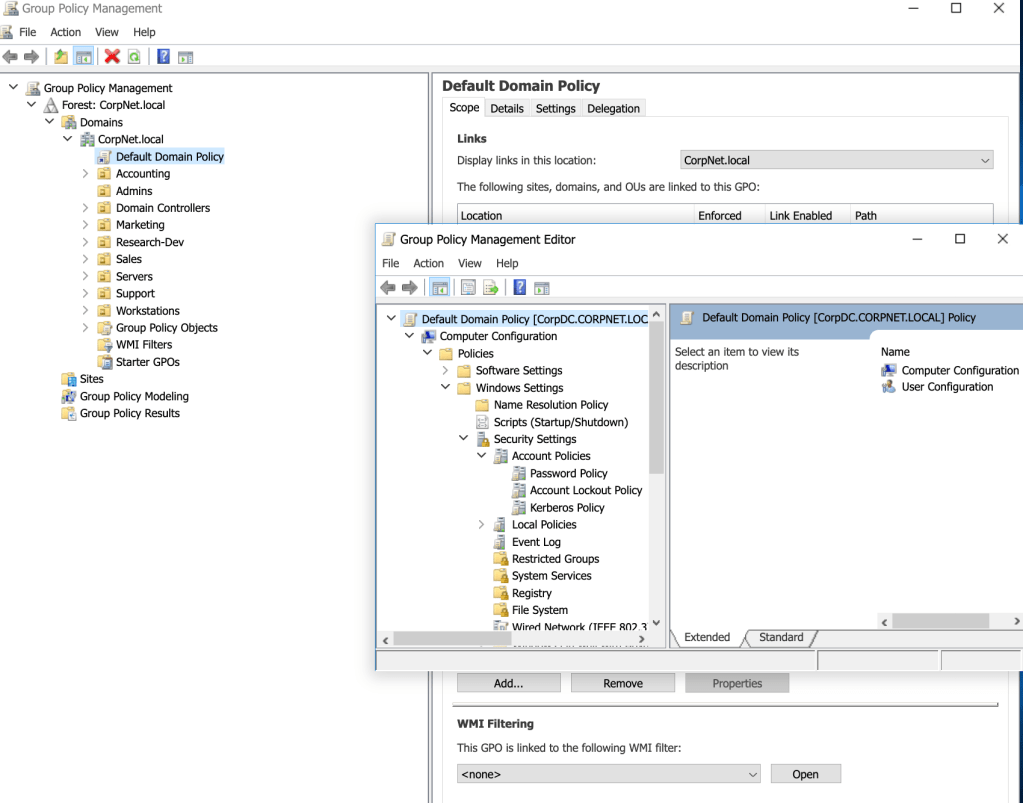
To get some hands-on practice setting and configuring Kerberos, I took the following steps to change policy attributes. Within the Windows Server, I navigated this tree of sub-directories to arrive at ‘Kerberos Policy’ under ‘Security Settings’:
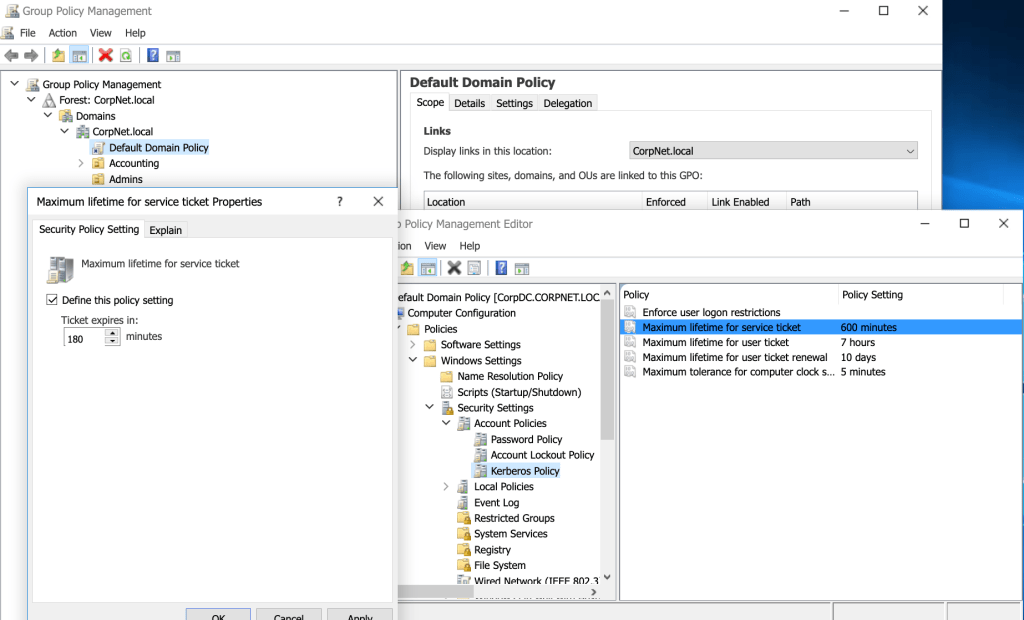
For example, to decrease the default value of the maximum lifetime for a service ticket from 600 minutes to 180 minutes, I made these changes in the appropriate policy:
 davethemaker