
There are a number of hoops to jump through steps to take in order to have access to a local CLI on your local production environment (read, my mac at home, with a coffee mug perched nearby): take a look here.
First, to create IAM access and credentials. We need to get authorization, basically, through the IAM process. There are a couple of options, described here. I was starting from scratch, so first I had to create different user profiles and associate them with groups- I did that by creating a profile for myself, first, and then assigning myself to an administrative group. Part of creating this profile was having an email sent to me, where I can then set my password – this is a best security practice, as even the administrator should not know the user’s password.
Now, to set administrative permissions. There are many options, and I followed the detailed steps as provided here. Some included the following:
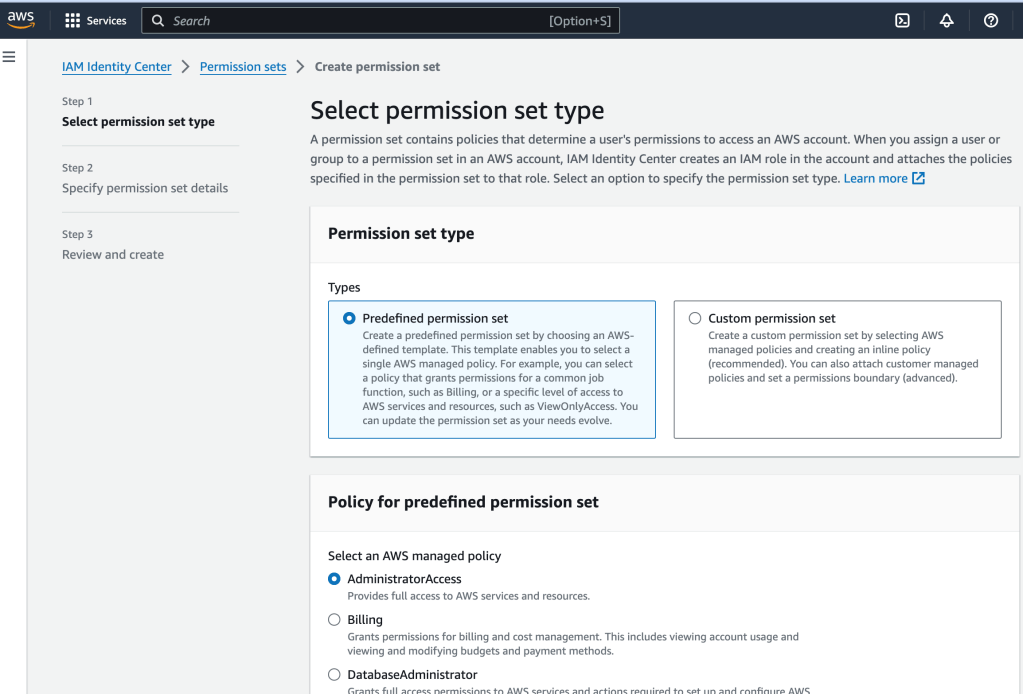
First, I created a user, then I created a group and added that user to the group, and then finally I created permissions for that group.
I did this two times, as recommended by AWS: first, a user and associated group with Administrative Access, and a second group for more day-to-day work as a developer. The former used a predefined access policy that was gave the user more power, as opposed to the latter, which was much more limited. These are good safeguards for mitigating unauthorized access.
Second, to configure SDKs and tools to use the IAM Identity Center (the IAM user, groups, and associated access policies just created). This includes using the provided values given to you as a user when you first log in.
I’ll be the first to admit that this is not the most easy process ever. Hopefully after doing this a few times it will start to become easier, but at least, for my first try, I was able to access my account’s resources via the command-line!
 davethemaker