In a previous post, I added a virtual hard drive, partitioned it, used that partitition as a Physical Volume > LVM Volume Group (DATA) > LVM Logical Volume (development). That was a 1GB logical volume out of a total 1.06GB hard drive. Now, to enjoy the benefits of a LVM partition and dynamically extend it using the ‘lvextend’ command.
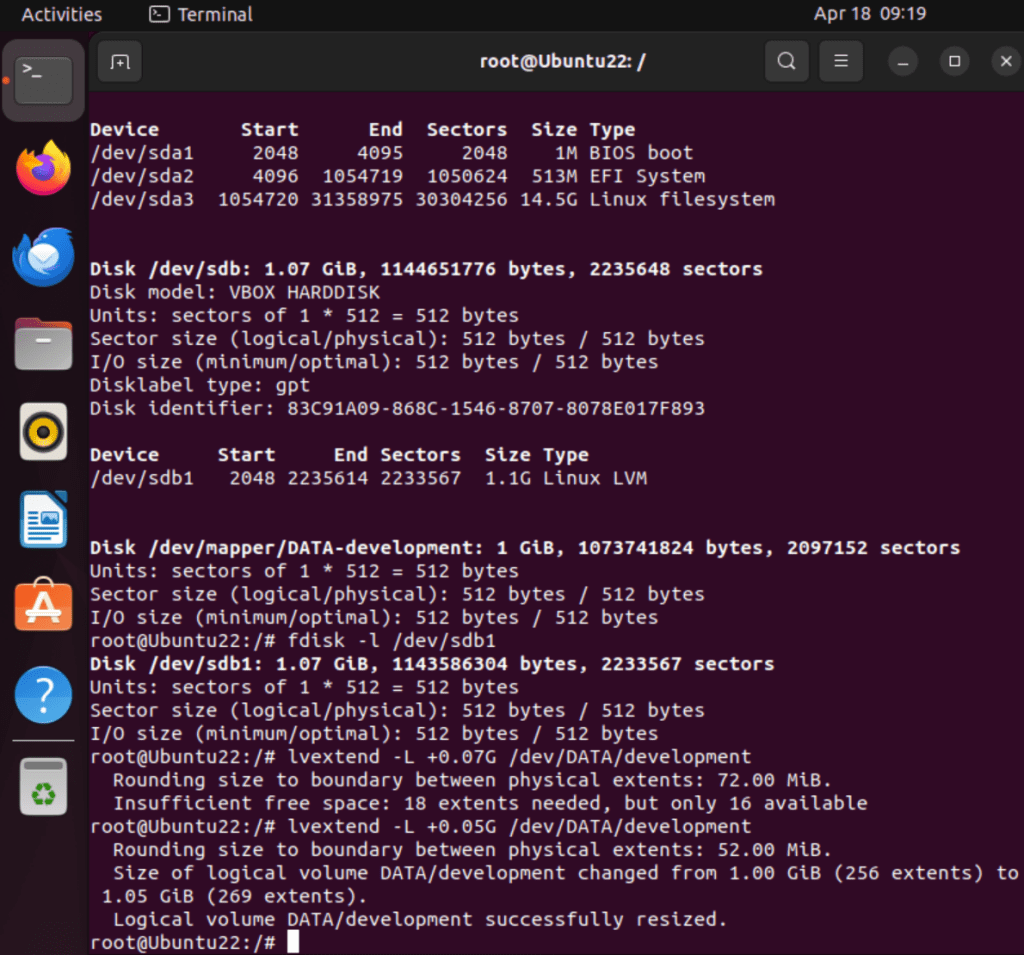
Here I extended the LVM Logical Volume ‘development’ the remaining 0.05GB, changing the logical volume from 1.00 GB to 1.05GB:
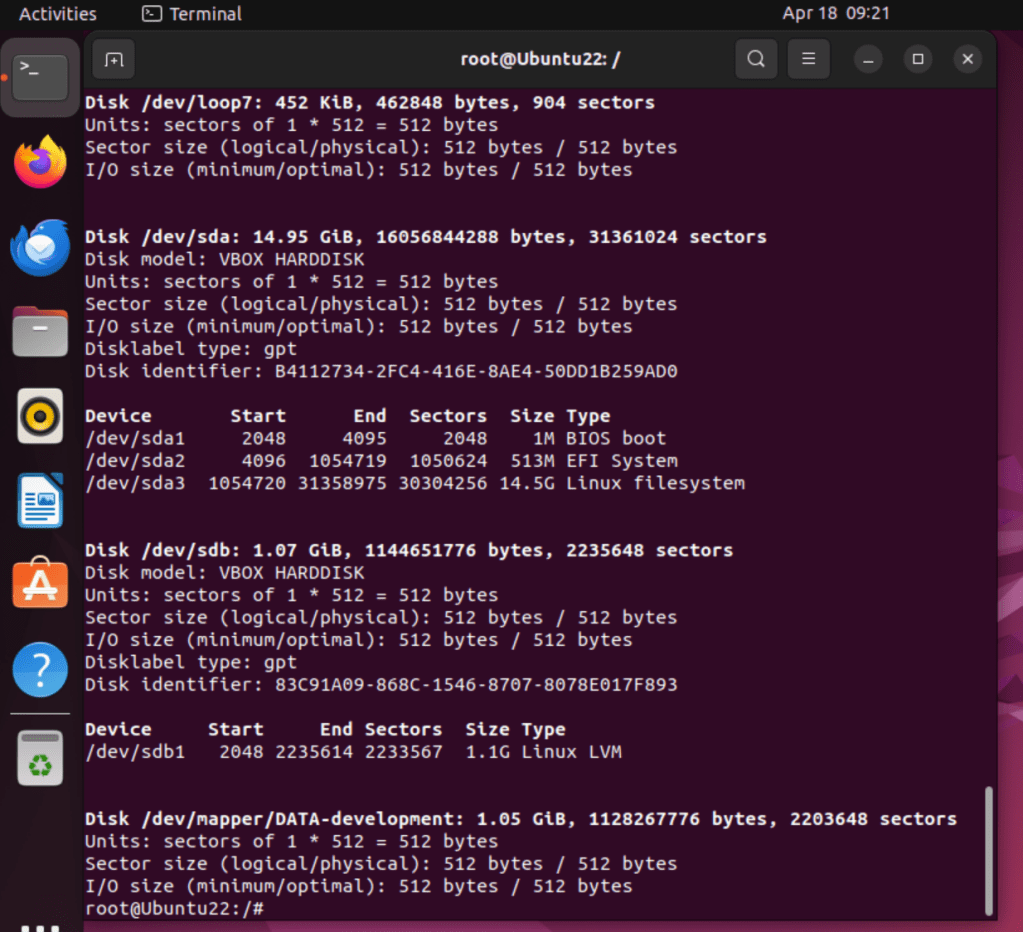
Using fdisk -l to display the 1.05GB drive/partition:
and to extend the Filesystem:

 davethemaker