I want to experiment with configuring LVM on partitions, but the ones presented on my Ubuntu 22.04 VM are not available. I followed this tutorial for creating an additional partition, once that I would be able to practice on.
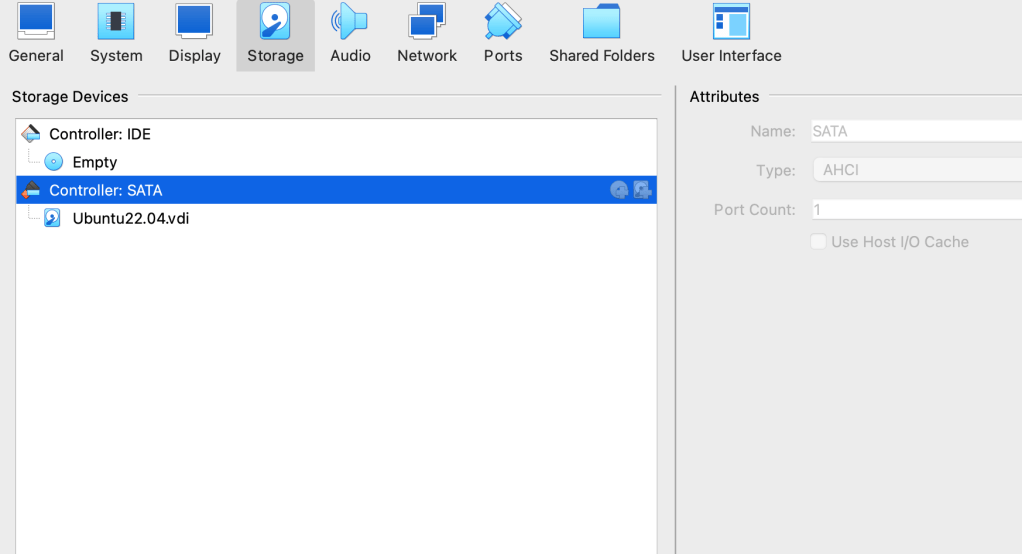
Select the VM in question, then select Settings and Storage. Next, select the Controller, as indicated above. To the right of that blue bar, there is a disk icon that can be clicked to add additional storage.
Using $fdisk -l, I was able to see that allocated HD on the VM
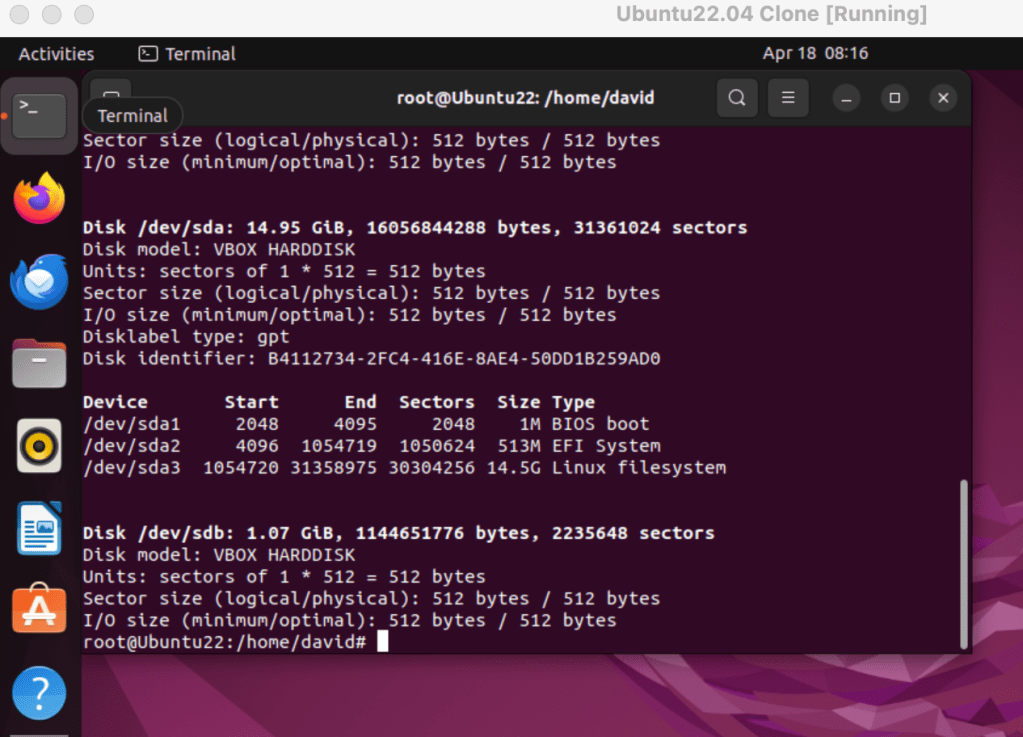
After I clicked that icon, I added an additional HD image of 1 GB. Once I selected ‘ok’, it was viewed in the VM following the $fdisk -l command:
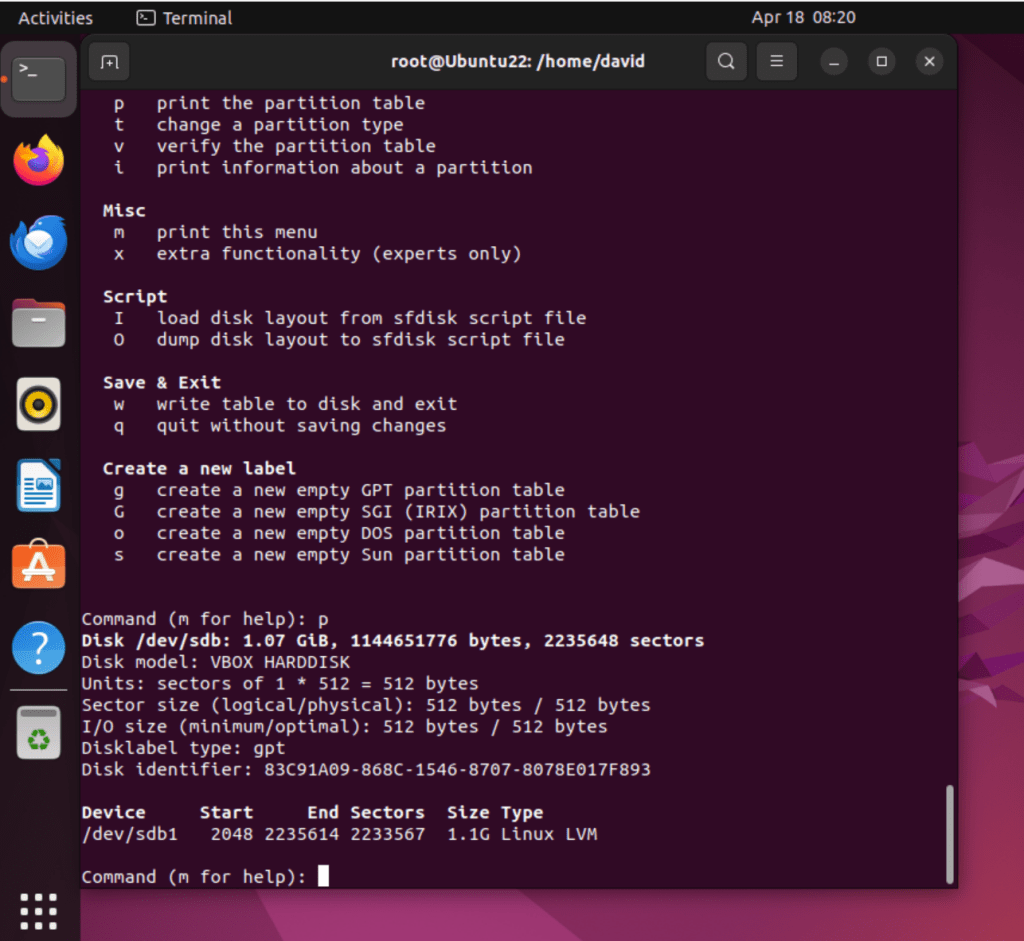
With that additional storage, I can experiment with the LVM configuration. Here I used fdisk to create a GUID and then create a partition using the Linux LVM (8e) type:
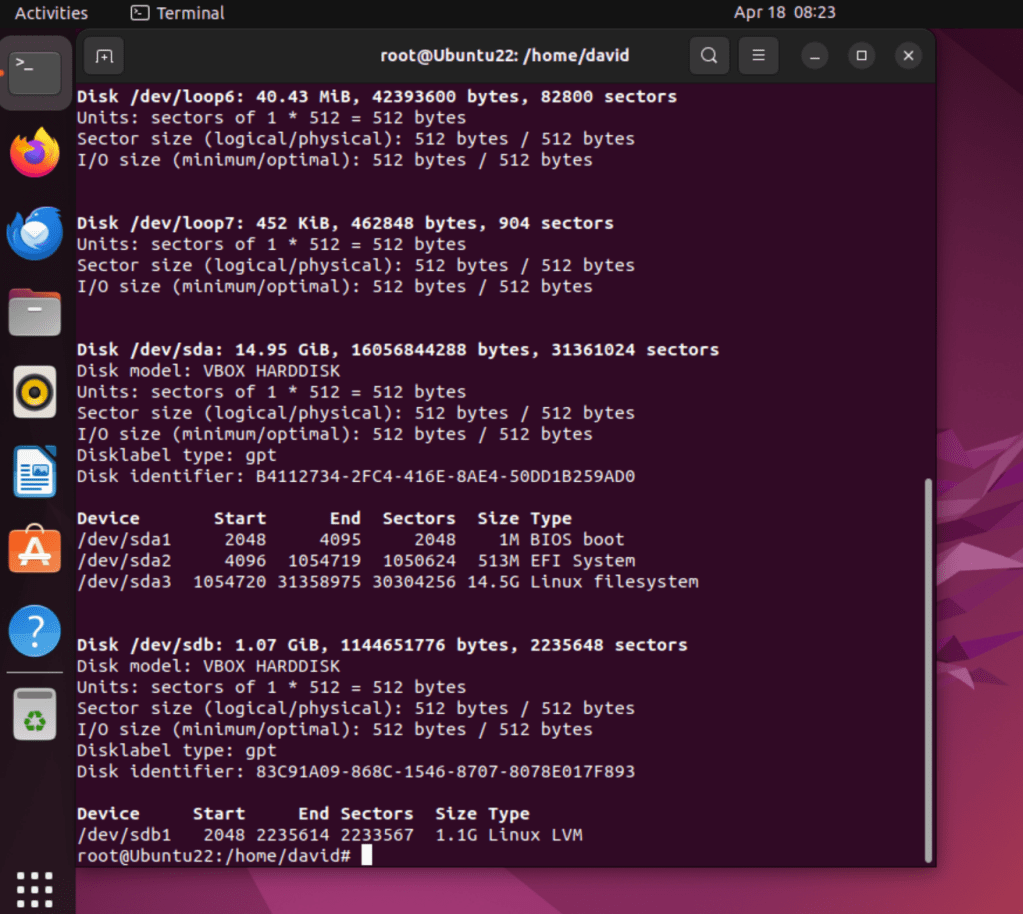
And here’s the storage space options following adding the VMI drive and the LVM-type partition:
 davethemaker