I’ve been deep-diving networking, Linux, and studies for the CSA, so time to start pulling everything together! I decided to follow a tutorial for creating a VPC with a private subnet holding a RDB and a public-facing EC2 instance/server in a second subnet. This is a pretty common use case, so a great place to get some practice.
First up was to use the VPC dashboard to create a VPC, selecting VPC and more. After filling out those configuration settings, such as the number of desired public and private subnets, whether a NAT gateway or VPC endpoint was desired, deciding on IPv4 CIDR block IP ranges, and so on, AWS worked its magic and created those resources for me.
The next step was to create a VPC security group (which acts as a firewall) for both the public web server (locking it down, so that there is only port 80 HTTP access and SSH from my personal computer’s IP address) and also a VPC security group for the private DB instance (really locked down- with only a MySQL traffic on port 3306 from the AWS EC2 instance (the server) allowed access. This allows the ability of the web application to/from the database.
Next, was to create a database subnet group. According to AWS, a DB subnet group is a collection of subnets that you create in a VPC and that you designate for your DB instances. To do this, I opened the AWS RDS console, and followed the steps around creating a DB subnet group, adding relevant details as appropriate:
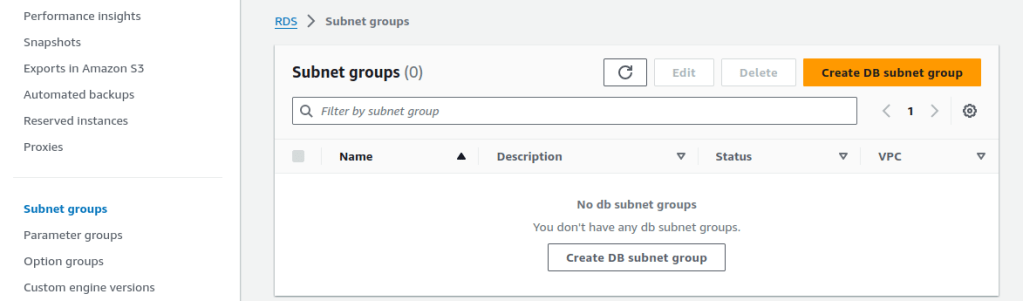
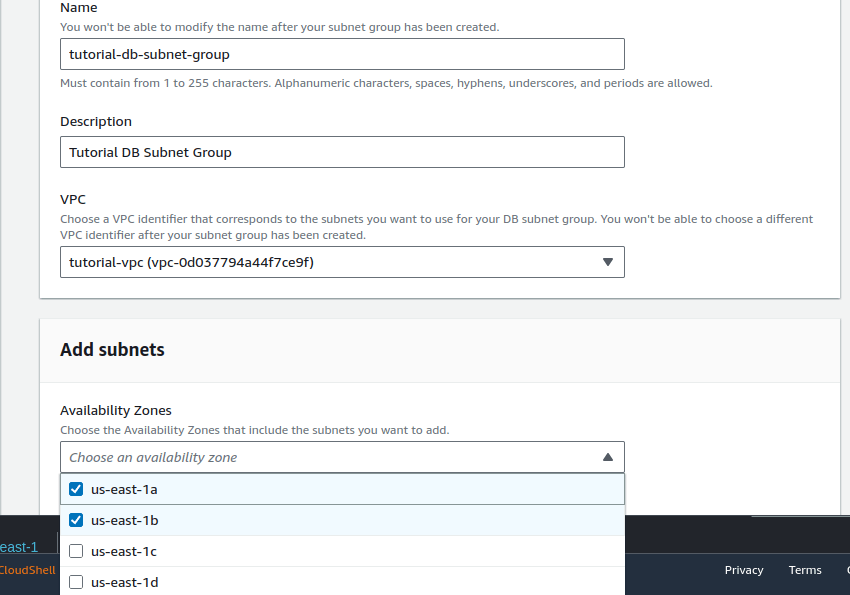
Above, I selected the AZs that were used at the beginning during the initial configuration phase. I wasn’t sure which were the exact subnets for the private subnets, as the name wasn’t provided, only the subnet ID, so I cancelled and found that information from the subnet page)
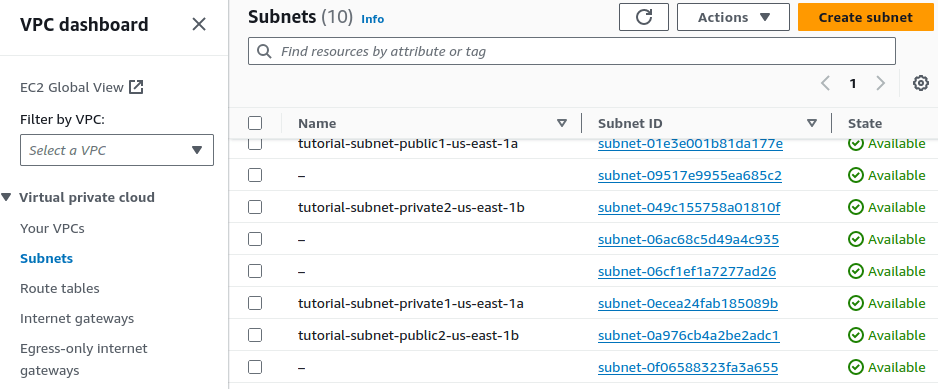
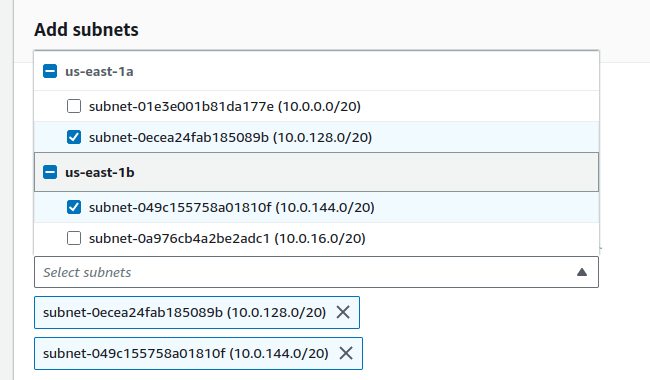
This time, armed with the correct subnet IDs, when i retraced my steps for creating a DB subnet group, I was able to correctly select the right subnets to add:
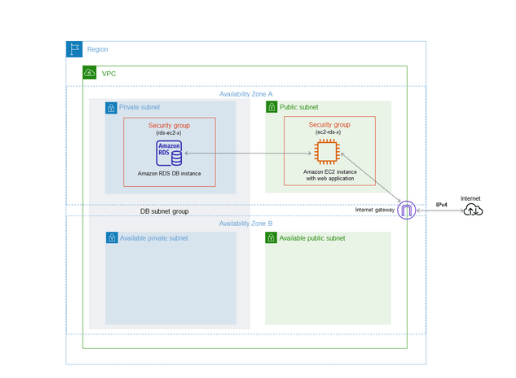
All of this work so far, following the ‘Tutorial: Create a VPC for use with a DB instance’, has been for setting up the framework for the actual instances. Here’s a diagram showing the desired objective: A VPC situated in a single region, with two Availability Zones (AZ), with both public and private subnets. There are two ‘extra’ subnets which won’t be used at this time, ready for redundancy, but I won’t touch upon that at this point.
Please see part 2 for where I create a web server and a Amazon RDS DB instance in the following blog post (this one is getting pretty long!)
 davethemaker