I’ve been exploring the AWS cloud ecosystem – first, creating a VPC with a single public subnet, a security group that corresponds to that (port 22 and 80 open for SSH and HTTP), attaching an Internet Gateway to the VPC, attaching a route table to the subnet. I spun up an Ubuntu server within the subnet, created a sample bash file, and then created an image file. Just to test things out, I used that image file to spin up a secondary EC2 server- and voila! The bash script was there, just like the first. Yes, indeed, it does work! 🙂
Next on my experimentation todo list is creating an EBS (Elastic Block Storage) volume to the EC2 instance – the instance is that secondary, mirror EC2 image that I had created. I basically am attaching the storage device to that EC2 server. I gave the device name /dev/sdd. This was changed to xvdd by the system
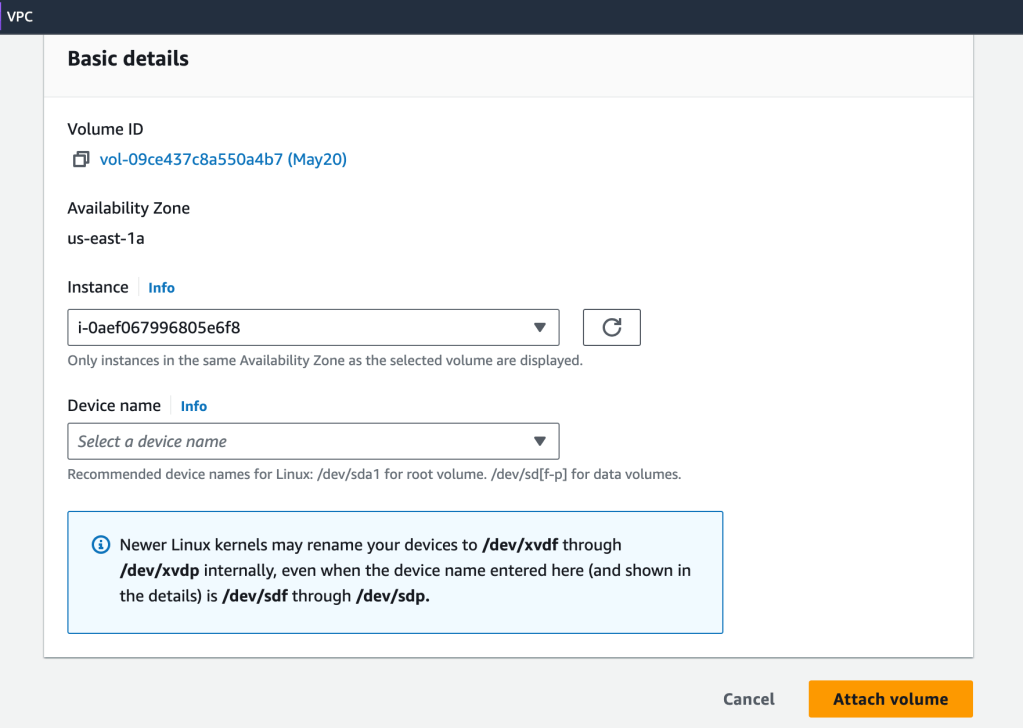

I didn’t need to shut down the EC2 instance either- I attached the EBS volume on the fly.
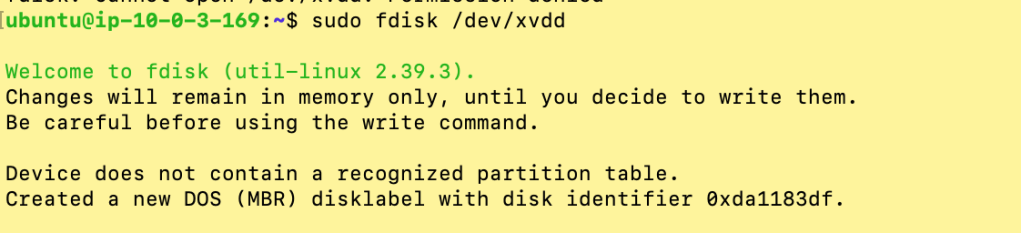
Time to create disk partitions- I’m going to use fdisk.
$ fdisk /dev/xvddThere was no partition table, so I created one, a GUID partition table:
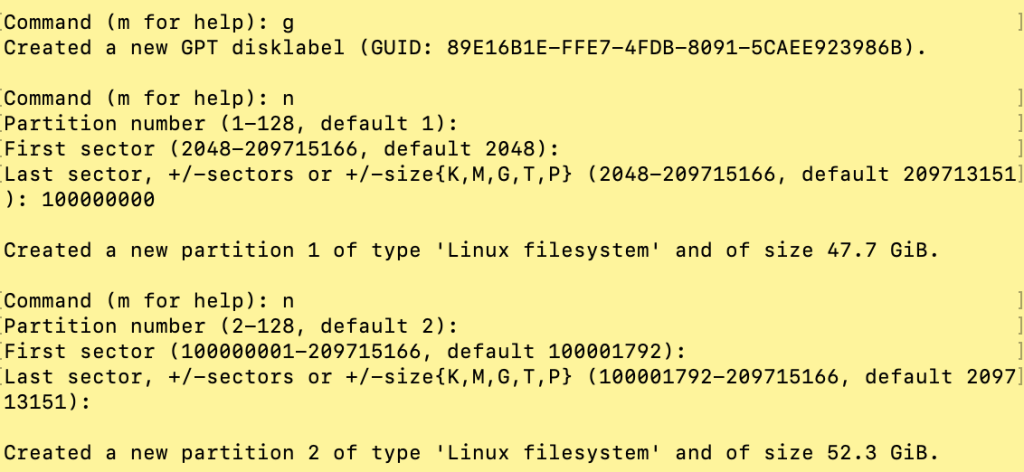
I created two partitions:
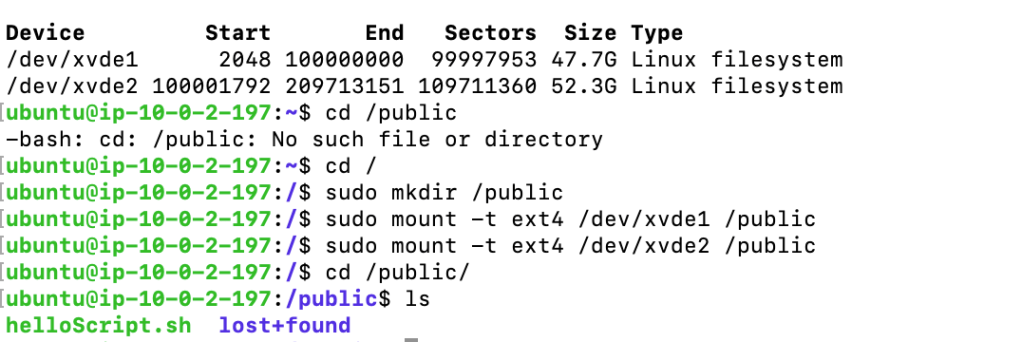
Next, I created a mount point, a directory titled ‘public’, at the root level and then mounted the two newly-created partitions to that mount point:
$sudo mount -t ext4 /dev/xvdd1 /public
$sudo mount -t ext4 /dev/xvdd2 /public
And with that, I was able to save data to those new storage devices, and able to access the data by cd’ing into the /public folder.
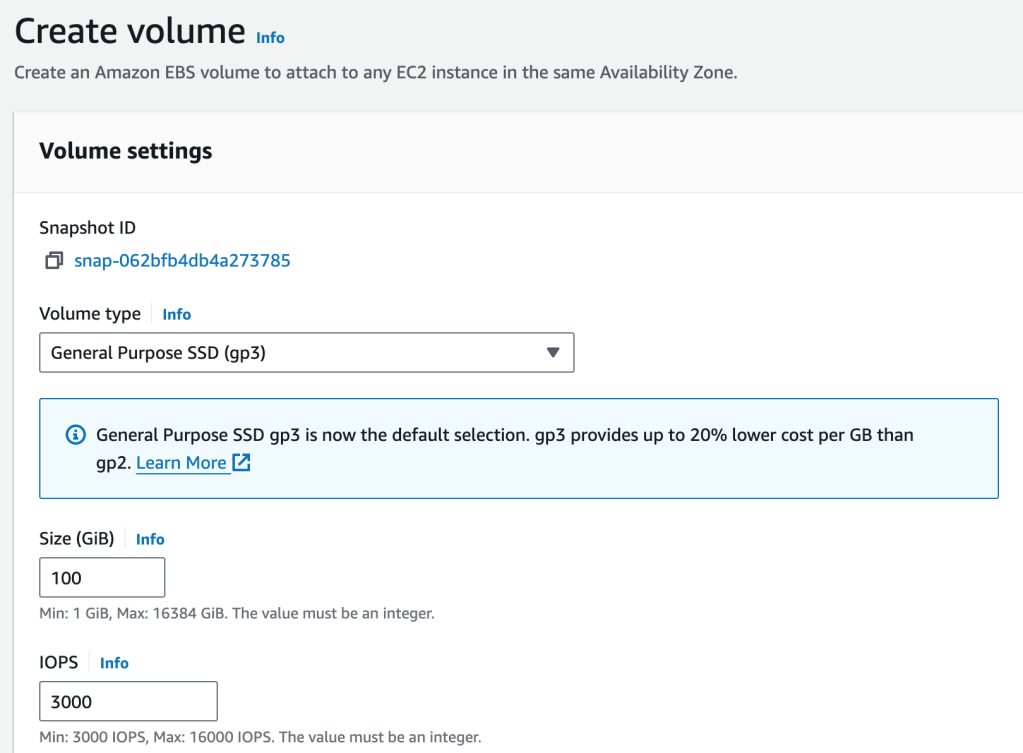
Now that the EBS volume has some data, I created a snapshot of it (image) and then created another volume from that image:
Then, I attached that volume to the second running EC2 instance:
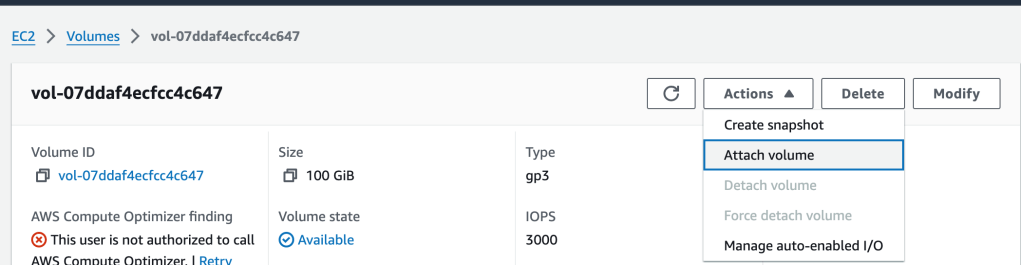
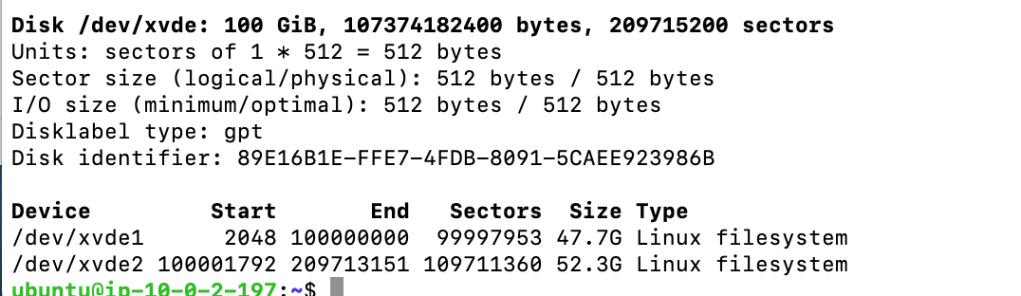
And then on a second terminal shell, I SSH’d into that instance to take a peek at the EBS volume:

An ‘fdisk -l’ command shows the 100GB drive and the two partitions created previously, on the original EBS volume
And once I had mounted the two drives, I found the data (the example helloScript.sh) as expected. Woot!
 davethemaker