I’m interested in learning Infrastructure as Code, and since I’ve been diving deep into the AWS waters, decided to cozy up to CloudFormation. Here’s what I did to launch an AWS EC2 instance using that tool:
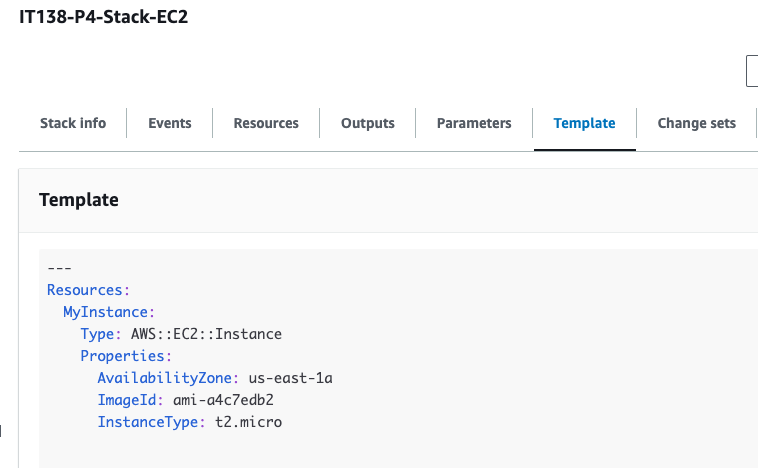
First, I created a stack and uploaded a custom .yml file
---
Resources:
  MyInstance:
    Type: AWS::EC2::Instance
    Properties:
      AvailabilityZone: us-east-1a
      ImageId: ami-a4c7edb2
      InstanceType: t2.micro
There were a few attribute options, but I kept all the default options, as I just wanted to see if this will work. I then created the stack, and was given messages around the resources being created. I switched to the EC2 tab, and sure enough, I had a new t2.micro instance running. On the cloud formation page, the console is very easy to see the template with the code, for example.
I was interested in automating the configuration for a specific EC2 instance, so I opened up the newly-created CloudFormation EC2 instance, and connected via SSH, input the following commands to the server:
sudo apt update
sudo apt install apache2
sudo systemctl status2

These all worked, so I added this to an initial config file for a starting up an EC2 instance to see if (fingers crossed) it works as a script:

As expected, the EC2 installed the apache2 package and started the service correctly.
 davethemaker