For this exercise, I spun up an EC2 instance, then spun up a MySQL database instance, and connected the two. I followed the AWS tutorial ‘Creating and connecting to a MySQL DB instance’.
First, I created an EC2 instance within the default VPC. I selected the AWS Linux 2023 AMI, using Free Tier configuration parameters, setting the security group rules to allow SSH from anywhere. I did that because this instance will only be around for a short time, but if it was going to be more persistent, then I would have locked down access much more tightly.
I switched to another tab, within the AWS console still, and opened up the RDS (Relational Database Services) dashboard. I created a new Database instance, selecting MySQL. This took a few minutes longer than the EC2 instance did, but at the end of my wait, I was able to access the endpoint and port information. I copied these down.
Next, I SSH’d into my virtual machine (EC2) from my local computer, and installed the mysql command-line client from MariaDB on the Amazon Linux 2023 instance.
sudo dnf install mariadb105Then I connected the EC2 instance to the MySQL DB instance. I entered the endpoint and the username information (this latter information I had entered while creating the DB instance). The CLI asked for my password, and with that, I was connected to the DB!
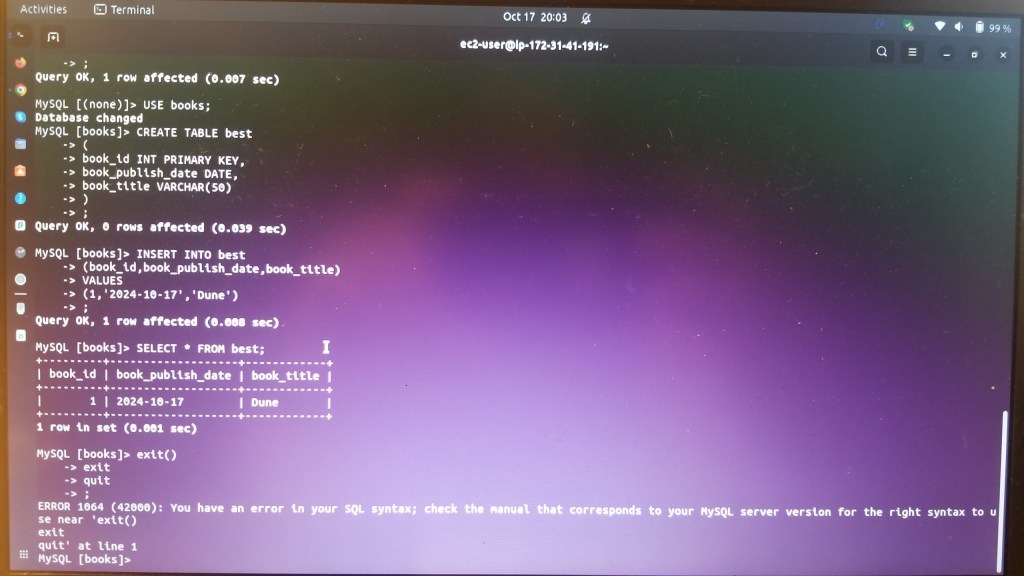
Time to build some MySQL tables! First, to create a new database using SQL:
CREATE DATABASE books;Then to create a table with a few attributes within that database:
CREATE TABLE books
(
book_id INT PRIMARY KEY,
book_publish_date DATE,
book_title VARCHAR(50)
);
Now, to add some values:
INSERT INTO best
(book_id,book_publish_date,book_title)
VALUES
(1,'2024-10-17','Dune');
And, Voila!, the values were saved to the DB and I was able to recall them with a simple query:
SELECT * FROM best;That all just whetted my appetite! Now that I can see that the connections are working, it makes me want to actually build something and see it work! With that in mind, I
First, I discovered that pip was not installed on the EC2 instance, so I installed it using dnf:
sudo dnf install python3-pipThat installed successfully, so then I was able to install the module that would allow the python script to connect to the RDS instance ( I referred this blog post, which was really helpful)
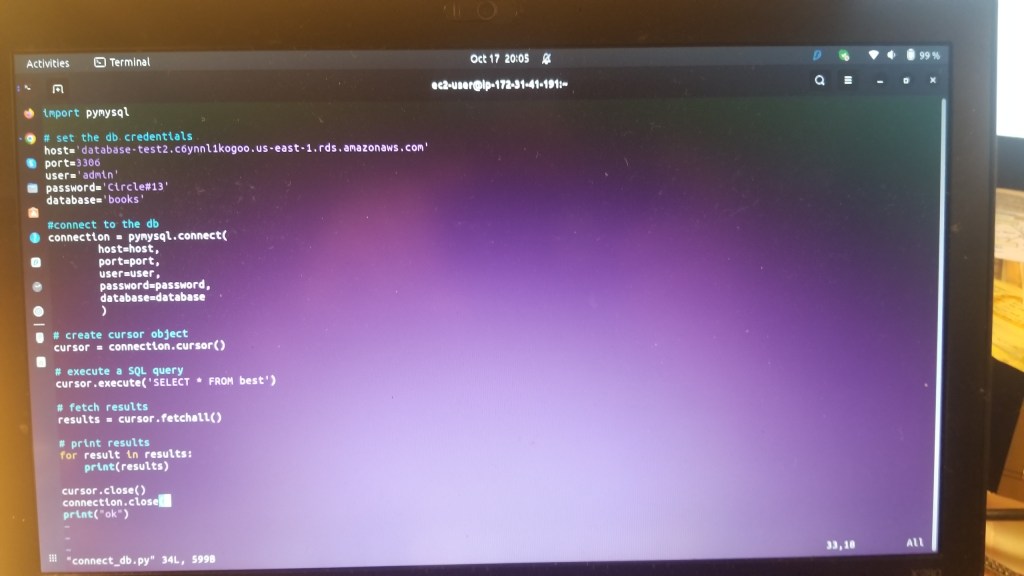
pip install pymysqlimport pymysql
# Set the database credentials
host = '<YOUR_RDS_ENDPOINT>'
port = 3306
user = '<YOUR_DATABASE_USERNAME>'
password = '<YOUR_DATABASE_PASSWORD>'
database = '<YOUR_DATABASE_NAME>'
# Connect to the database
connection = pymysql.connect(
host=host,
port=port,
user=user,
password=password,
database=database
)
# Create a cursor object
cursor = connection.cursor()
# Execute a SQL query
cursor.execute('SELECT * FROM users')
# Fetch the results
results = cursor.fetchall()
# Print the results
for result in results:
print(result)
# Close the cursor and connection
cursor.close()
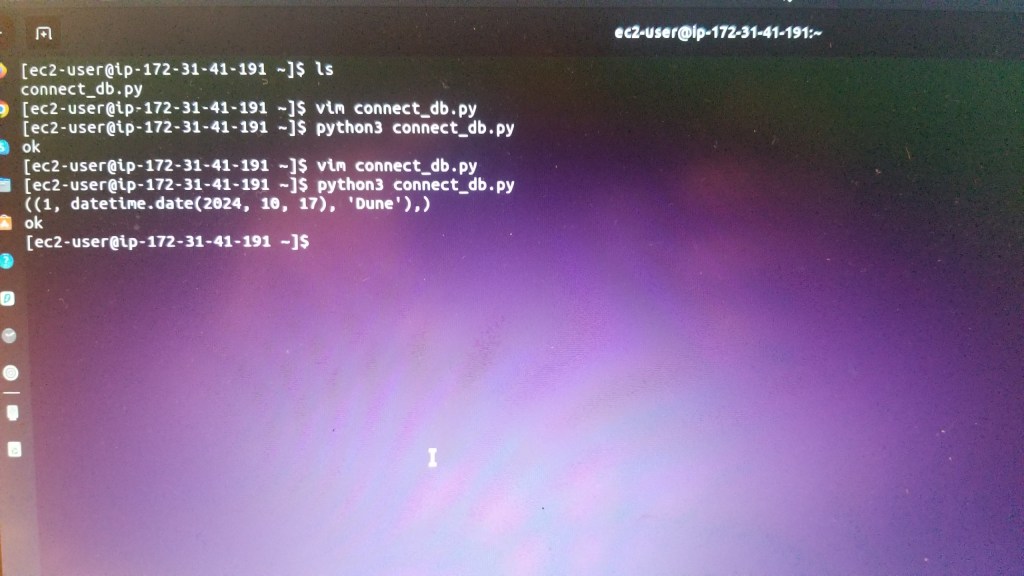
connection.close()This worked perfectly. I input the RDS DB endpoint values within the host field, added port 3306, added the user and password, and finally the name of the database that I had created. I have to say, it’s really something cool when you get something to work and you make something!
Here’s where I had created the RDS DB instance, and had created a database, table, and input a few example values:
Next, here is where I populated the above python script with the EC2 and RDS DB instance values:
Then here is where I went back to the Amazon Linux EC2, where I ran the python script- but you can see how the database were retrieved successfully:
 davethemaker