I’m learning to work with databases so will save some of my learning in these posts. There are four main types of DBs: flat file (like AWS S3 bucket), Relational (SQL), schemaless (NoSQL) and key-value store. I recently created a python application that used a key-value approach to store data, but it was rudimentary in funcitonality- I am excited to learn these more powerful approaches!
Forcusing on Relational database models (I’m particularly interested in working with AWS RDS), there is the entity and associated attributes. These are used to create tables, and when building a model, such as creating an ER (Entity Relationship) diagram, is used visually to show relationships.
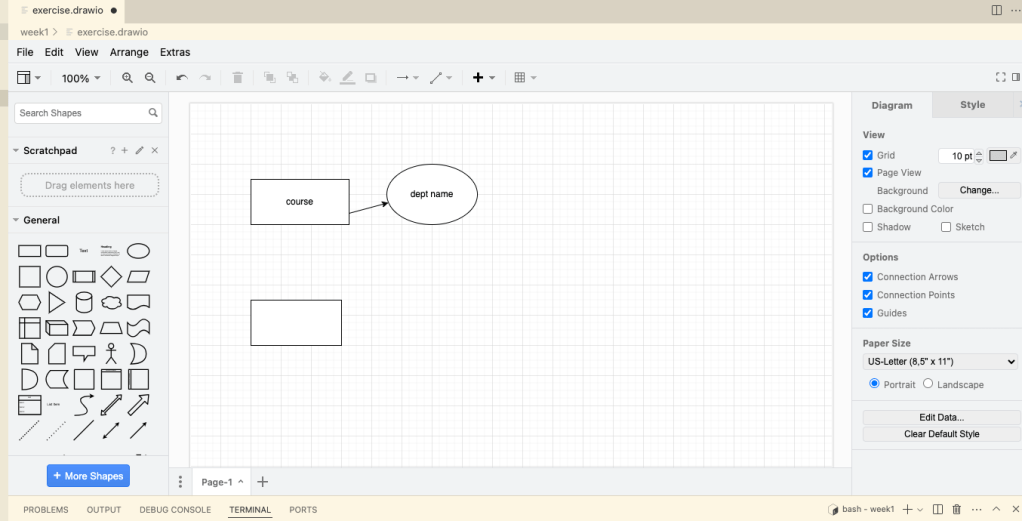
For this exercise, I installed Draw.io extenstion to Visual Studio Code. This allows me to create modeling diagrams within the coding environment.
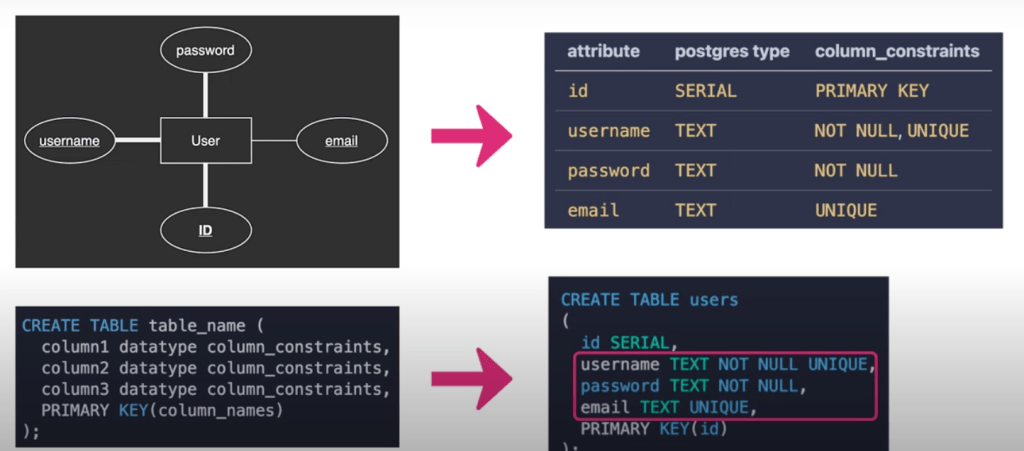
Diving a bit deeper into SQL, null values represent a non-existent data value in the DB – it is not the same as an empty tstring or a zero though. They are used to signify the absence of a value or the unknown value in a data field. It may be that the value is not known or has not been provided yet. Nullability is a kind of integrity constraint, which just means that the data adheres to the structure provided by the administrator. A bold line in an ER diagram represents that a non-null value is required, and an underlined attribute name signifies that it must be a unique value (such as a password).
For example, a user entity could be required to have a unique password ; this would show as a bold line connecting user and password, and with password with an underline underneath it.
Focusing on AWS Relational databases for now, we have columns (or attributes) and rows (or records or tuples). You have to predefine each column with a name and data types that will be accepted. This requires that upfront planning, but allows for a consistent data format. You can also add more columns later, if you need to.
It’s common to use multiple related tables, to minimize duplicated data. You can have parent and child tables that denote relationships between tables – this involves a primary and foreign key to link the tables together.
For the Postgres, since I’ll be working with python, this is helpful for creating tables:

Here’s bring in ER diagram attributes and entitties into SQL:
Here is a list of postres data types.
Working with pgadmin, creating a Cars table:
CREATE TABLE cars (
    id SERIAL, // notice primary key uses this data type
    year INTEGER,
    make TEXT NOT NULL,
    model TEXT NOT NULL,
    PRIMARY KEY(id)
);
CREATE TABLE drivers (
id SERIAL,
car_id INT NOT NULL, // foreign key: INT data type
name TEXT NOT NULL,
PRIMARY KEY(id)
);
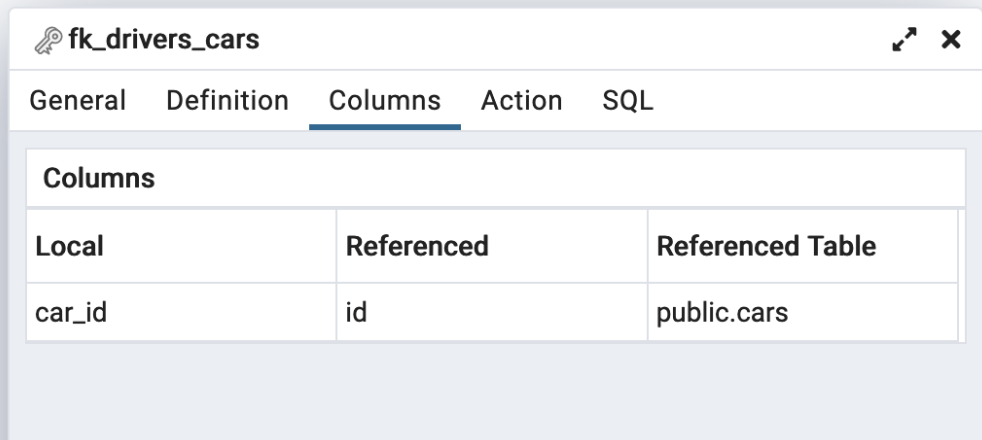
ALTER TABLE drivers
ADD CONSTRAINT fk_drivers_cars
FOREIGN KEY (car_id)
REFERENCES cars;We set the car_id to reference the id colum of the cars table
Now to practice. Here we have an ER diagram: there are five entities: auditorium, film, event, customer, account. There are four relationships between them, denoted by the triangles.
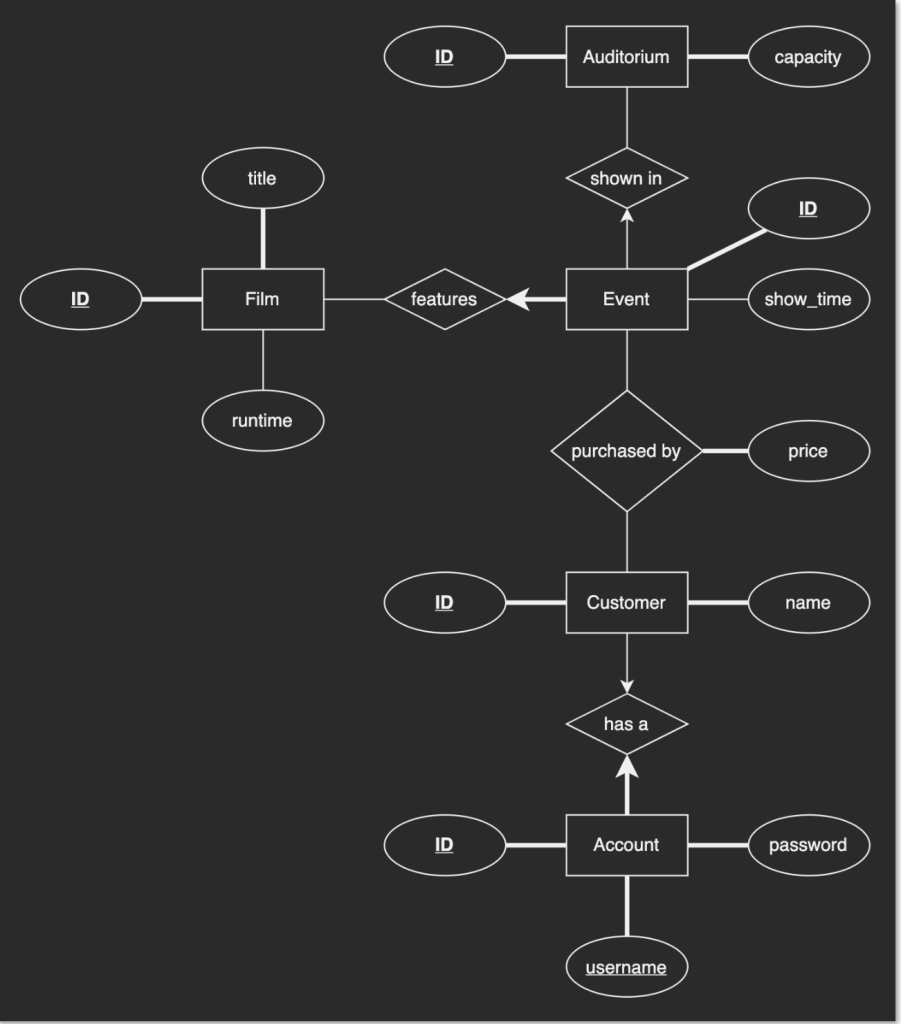

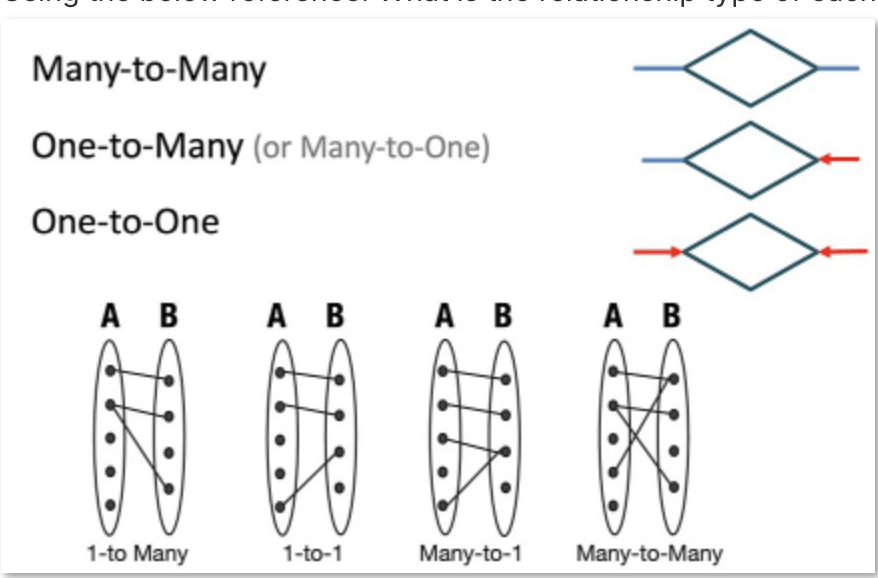
Those are the relationships and their types.
Steps to translate ER diagram into SQL tables:
1) Identify relationships
2) Classify relationships by type (one-to-one, one-to-many, many-to-many)
3) Write CREATE TABLE statements, ignoring foreign key columns initially
4) Add foreign key columns to CREATE TABLE statements depending on relationship type
     Note: Many-to-many requires an extra "bridge table" with 2 foreign keys.
5) Execute CREATE TABLE statements
6) Write and execute ALTER TABLE statements to enforce foreign key constraints
Another example, this time using scripting. Here is the ER diagram (this is step 1) Identify relationships)- we can see that this is a one-to-many relationship between product and category (see the single arrow?)
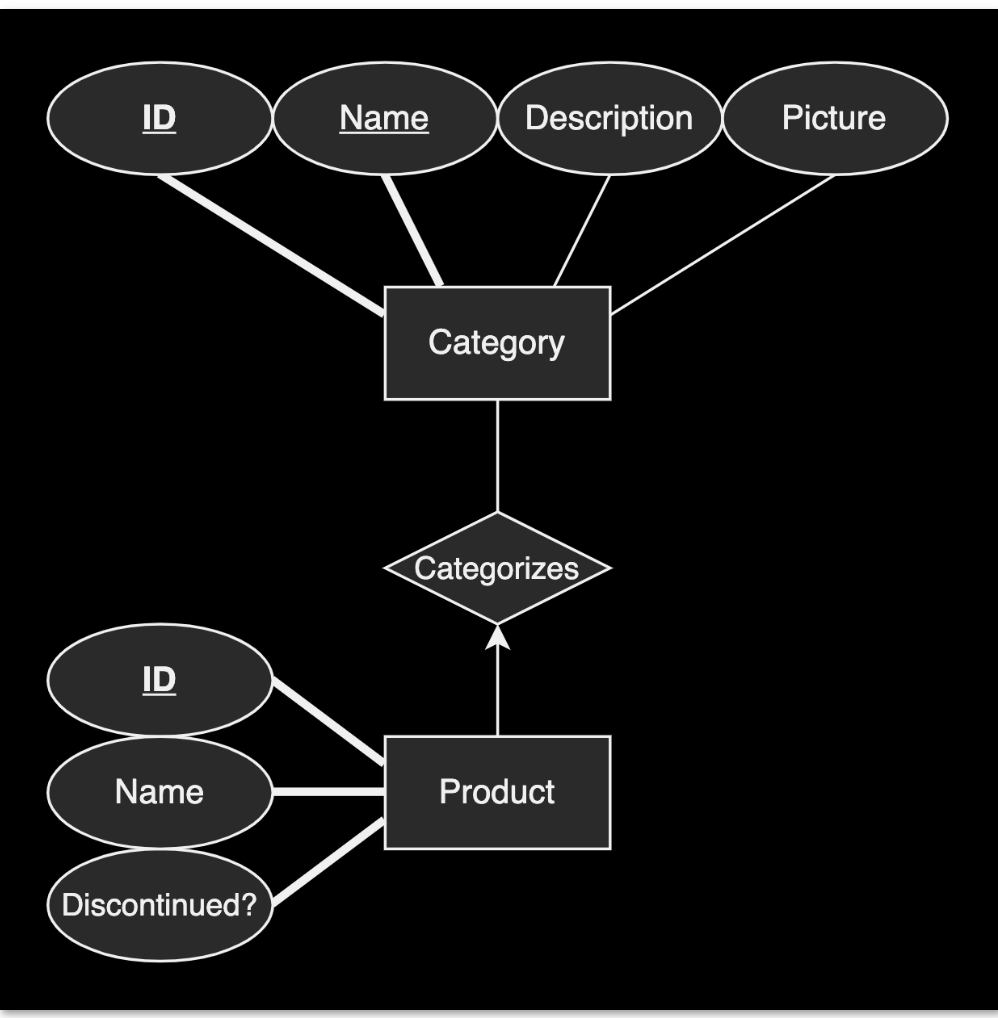
Now, let’s write the columns and attributes that we’ll need (categories table first, then products table next)
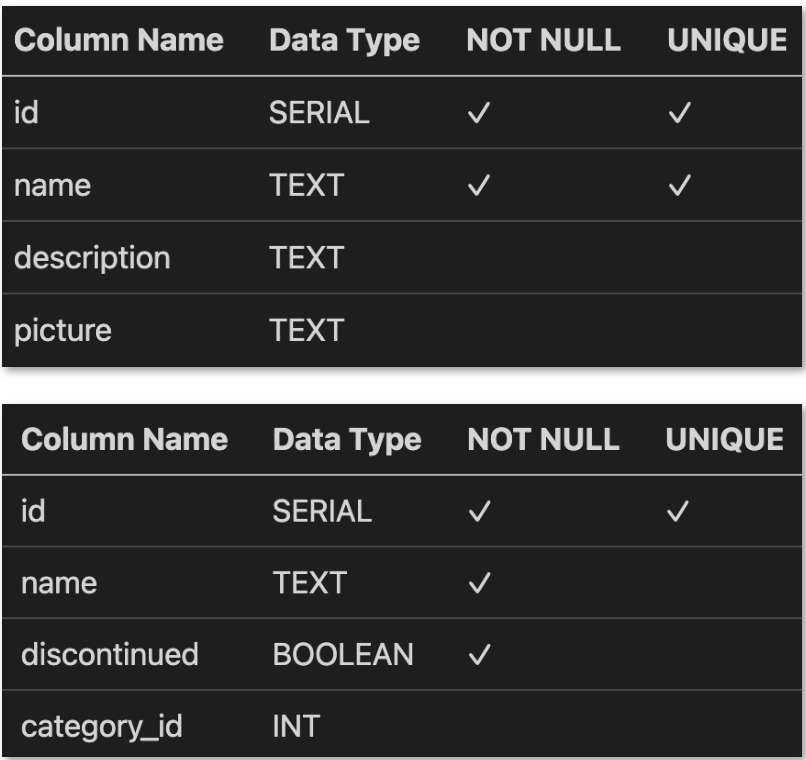
category_id in the second table (products table) is a foreign key, referencing the id column in the categories table.
Next, I created a .sql script file with the commands needed to build the tables:
CREATE TABLE categories (
    id SERIAL,
    name TEXT NOT NULL UNIQUE,
    description TEXT,
    picture TEXT,
    PRIMARY KEY (id)
);

CREATE TABLE products (
    id SERIAL,
    name TEXT NOT NULL,
    discontinued BOOLEAN NOT NULL,
    category_id INT,
    PRIMARY KEY (id)
);


ALTER TABLE products
ADD CONSTRAINT fk_products_categories
FOREIGN KEY (category_id)
REFERENCES categories;
Now, time to utilize docker:
docker compose ps
cat script.sql | docker exec -i pg_container psql -d <database>
This created the tables within the posgres instance running within the docker container, by piping the commands in the file.
 davethemaker