In this posting, I’m going to detail the steps that I took to successfully complete an exercise, where a ficticious company has given requirements for its operations, reflected by an ER diagram. My mission is to translate that into a technical solution, creating a Postgres database, complete with tables, to meet those requirements. Let’s get to it. Here’s the ER diagram:
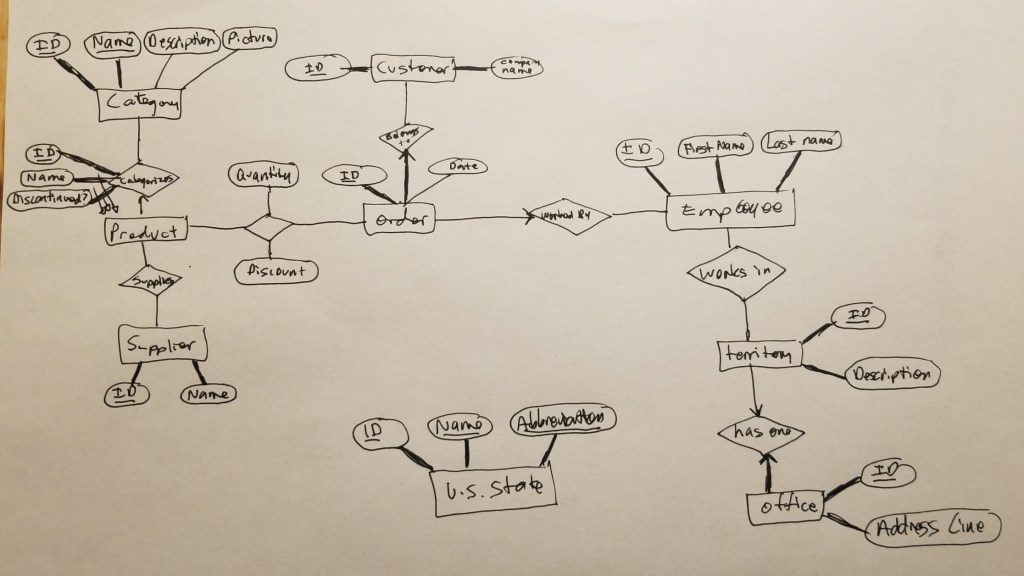
Let’s start with the products table. For non-bridge tables, the primary key will be named id and have a type of SERIAL. name will have type TEXT and we don’t want it to have a null value. The discontinued value will have type BOOLEAN and also be NOT NULL. This is a many to many table so will have columns for supplier and category ids. Lastly, we set the id as PRIMARY KEY:
CREATE TABLE products (
    id SERIAL,
    name TEXT NOT NULL,
    discontinued BOOLEAN NOT NULL,
    supplier_id INT,
    category_id INT,
    PRIMARY KEY (id)
);
Next, we build out the categories table. Once again we set the id as SERIAL, name will have TEXT type, and we want it unique and not null. Desciption only needs TEXT type, and same for picture. We set id as primary key:
CREATE TABLE categories (
    id SERIAL,
    name TEXT UNIQUE NOT NULL,
    description TEXT,
    picture TEXT,
    PRIMARY KEY (id)
);
Boom! Now to create a table for suppliers: id will be SERIAL again, and name will be required but won’t need to be unique:
CREATE TABLE suppliers (
    id SERIAL,
    name TEXT NOT NULL,
    PRIMARY KEY (id)
);
I’m running pgadmin and pg in containers, so if I use the ‘exec’ command to load the SQL commands of the file into the docker workspace, I can see the following (the tables were created successfully):

By right clicking on a table and selecting properties, we can verify that things are what we expected. Here’s the result of doing that on the suppliers table:
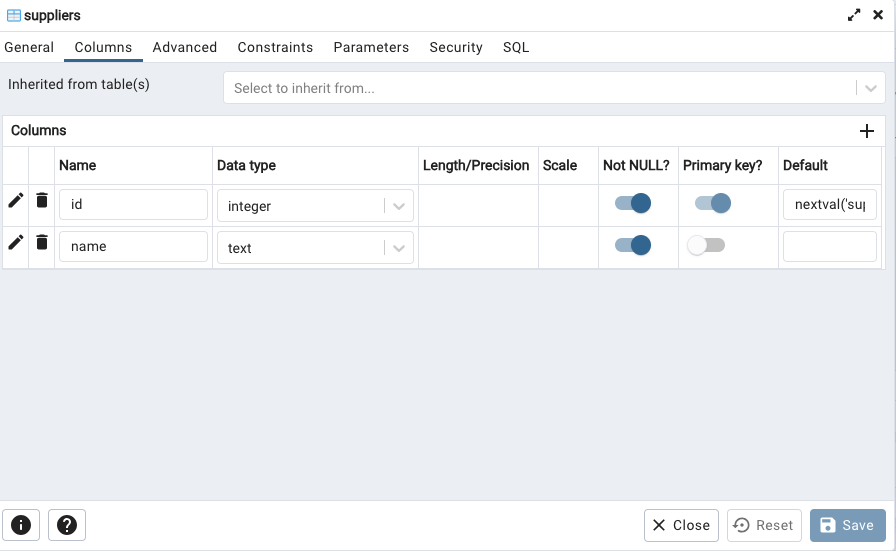
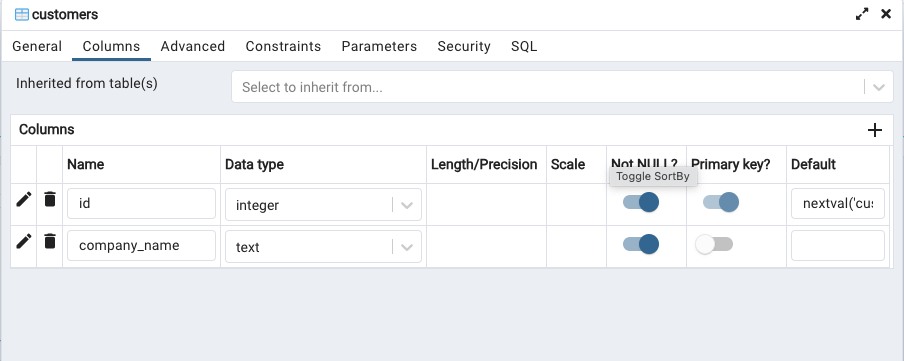
Next, to create a customers table to represent the Customer entity. Looking at the ER diagram, we see an id which is required and must be unique. We see a company name, which is required but doesn’t need to be unique. Let’s build the SQL command to build out this table:
CREATE TABLE customers (
    id SERIAL,
    company name NOT NULL,
    PRIMARY KEY(id)
)
Looking at the properties of the customer table, we confirm we have what we wanted:
Now looking at the top right of the ER diagram, it’s time to work on the employees table. We need a unique id, required first and last name both not needing to be unique. Here’s what that looks like:
CREATE TABLE employees (
    id SERIAL,
    first_name TEXT NOT NULL,
    last_name TEXT NOT NULL,
    PRIMARY KEY(id)
);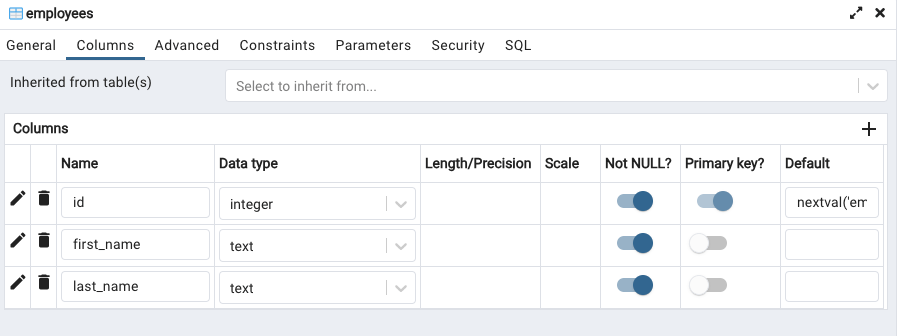
We can see from the properties that we have what we were looking for. Success!
Next up, orders table. According to the ER diagram, we need a required unique id, and a non-required, non-unique date. Let’s build that:
CREATE TABLE orders (
    id SERIAL,
    date DATE,
    PRIMARY KEY(id)
);

// UPDATED for many-to-many table

CREATE TABLE orders (
    id SERIAL,
    date DATE,
    customer_id INTEGER,
    employee_id INTEGER,
    PRIMARY KEY(id)
);
Let’s look at the attributes and double-check re: ER diagram:

There can be many orders and many products, a many-to-many relationship, so we need to build a bridge table between orders and products tables. We’ll call it orders_products table. It’ll need to hold product_id (foreign key) and order_id (foreign key), as well as quantity and discount. This is that triangle between the two entities. Here we build it:
CREATE TABLE orders_products (
    product_id INTEGER NOT NULL,
    order_id INTEGER NOT NULL,
    quantity INTEGER NOT NULL,
    discount NUMERIC NOT NULL,
    PRIMARY KEY(product_id,order_id)
);
Let’s check the properties:
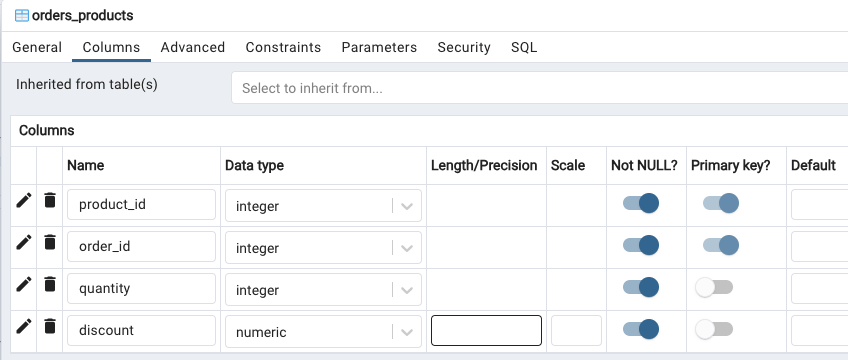
Yes, that is what we wanted. Nice.
Let’s build the territories table. Looking at the ER diagram, we need a primary key id, and a description that is NOT NULL, but doesn’t need to be unique. Let’s build that:
CREATE TABLE territories (
    id SERIAL,
    description TEXT NOT NULL,
    PRIMARY key(id)
);
And then, after running the query, check the properties in pgadmin:
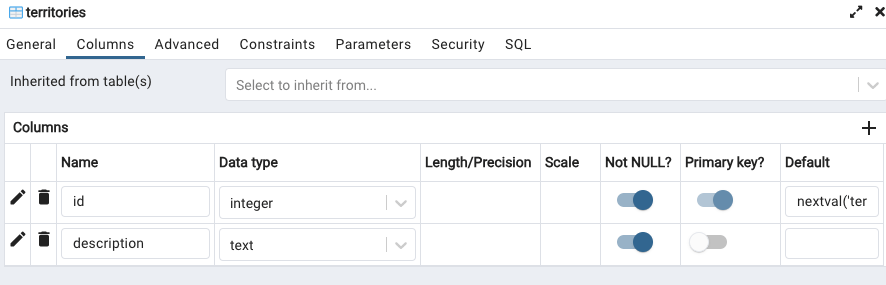
Looks good. Let’s build the employees_territories table next.
This reflects the many-to-many relationship between employees table and territories table. Let’s build it out:
CREATE TABLE employees_territories (
    employee_id INTEGER NOT NULL,
    territory_id INTEGER NOT NULL,
    PRIMARY KEY(employee_id,territory_id)
);
After running it, let’s check the properties (spoiler alert – it looks good!):
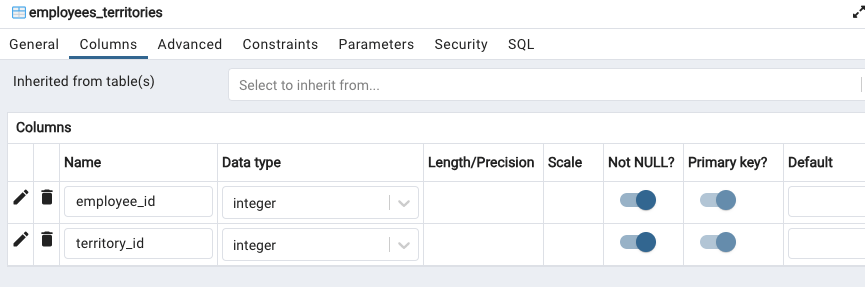
Let’s see, time to work on the offices table next. It requires a unique, primary key id, and requires an address line, but that doesn’t need to be unique. It has a one-to-one relationship with the territories table, so setting the stage for adding a foreign key, let’s add territory_id too:
CREATE TABLE offices (
    id SERIAL,
    address_line TEXT NOT NUll,
    territory_id INTEGER NOT NULL,
    PRIMARY KEY(id)
);
And checking the properties:

Nice. Let’s move on to the us_states table, which needs a unique, primary key id, a required, unique name, and a required, unique abbreviation. Let’s build that:
CREATE TABLE us_states (
    id SERIAL,
    name TEXT UNIQUE NOT NULL,
    abbreviation CHARACTER(2) UNIQUE NOT NULL
    PRIMARY KEY(id)
);
Let’s check the properities:

Looks good- just what we wanted based on the ER diagram.
Now we use ALTER TABLE statements to add foreign key constraints to the tables we made:
ALTER TABLE products
ADD CONSTRAINT fk_products_categories
FOREIGN KEY (category_id)
REFERENCES categories (id);

ALTER TABLE orders
ADD CONSTRAINT fk_orders_customers
FOREIGN KEY (customer_id)
REFERENCES customers (id);

ALTER TABLE orders
ADD CONSTRAINT fk_orders_employees
FOREIGN KEY (employee_id)
REFERENCES employees (id);
If we refresh, then look at properties of the orders table, and then go to the constraints tab > foreign key sub-tab, we will see the following:
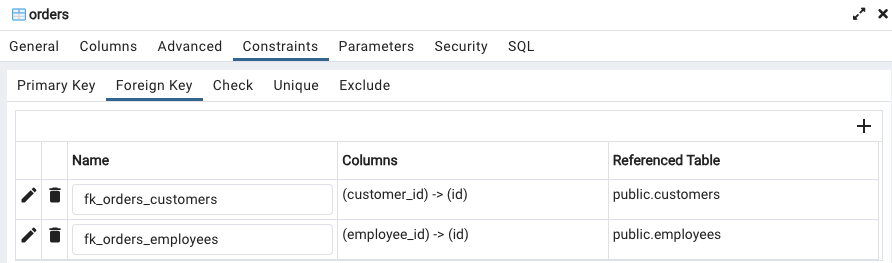
This to me is one of the trickier areas- I understand it conceptually, but implementing it is a bit more of an uphill push. Practice, practice I suppose (this is my first implementation).
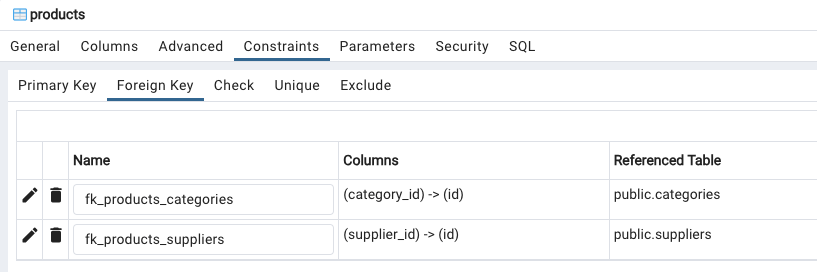
Let’s create the same for the one-to-many relationship of suppliers and prroducts. Let’s add this SQL query:
ALTER TABLE products
ADD CONSTRAINT fk_products_suppliers
FOREIGN KEY (supplier_id)
REFERENCES suppliers (id);
You know the drill – time to check the properties! (It checks out):
We have a many-to-many relationship between orders and products, so let’s create a statement to deal with that for the orders_products table:
ALTER TABLE orders_products
ADD CONSTRAINT fk_orders_products_orders
FOREIGN KEY (order_id)
REFERENCES orders (id);

ALTER TABLE orders_products
ADD CONSTRAINT fk_orders_products_products
FOREIGN KEY (product_id)
REFERENCES products (id);
There’s a many-to-many relationship between employees and territorires, so let’s alter the employees_territories table:
ALTER TABLE employees_territories
ADD CONSTRAINT fk_employees_territories_employees
FOREIGN KEY (employee_id)
REFERENCES employees (id);

ALTER TABLE employees_territories
ADD CONSTRAINT fk_employees_territories_territories
FOREIGN KEY (territory_id)
REFERENCES territories (id);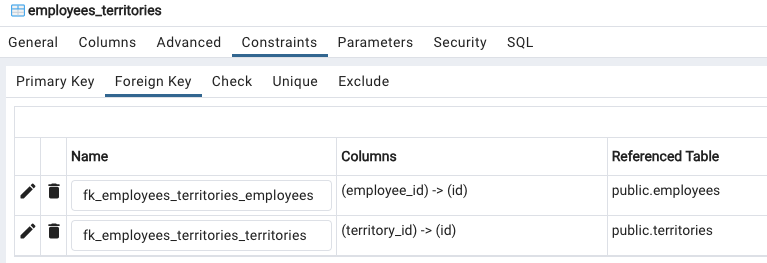
Finally, let’s enforce the one-to-one relationship between offices and territories, by adding a statement on the offices table:
ALTER TABLE offices
ADD CONSTRAINT fk_offices_territories
FOREIGN KEY (territory_id)
REFERENCES territories (id);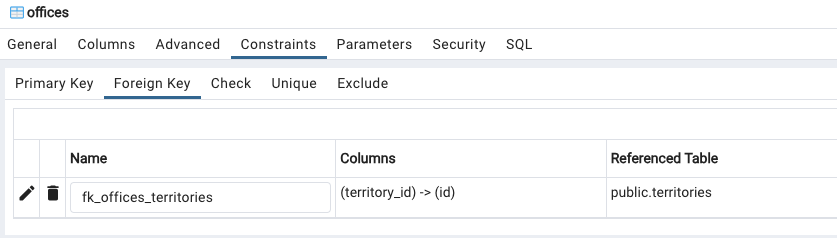
And that’s how you do it SQL style! 🙂 Hope this has been helpful..
 davethemaker