In my previous iteration of using Terraform to configure AWS resources to build out the infrastructure needed (VPC, AZ, subnet, security group, Internet Gateway, Subnet Association) to host a running EC2 server, I used a Data Source that spun up a Debian instance.
That worked great but tbh I have been spending most of my time working with the Amazon Linux 2 AMI and instance, and I’d prefer to work within that runtime environment. So, I grabbed the AMI ID and the author values, and replaced the previous Debian values (within the Data Source configuration), the ran Terraform again and – voila!- the instance type was changed just like that. No terraform destroy needed! The SSH key pair translated too, which was a concern of mine since I had to spend quite a long time figuring out how to get the keypair situation between my local environment and AWS in an authenticating handshake!
But, here is the fruits of my labor- a beautiful Amazon Linux 2 instance, woohoo!

Now, at first I was obtaining the public IP address of the instance through manually going through the AWS Management console. I created and output variable, though:
output "public_ip" {
    value = aws_spot_instance_request.awstf5_ec2.public_ip
}
This variable could then be called and the IP addrress obtained in a programmatic way- very cool. So, for example, I created a subprocess within the shell to SSH into the running vm instance using the value, like so:
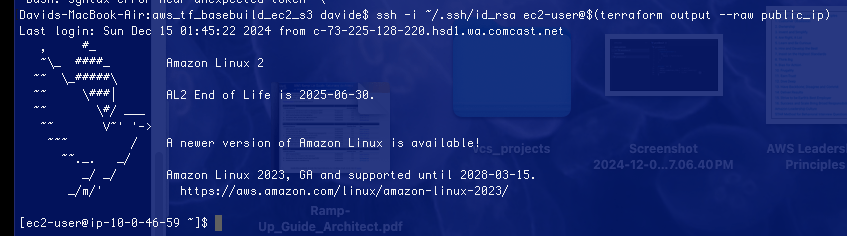
The syntax is:
ssh -i <reference private key here> ec2-user@$(terraform output --raw host)
Note, this did not work if I ran the command within the .ssh folder, but did within the active TF project folder.
 davethemaker