I’m exploring with EBS volumes – that is, Elastic Block Storage – and there are some interesting characteristics that I’ve discovered. They are viewed at a type of “network usb stick” in that the EBS volume can be “unplugged’ from one instance and plugged in to another one; they are versatile in that way. That is a useful property in terms of potential failover situations.
Generally speaking, you can only attach a single EBS volume to a single EC2 instance, but that’s not completely true- for the high-end EBS volumes (read, io1 or io2) these can be utilized to attach to more than one using the “multi-attach” feature. This is in those use cases where you want super high networking speeds, very low latency. On the flip side, you have to worry about data colisions, overwrites, and so on.
To play around, I created a VPC and a public subnet within us-west’s region, with a security group that allows SSH (port 22). I created a number of EBS volumes (small ones, as in 1GB storage) and then attached them to tthe EC2 instance I had spun up in the subnet. Looking at the ECS properties, I see those EBS details like so:
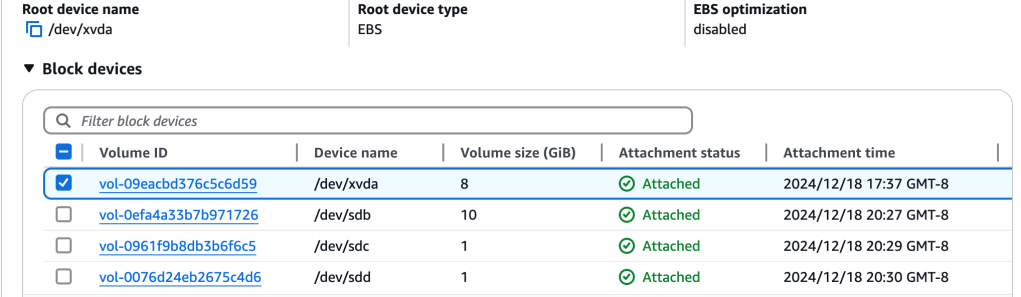
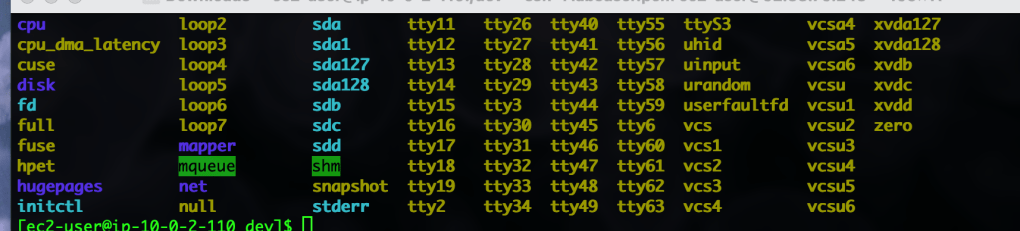
Now, we can see that this one EC2 instance has a number of these HD storage devices attached to it, varying in size. Since I have SSH’d into the instance, I cd’d into the /dev folder to take a peek at those EBS volumes from the point of view of the EC2 instance:
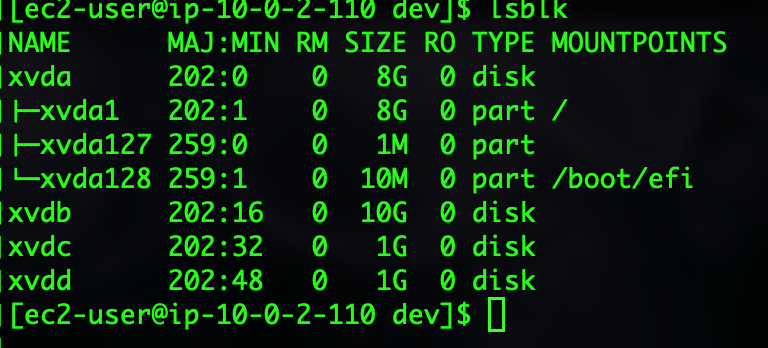
Using this command, $lsblk, I got this info:
Now, let’s try with the $ df -h command:
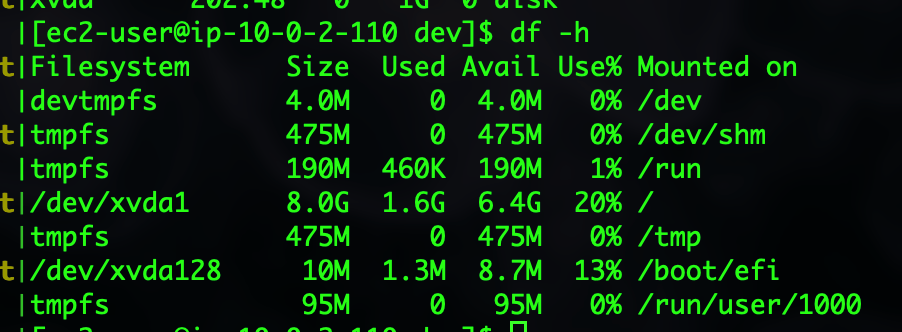
Looking at the root volumen, xvda1, with 8.0 gb, we have used 1.6 gb, or 20%. I’m not exactly sure why the other mounted volumes aren’t showing, but these are early days..
Let’s take a look at an EBS volume, /dev/sdc, using $ sudo fdisk -l command:
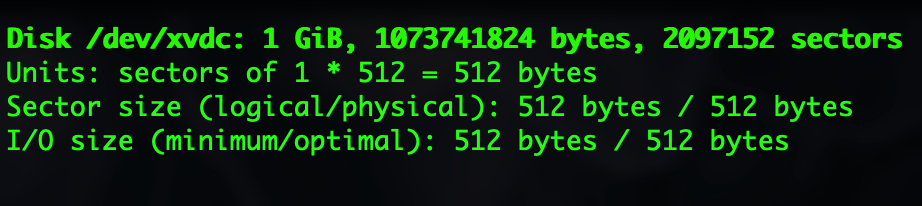
There’s our 1GB volume capacity as expected. This helps to “bring down to reality” the configuration and resource management within the console to actually working with the resources with “boots on the ground” as it were. Its’ pretty cool to spin up a EBS volume and then be able to jump into an instance and use it…really quickly!
Format EBS Volume
Okay, so we have these attached volumes, how can we use them?
We start with AWS Documentation here. Also see here. The max # of EBS volumes that you can attach to a single instance depends on the instance type and size. I’m using the uber-cheap t2.micro, so believe you me the iops is going to take a hit with all these attached storage volumes! The T2 is a Xen-based instance, general purpose. It uses the AMD64 64-bit cpu architecture. It is *not* the AMD processor which is a bit sexier. Documentation points to discouraging more than 40 volumes to a Xen-based Linux instance.
Now let’s create a file system on the smallest 1gb ebs volume:
$ sudo mkfs -t xfs /dev/xvdf
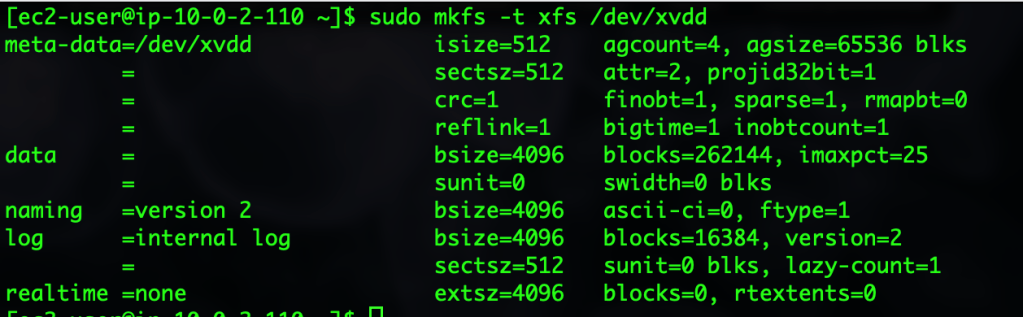
Let’s create a mount point for the volume:
sudo mkdir /data
Then mount the ebs volume at the mount point directory just created:
sudo mount /dev/xvdd /data
 davethemaker