When I first created my AWS account, I created an IAM user account and attached an administrative-permissions policy to it. Thereafter, I signed into my account using that user and authentication, because the root user has super-powerful system powers which is dangerous and (most of the time) unnecessary.
In a different exercise, IAM policies have been atttached to AWS resources in order to give access to AWS resources – for example, recently I did an exercise where a policy was attached to an EC2 instance that allowed access to Systems Manager.
In this exercise, I’m going to explore IAM further, by creating and applying an IAM password policy, inspect IAM policies, add users to userr groups, locate and use the IAM sign-in URL, and experiment tthe effects of policies on server access. So let’s jump into it!
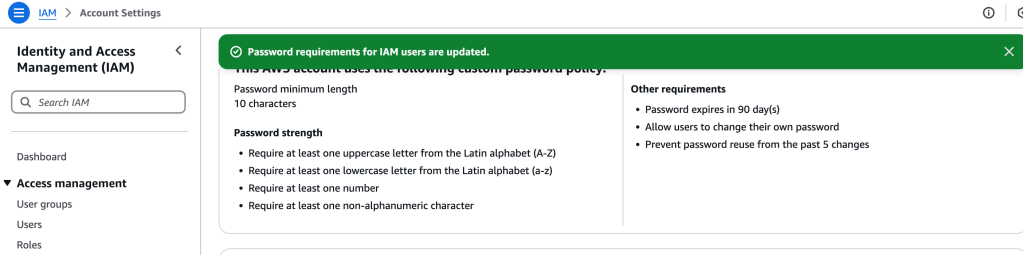
First, let’s create a custom password policy for the account. I select “IAM” service and then Account Settings. Then, I edit the password policy, adding stricter requirements.
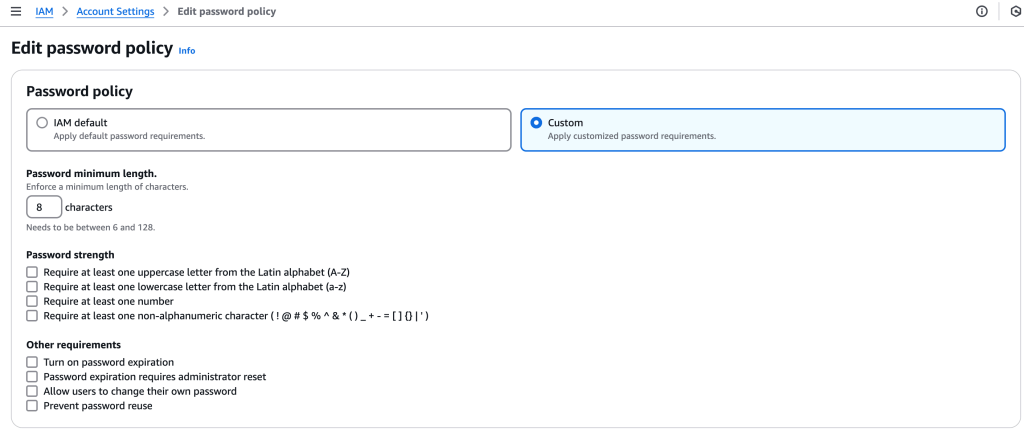
AWS asks for confirmation, and once that is provided, all effects apply to all the users associated with the account.
Users
Under Access Management, Users can be selected to view the users and groups already created. By selecting a particular entity, we get access to Permissions, Security credentials, and more.
Clicking on the Groups > EC2-Support group, for example, brings up options to view associated users and permissions. In this case, AmazonEC2ReadOnlyAccess policy has been attached to this group:
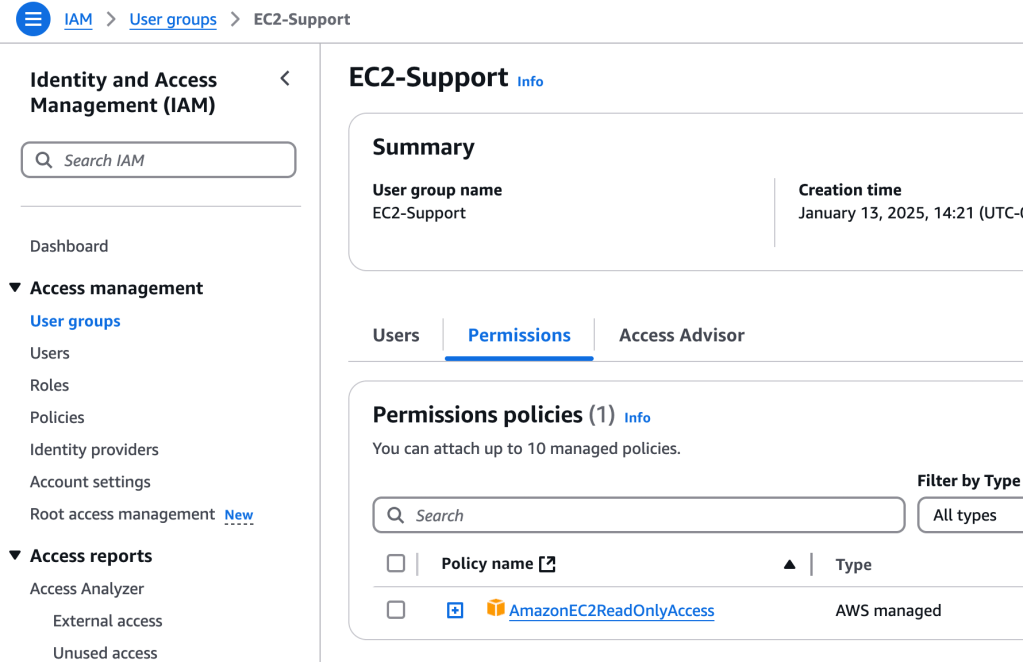
This is a managed policy (pre-built), and can be updated- useful if you are creating a custom policy.
Let’s take a look at the JSON policy:
{
    "Version": "2012-10-17",
    "Statement": [
        {
            "Effect": "Allow",
            "Action": [
                "ec2:Describe*",
                "ec2:GetSecurityGroupsForVpc"
            ],
            "Resource": "*"
        },
        {
            "Effect": "Allow",
            "Action": "elasticloadbalancing:Describe*",
            "Resource": "*"
        },
        {
            "Effect": "Allow",
            "Action": [
                "cloudwatch:ListMetrics",
                "cloudwatch:GetMetricStatistics",
                "cloudwatch:Describe*"
            ],
            "Resource": "*"
        },
        {
            "Effect": "Allow",
            "Action": "autoscaling:Describe*",
            "Resource": "*"
        }
    ]
}
This policy grants permission to list and describe information about Amazon Elastic Compute Cloud (EC2), Elastic Load Balancing (ELB), Amazon CloudWatch, and Amazon EC2 Auto Scaling. This ability to view resources but not modify them is ideal for assigning to a support role.
The interface is pretty intuitive. You can attach policies to a role or user, and then those go into effect right away. It’s a powerful methodology for being able to enact permissions, even on a granular level, for all the rich resources available on AWS!
 davethemaker