I’ve been focused a lot in security prevention approaches, such as subnetting, security group configuration, IAM policies, and so forth. I also want to touch upon AWS detection services, too. Specifically, the AWS Network Firewall.
I have an t2.micro EC2 instance running in us-west-2a Availability Zone. It has a private IPv4 address but no public IPv4 address -it is located in a private subnet.

This instance has an IAM policy attached to it that allows the ability to connect via Systems Manager. I connect to the instance shell, and within this sandboxed, protected environment, I download two files that are designed especially for anti-malware testing purposes.


What this exercise has demonstrated, so far, is that the URL hosting the malware files is accessible through the current network and network firewall! This was an isolated EC2 instance – it was situated in a private subnet, but it still allowed me to replicate the environment that users might actually do. Now let’s fix this!
Let’s first look at the firewall that is in place: VPC > Network Firewall and choose “Firewalls”
I select the Firewall in question, and then the attached firewall policy.
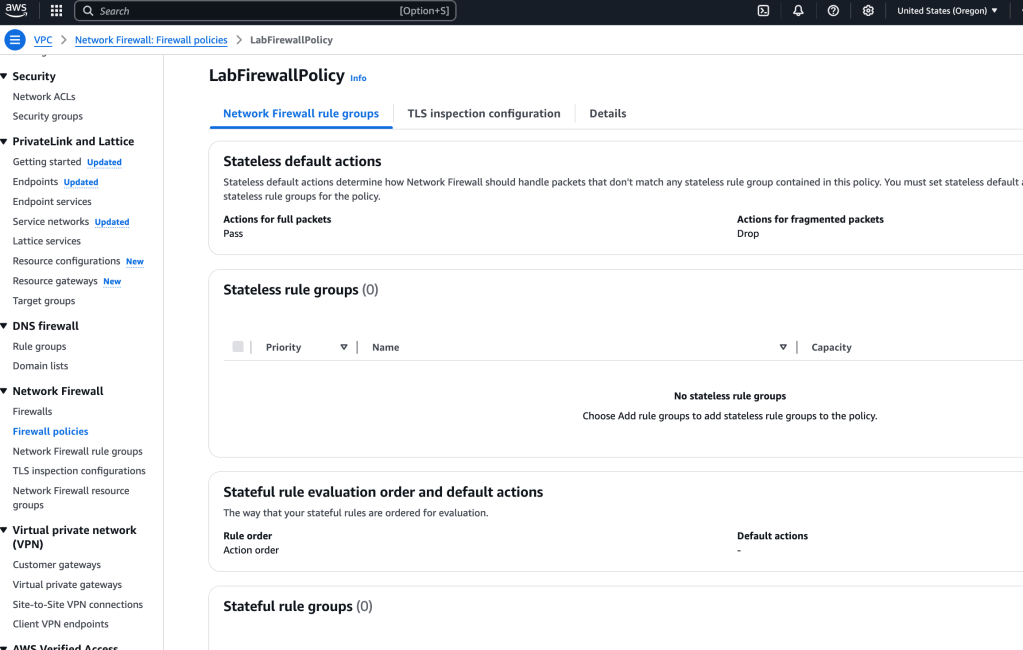
In the Stateless defaults actions > Edit
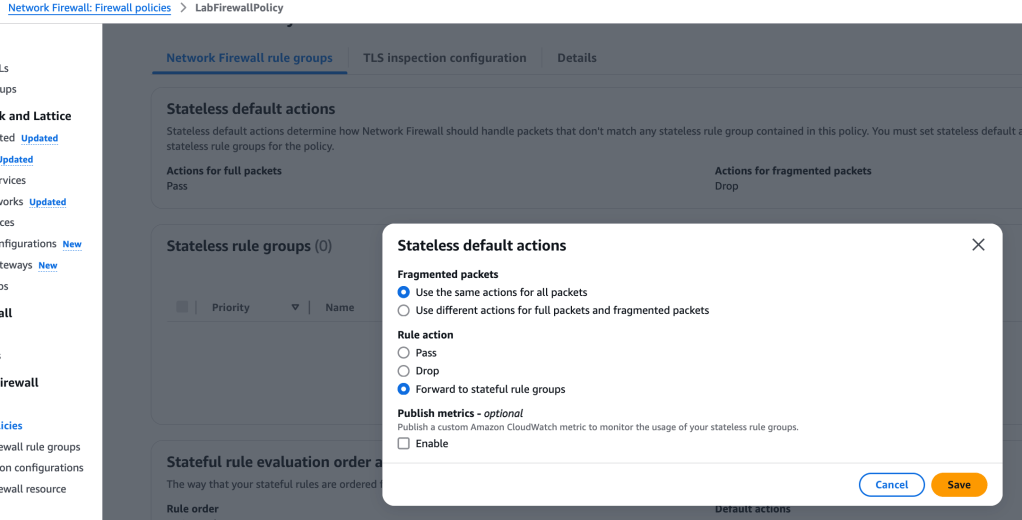
What we’ve done here is forward all packets to a stateful rule group for further inspection.
A stateful rules engine inspects packets in the context of their traffic flow, gives you the ability to use more complex rules, and gives you the ability to log network traffic and AWS Network Firewall firewall alerts on traffic. Stateful rules consider traffic direction. The stateful rules engine might delay packet delivery to group packets for inspection.
A stateless rules engine inspects each packet in isolation without regard to factors such as the direction of traffic or whether the packet is part of an existing, approved connection. This engine prioritizes the speed of evaluation.
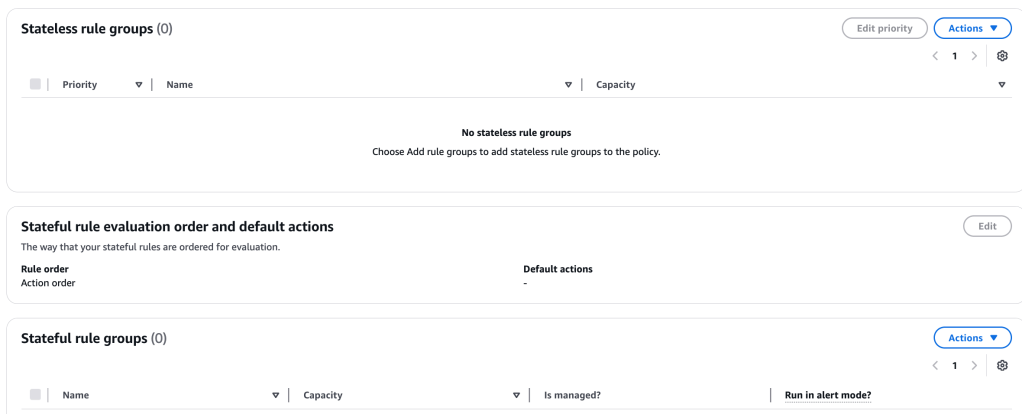
Create Firewall Rule Group
Right now, we don’t have a rule group, so let’s create one. We can create a Stateless rule group, or a Stateful Rule group – let’s choose the second one.
We can choose the rule group format – I’m going to select the Suricata compatible rule string
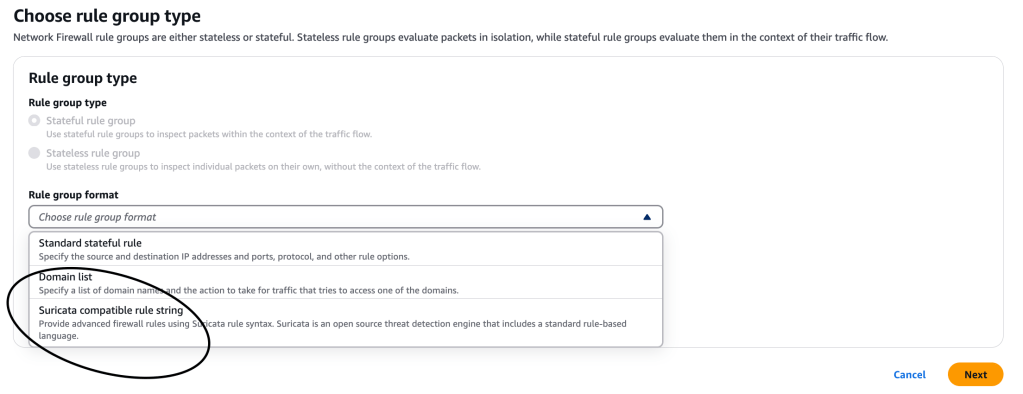
Suricata is an open-source network IPS that includes a standard rule-based language for traffic inspection.
I add Suricata compatile IPS rules:
drop http $HOME_NET any -> $EXTERNAL_NET 80 (msg:"MALWARE custom solution"; flow: to_server,established; classtype:trojan-activity; sid:2002001; content:"/data/js_crypto_miner.html";http_uri; rev:1;)

drop http $HOME_NET any -> $EXTERNAL_NET 80 (msg:"MALWARE custom solution"; flow: to_server,established; classtype:trojan-activity; sid:2002002; content:"/data/java_jre17_exec.html";http_uri; rev:1;)
The two Suricata rules that were added now block traffic that matches the http_uri contents /data/js_crypto_miner.html and http_uri contents /data/js_crypto_miner.html URLs.

Now, a stateful network firewall rule group, using Suricata rules, has been created. This rule group blocks those malicious website from potential users within the network. We still have to attach that policy to the network firewall, though, so let’s do that now:
This time, when I select the firewall policy, the firewall security rule group (stateful) shows up, and I can select it.

This time when I connect to the EC2 instance and attempt to access those malicious files, I am not allowed…the server just hangs:

 davethemaker