I’m currently working on a project that uses a RDS MySQL database instance to store data, and via a script and the DBMS (database management system) retrieve data as a result of queries. There are various service solutions that AWS offers to approach a similar result: for the case of big data, then Athena might be used instead, for example. Databases, while great for certain use cases, are just one option – there is, of course, the S3 buckets for storing unlimited amounts of object storage, and File Systems, such as EFS for Linux configurations, and FSx for higher-performance usage (good for Windows, too). In this exercise, I’m going to continue explore EBS volumes, exploring using the Command Line Interface (CLI) to create a snapshot and then configure a scheduler to run Python scripts which will delete older snapshots. I want to create an S3 bucket to sync files from EC2 instance too. Let’s get to it…
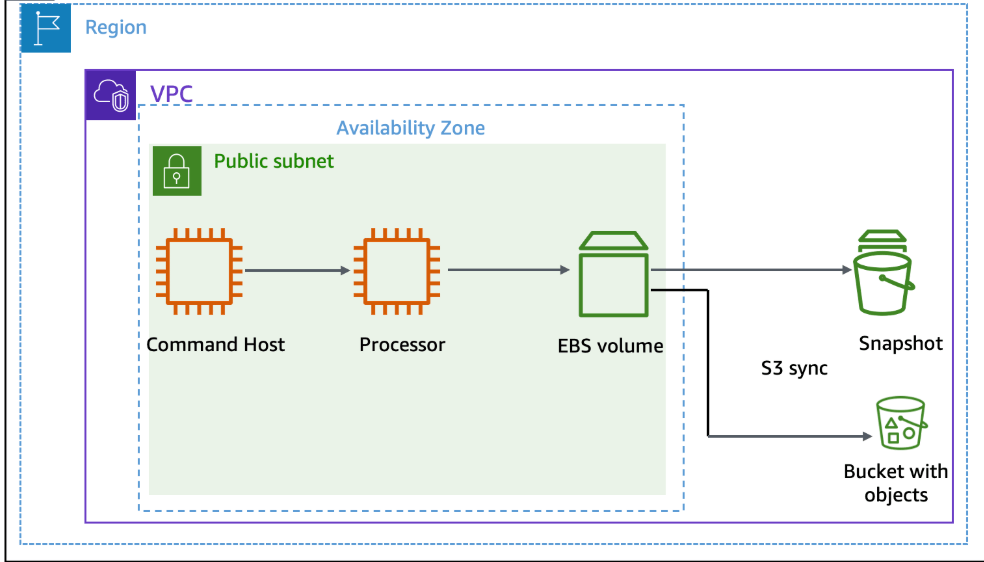
We have a public subnet, 2 EC2 instance – the ‘Command Host’ instance will administer AWS resources, including the ‘Processor’ instance.
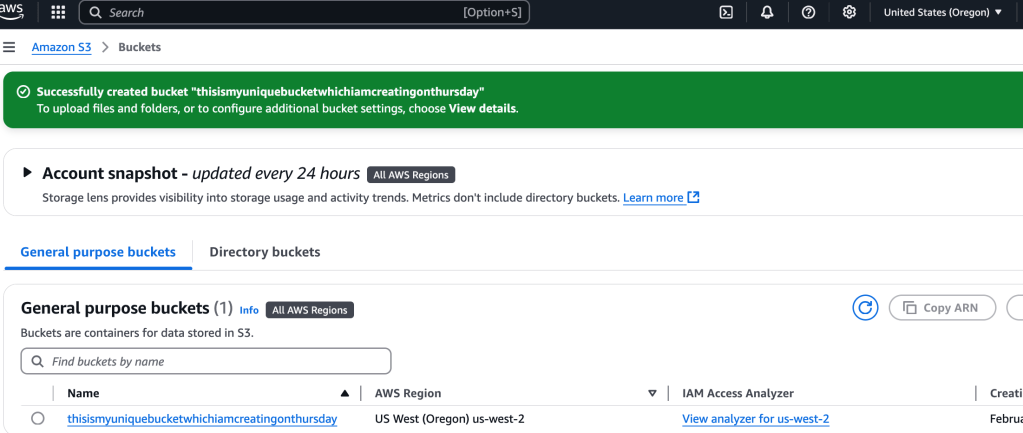
I want to create an S3 bucket to hold the data from the Processor instance. To create the S3 bucket is really easy, I won’t walk through that part. In terms of config, I keep it simple- no versioning, no tags, no public access…
In order for the EC2 instance, ‘Processor’, to interact with other services, an IAM role has to be attached to that instance.

I select the EC2 instance > Actions > Security > Modify IAM role.
Right now it has S3BucketAccess, that is what we want. Now, I use EC2 Connect to securely access the Command EC2 instance. I’ll be using Linux commands- let’s display the EBS volume’s ID:
aws ec2 describe-instances --filter 'Name=tag:Name,Values=Processor' --query 'Reservations[0].Instances[0].BlockDeviceMappings[0].Ebs.{VolumeId:VolumeId}'
This gives me a return value of the Volume ID
 davethemaker