Previously, I uploaded an html file to the relevant s3 bucket, setting the permissions for the public to access the contents, setting the CORS policy, and then deleting the cloudfront setup which I had created previously but wasn’t working correctly. I’ll add that in later but the focus is on building the functionality so that’s the focus. The index.html file used google fonts and included a non-functioning form, along with a simple navigation bar. Now to build out the backend functionality. Ultimately revising to serverless using lambda and api gateway is the goal, but for now we’ll be going the traditional route of using EC2 web server instances within VPCs, using our old friends security groups, etc.
First, to create a MySQL RDS Database. I selected a username and password combination for authoritization and connecting to the DB. I then downloaded sql electron, which downloaded a .dmb package which I then used to install on my local workstation Mac.
Now I switch back to the AWS console to get the details of the database I had created. The DB was associated with a security group with TCP protocol, port range 3306 for inbound rules allowing just my IP address. I copy the endpoint and will use that within sql electron.

Copy the Endpoint values…

I connect and voila! I have access to the database
CREATE TABLE users (
    id INT AUTO_INCREMENT PRIMARY KEY,
    username VARCHAR(50) NOT NULL
);
Then…
INSERT INTO users (username)
VALUES ('david123');
and then I queyr the database and the values were saved successfully:

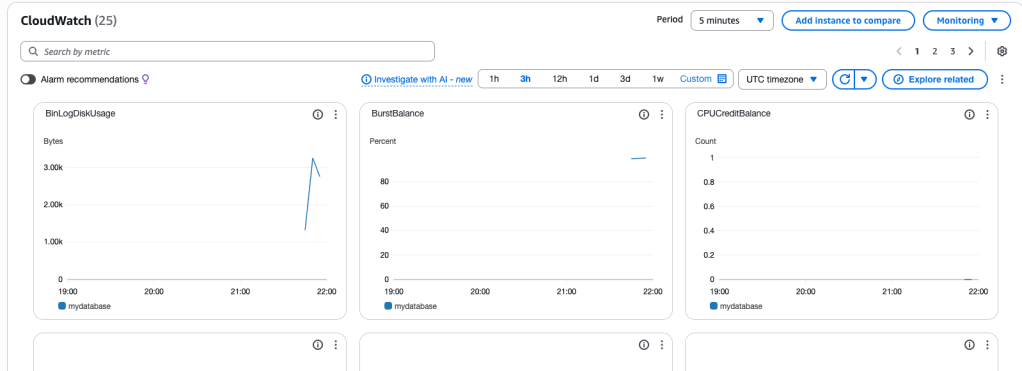
Take a look at CloudWatch metrics
 davethemaker