In this exercise, we’re going to practice setting permissions and configuration so once an event occurs within an s3 bucket, that event notification will be sent to the SQS Queue.
This is handy because with this framework, we could take that message held in the queue, save it to a database, or send a SNS notification or something similar. So it’s definitely a good concept to learn, so let’s jump into it:
We are going to be creating a SQS Queue Access Policy for this case- this is going to be a policy attached to the SQS Queue service that will allow the S3 bucket permissions to send notification/messages to it.
Let’s create a Queue:
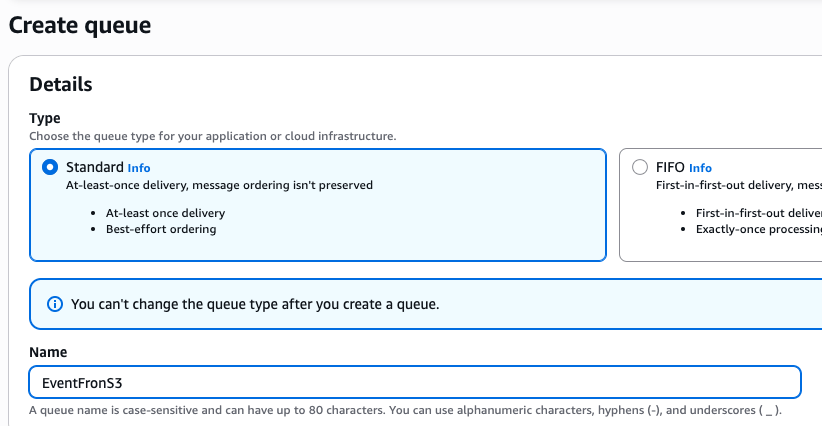
This isn’t going to work, because the policy isn’t right, but just to set up the s3 connection, I’m going to access the defaults with Access Policy: Note- Encryption was also disabled.
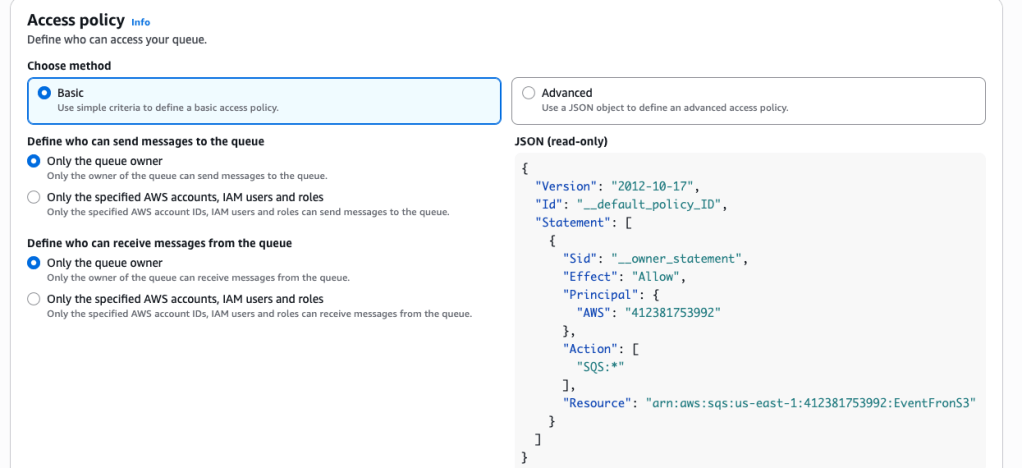

S3
Now let’s create an S3 bucket:

I move into that newly-created bucket and > Properties:

Scroll down to Event Notifications:
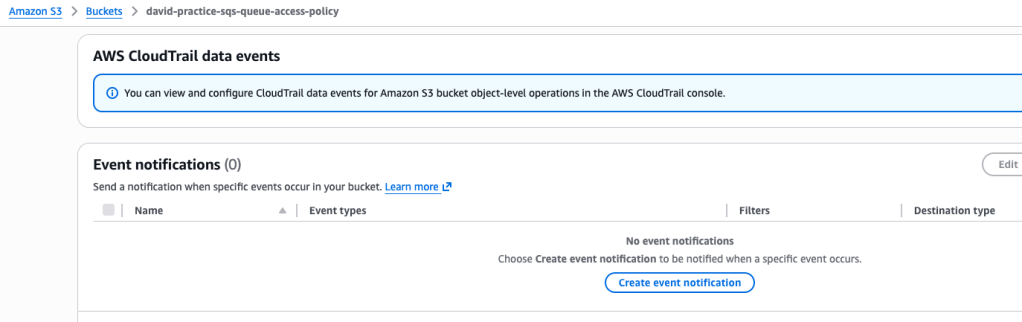
Now let’s create a new event notification:
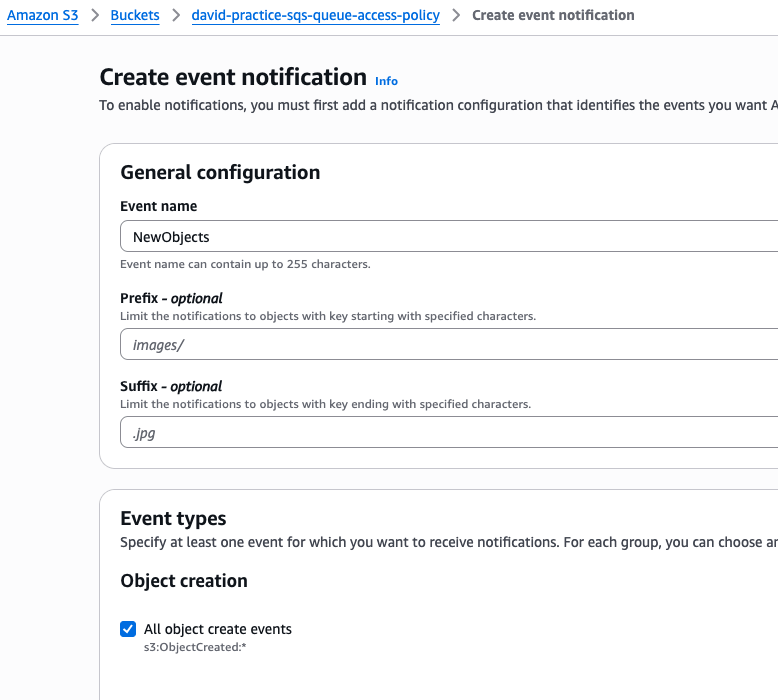
Then we scroll down to Destination, and select the SQS queue created earlier (typo in naming I see!):
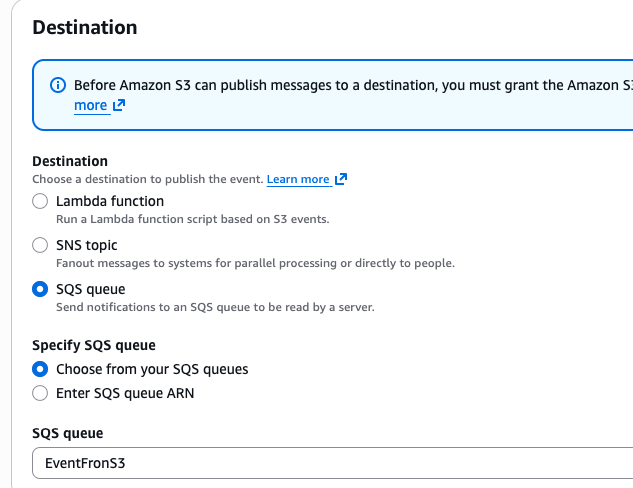
We get an (expected) error because the config isn’t right!

Let’s head back to SQS. A google search for “s3 event into sqs access policy” gives this:
{
  "Version": "2012-10-17",
  "Id": "MyQueuePolicy",
  "Statement": [
    {
      "Sid": "AllowS3Topic",
      "Effect": "Allow",
      "Principal": {
        "Service": "s3.amazonaws.com"
      },
      "Action": "sqs:SendMessage",
      "Resource": "arn:aws:sqs:us-east-1:123456789012:MyS3Queue",
      "Condition": {
        "ArnLike": {
          "aws:SourceArn": "arn:aws:s3:::MyS3BucketName"
        },
        "StringEquals": {
          "aws:SourceAccount": "123456789012"
        }
      }
    }
  ]
}
The values in bold need to be changed for your account.
Essentially, this Access Policy allows the S3 bucket to send message to the Queue.
This time, I was able to create a new object event notification!

If we head over to SQS queue, we can see that there is a message waiting when we poll:

 davethemaker