This is a service that moves data from a source location to a target location. Producers can be apps, clients, SDK, Kinesis Agent, or even Kinesis Data Streams (we’ll be exploring this in a minute), AWS IoT, CloudWatch.
Records can be up to 1MB, and can be transformed potentially by a lambda function. Potential destinations might be S3, Redshift, or OpenSearch – or 3rd party like New Relic Splunk, Datadog. It is near real-time. It supports CSV, JSON, Parquet, Avro, raw text, and binary data. You can, built-in, convert to Parquet/ORC, but like was mentioned, Lambda can create custom data transformations too.
Whereas Kinesis Data Streams can store data for up to 365 days, Firehose doesn’t have any storage -it’s really for moving data into S3, Redshift or those other locations. Also, it doesn’t have replay capacity.
Let’s try it out!
We go to Kinesis > Amazon Data Firehose:

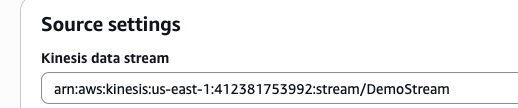
For this example, we’re going to select Amazon Kinesis Data Streams as the source, and an S3 bucket as the destination. I select the DemoStream from the previous post as the source setting
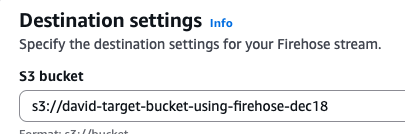
I select the option to create an S3 bucket and give it basic configuration and permissions. Now that that is created, I can choose that bucket as the destination setting:
Under Buffer hints, compression, file extension, and encryption, we have the option of adjusting the buffer size- a higher amount means that the buffer size is bigger, so that the cost will be lower but you’ll be waiting longer for the buffer to fill (higher latency). For buffer interval, we can adjust the amount of time for the data to be collected- do you want the data to be sent faster? Then make it a lower interval time.
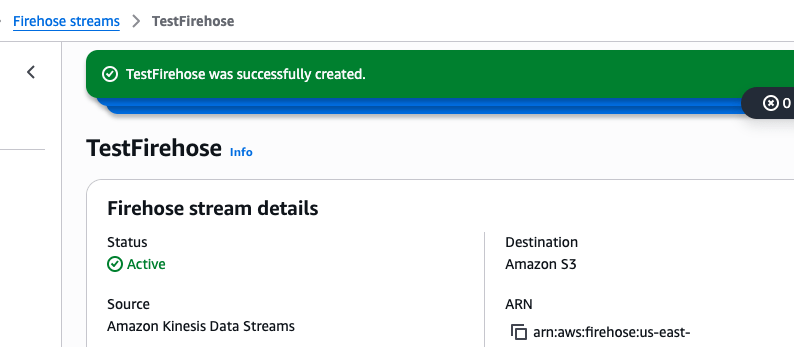
We see above that the source is Amazon Kinesis Data Streams > Firehose > S3
Let’s test it out! Switch over to the DemoStream (data stream), open up CloudShell (CLI) and use the command to product:
aws kinesis put-record --stream-name DemoStream --partition-key user1 --data "user checkoutbook" --cli-binary-format raw-in-base64-outBoom!

I created an additional record (user checkinbook) for a total of two records. Let’s head over to s3 bucket to see if these were delivered:
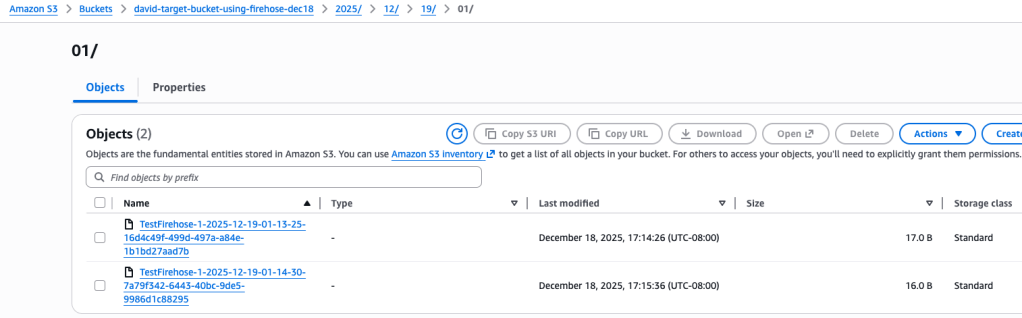
And they are there indeed.
I click on the first of the two records to display the following values:

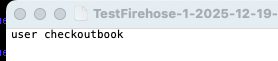
I select Open and my text editor opens with the following information:
Summary
So we created a Data Stream, connected it to a Firehose, which then had a target destination of a S3 bucket. We created a few messages within the Data Stream using the CLI, waited a little bit for the buffer time (60 seconds) and sure enough, those messages had been delivered to the S3 bucket and we could read the message data.
This shows the flexibility and some of the potential of using these kinds of connections and data pipelines. We could bring in Lambda functions to touch up and modify the data in a real-time fashion, which is pretty amazing. So lots of interesting possibilities!
 davethemaker