Kinesis is a service offered by AWS for streaming data. This could come from IoT devices or applications, but essentially we are looking at a large number of producers and with a use case of using the data in real time. For example, this might be useful for r/t analytics, such as with a stock market app, where time is of the essence.
Let’s create a Kinesis Data Stream– I’m going to select On-demand capacity, so that AWS provides capacity as needed, in comparison to Provisioned, where you have a fixed data stream capacity. The name of the stream is DemoStream (this will be used a little later in the CLI)
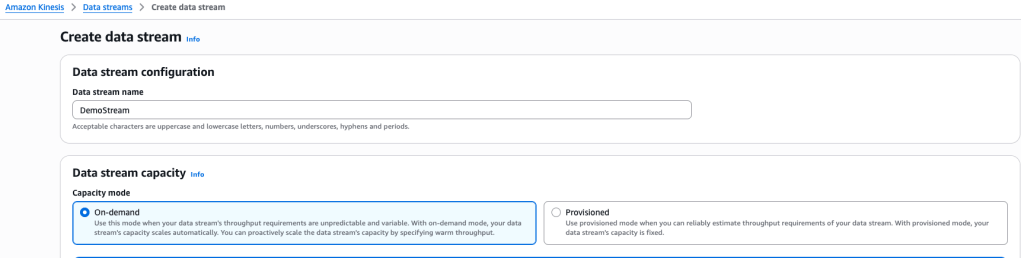
Here’s the settings:

I selected the pay-as-you-go option.
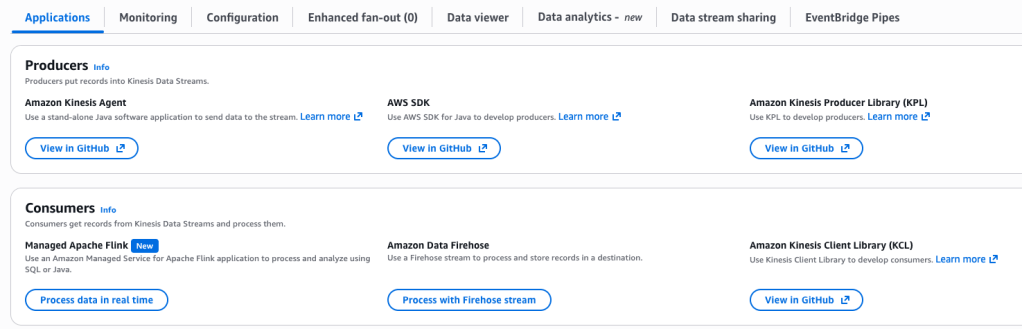
We’re going to use the AWS SDK- to do this, we open the CloudShell CLI, and see what version of AWS we have using $ aws –version

We see that it is version 2, so we use the CLI v2
aws kinesis put-record --stream-name DemoStream --partition-key user1 --data "user signup" --cli-binary-format raw-in-base64-out
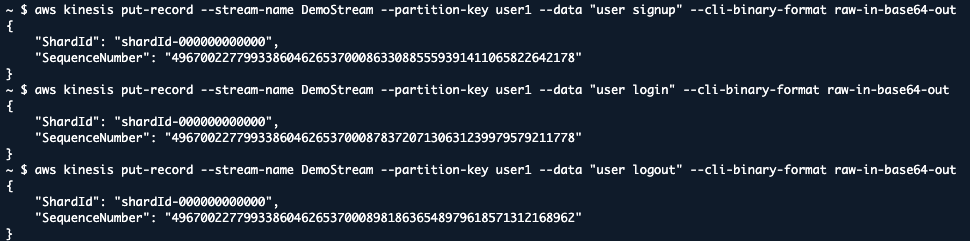
Here a few records were created – note, they all share the same partition key, user1, which means these records will be in order within the same shard.
Consumer
Now, first we want to describe the stream:
aws kinesis describe-stream --stream-name DemoStream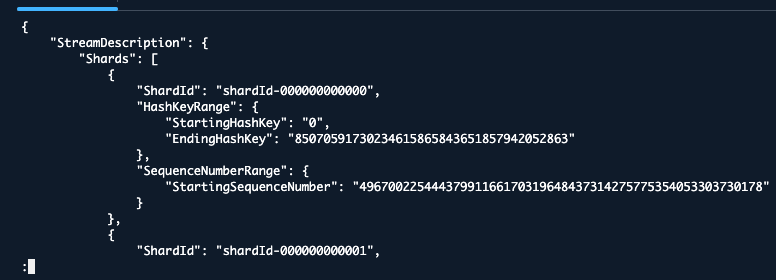
I take note of the shardID because I will need that in a moment:
"shardId-000000000000"Consume Some Data
We want to actually access and read the data that is in the Kinesis data stream shard, so we will use the following command within CLI:
aws kinesis get-shard-iterator --stream-name DemoStream --shard-id shardId-000000000000 --shard-iterator-type TRIM_HORIZONThis provides an output of ShardIterator, which can be used to iterate through the different values within the shard:

Now we use that ShardIterator value within the following command:
aws kinesis get-records --shard-iterator <shard iterator value pasted in>And the shard values are iterated, one by one, with the partition key of user1

I’m going to delete this Data Stream and try again, this time using a provisioned configuration
Provisioned Data Stream
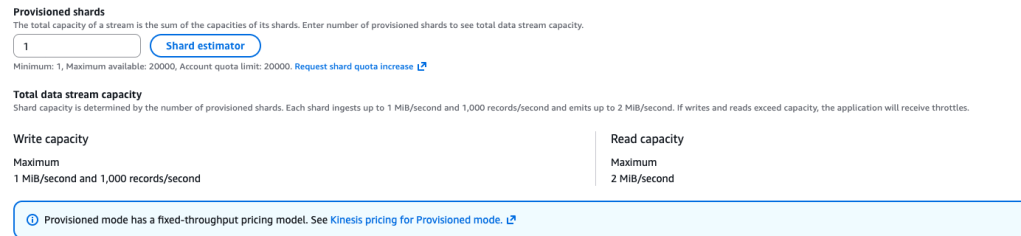
This makes me feel more at ease because I know it’s the cheapest model! Here’s the settings:
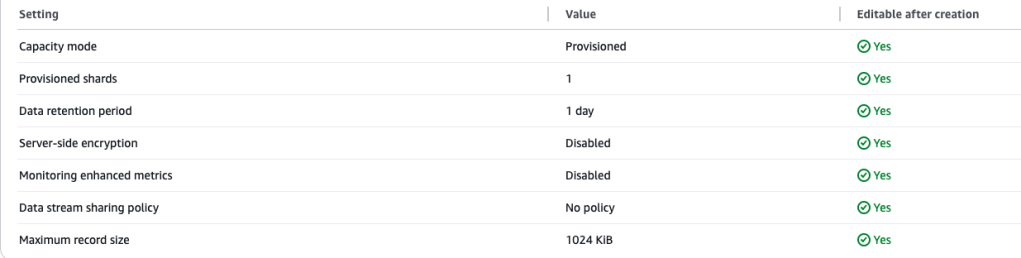
I use the same $aws kinesis put-record command as before to create two records, both with the partition key of user1, so they will both be within the single provisioned shard:

So we have a user signup, and a user signout.
I run this shardID identifier command again and the output is the same:
aws kinesis describe-stream --stream-name DemoStream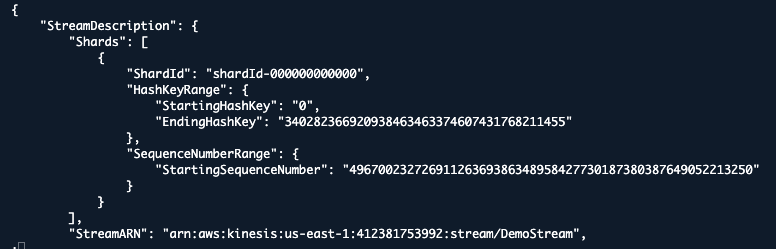
Let’s get the shard-iterator and use it to display the shard records:
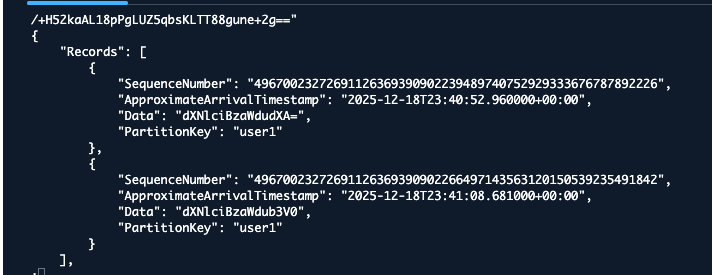
The data is base64 encoded, so we google “base 64 decode online” and then paste that encoded data into the decoder:
“dXNlciBzaWdudXA=” equals “user signup”

 davethemaker