If a message is repeatedly sent back from the consumer back to the queue for some reason – perhaps it’s a malformed message – then we need a mechanism for flagging that message, perhaps for analysis and debugging.
That’s where the Dead Letter Queue comes into play. We can configure a message being sent to this queue after a certain number of this being sent back into the queue, so let’s practice this:
Amazon SQS > Queues > Create queue: let’s create a main queue called TestQueue with normal parameters, except for a 5 second delivery delay just to see that in action:

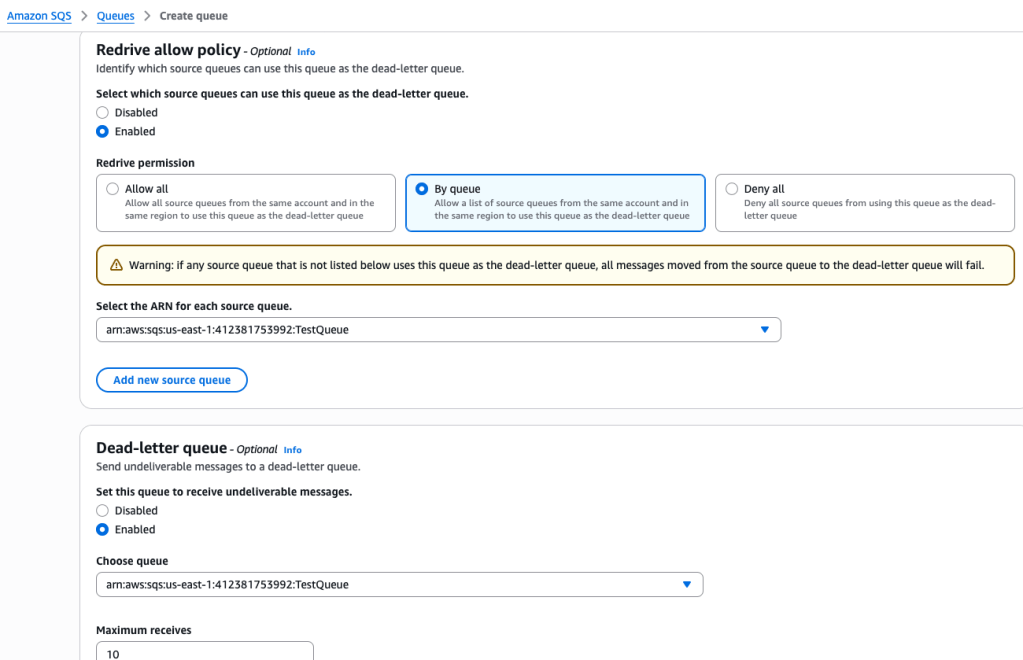
Next I created a second queue, and enabled the Redrive Allow policy (which will send any Dead Letter message back to the consumer as if it had never been in the dead letter queue, in effect letting it try again) and the Dead-letter queue; for each of these, I needed to select the dead-letter queue initially created:

Now let’s test it out:
I send a few messages in the main queue but I don’t delete them.
Wait! Actually I needed to configure the main Queue to enable the Dead-letter queue:

So this is saying that if a message is received and read 3 x and put back in the queue the fourth time (not deleted) then it will be a dead letter and be sent to that queue. Let’s test:
On the original queue, create and send message which won’t be deleted:
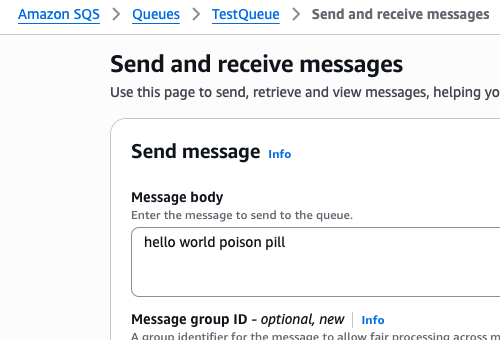
In that main queue, the “poison pill” message is polled three times, and then the fourth time? It disappears…

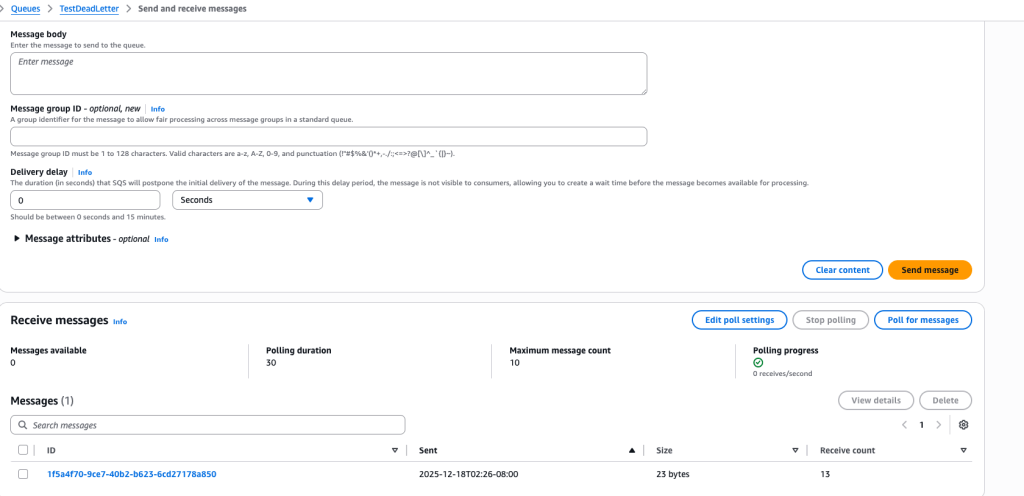
However, in the dead letter queue, we find that dead letter message:
 davethemaker