When first setting up my AWS account, it was stressed on the importance of creating a Budget alarm, and also alerts (usually receveiving an SNS or email) for when budget or other resource limits were passed. So, my understanding of CloudTrail and CloudWatch has been very limited, but as I have begun to learn about such serverless services as Lambda functions, DynamoDB, and such, I have begun to also become aware of how important it is to be able to have a solid understanding of the such limits, as well as the status of the various resources, and the configuration as well. So, today I’m going to dive deeper into exploring those two services, as well AS AWS Config, which gives information about configuration.
The CloudWatch agent can be installed on an EC2 instance in order to collect metrics (as well as on-prem servers), something that CloudTrail wouldn’t be able to do othewise. Some of the metics available include:
- System-level metrics from EC2 instances, such as CPU allocation, free disk space, and memory utilization. These metrics are collected from the machine itself and complement the standard CloudWatch metrics that CloudWatch collects.
- System-level metrics from on-premises servers that enable the monitoring of hybrid environments and servers not managed by AWS.
- System and application logs from both Linux and Windows servers.
- Custom metrics from applications and services using the StatsD and collectd protocols.
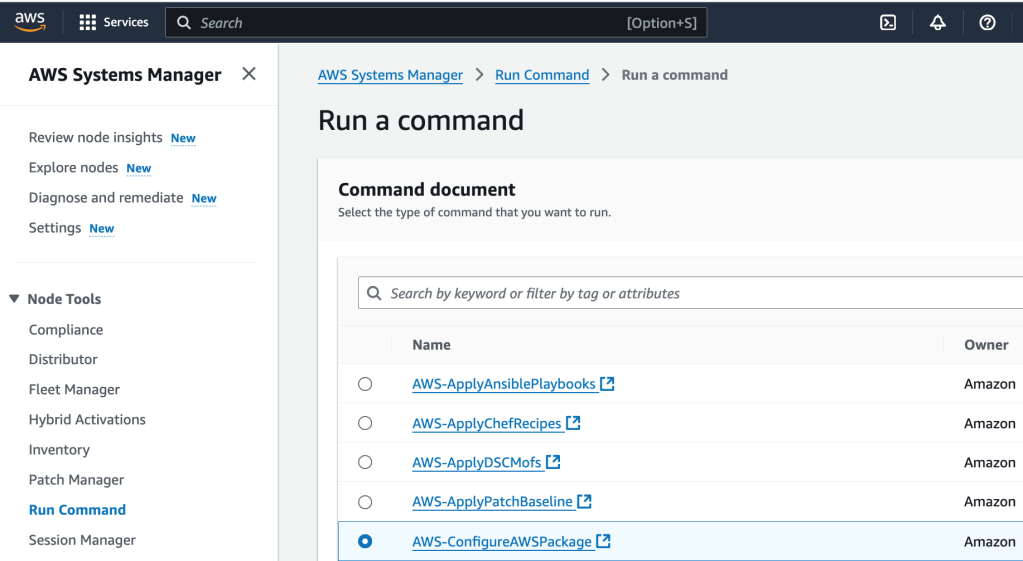
So let’s start with that. We are going to install the CloudWatch agent onto the ec2 instance using Systems Manager. First, I select Systems Manager as a service, and then, under Node Tools, select Run Command. Then I select ‘Run a Command’. I select ‘AWS-ConfigureAWSPackage’. That package description is:
“Description: Install or uninstall a Distributor package. You can install the latest version, default version, or a version of the package you specify. Packages provided by AWS such as AmazonCloudWatchAgent, AwsEnaNetworkDriver, and AWSPVDriver are also supported.”
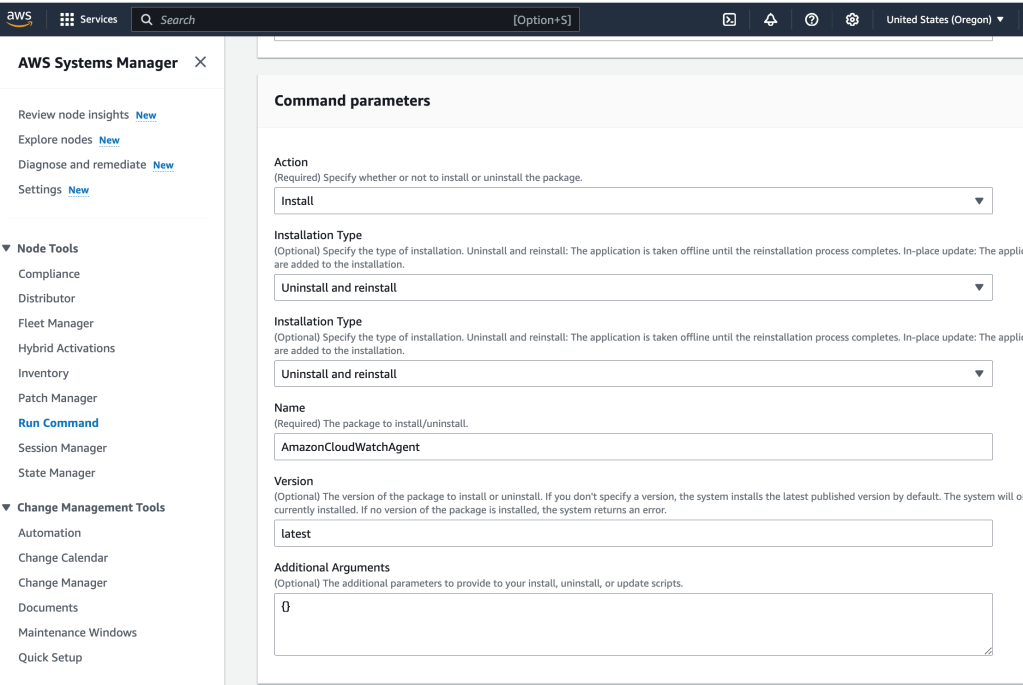
Next, I give some Command parameters:
And then I select the target, which is the ec2 instance running as a web server:
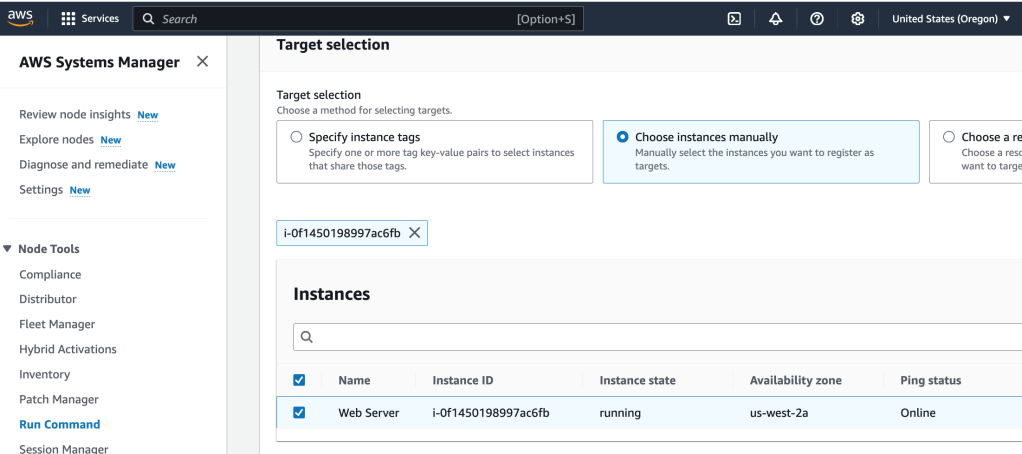
This will install the CloudWatch agent on the web server. I select ‘Run’ to put these actions into motion.
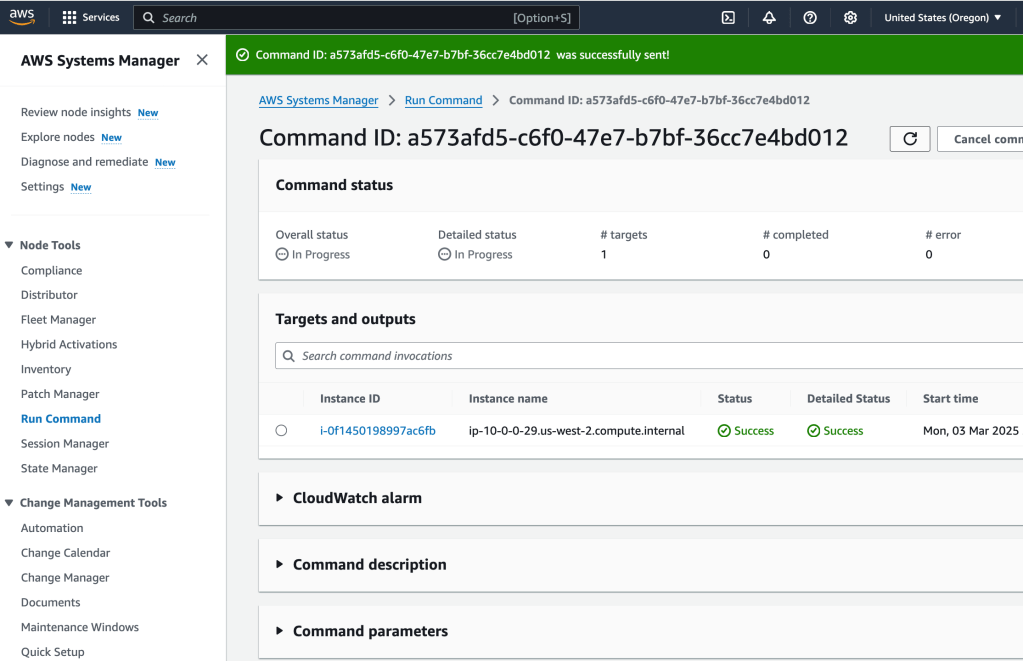
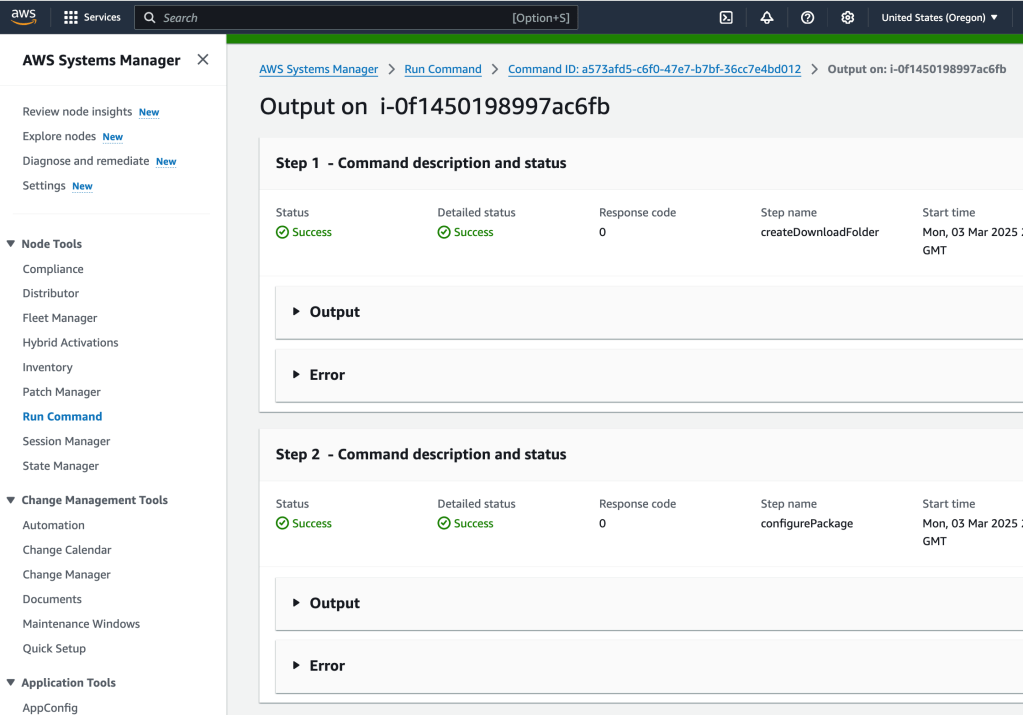
If I select Targets and Outputs, and select the ec2 instance where the agent was installed, I can see the command output:
Initiating arn:aws:ssm:::package/AmazonCloudWatchAgent 1.300052.0b1024 install

Plugin aws:runShellScript ResultStatus Success

install output: Running sh install.sh
create group cwagent, result: 0
create user cwagent, result: 0

Successfully installed arn:aws:ssm:::package/AmazonCloudWatchAgent 1.300052.0b1024
Now that the agent is installed, it can be configured to collect the log information that is needed. So let’s do that next:
The goal here is to store the configuration file (for the agent) in AWS Systems Manager Parameter Store, which the agent can access. So, I select Parameter Store, under Application Tools, from within AWS Systems Manager.
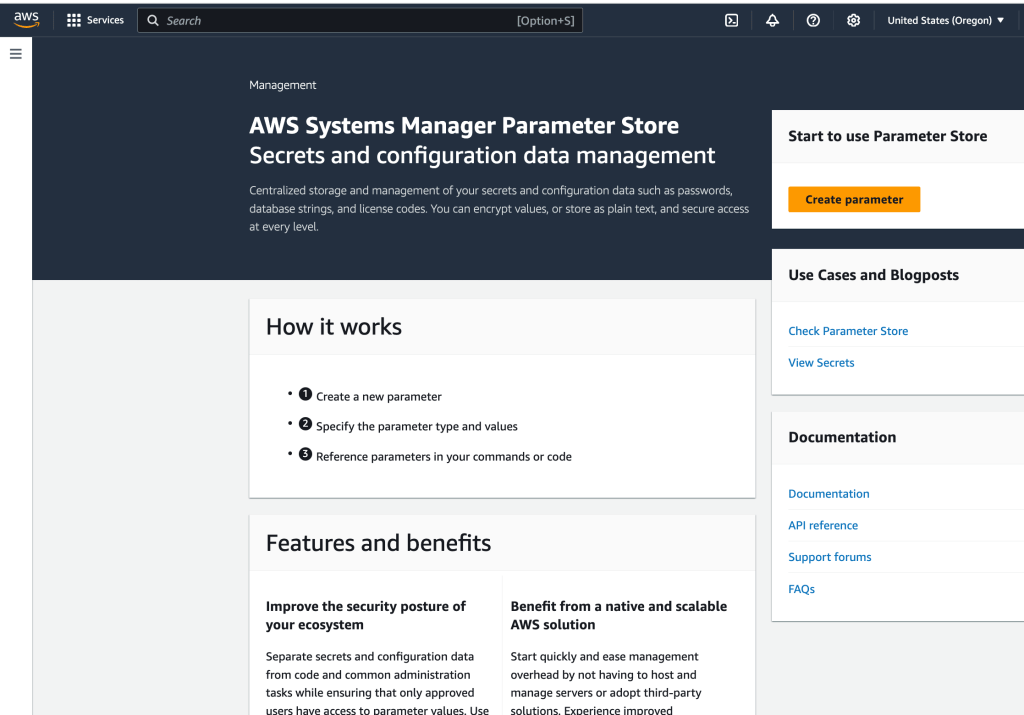
I create a parameter
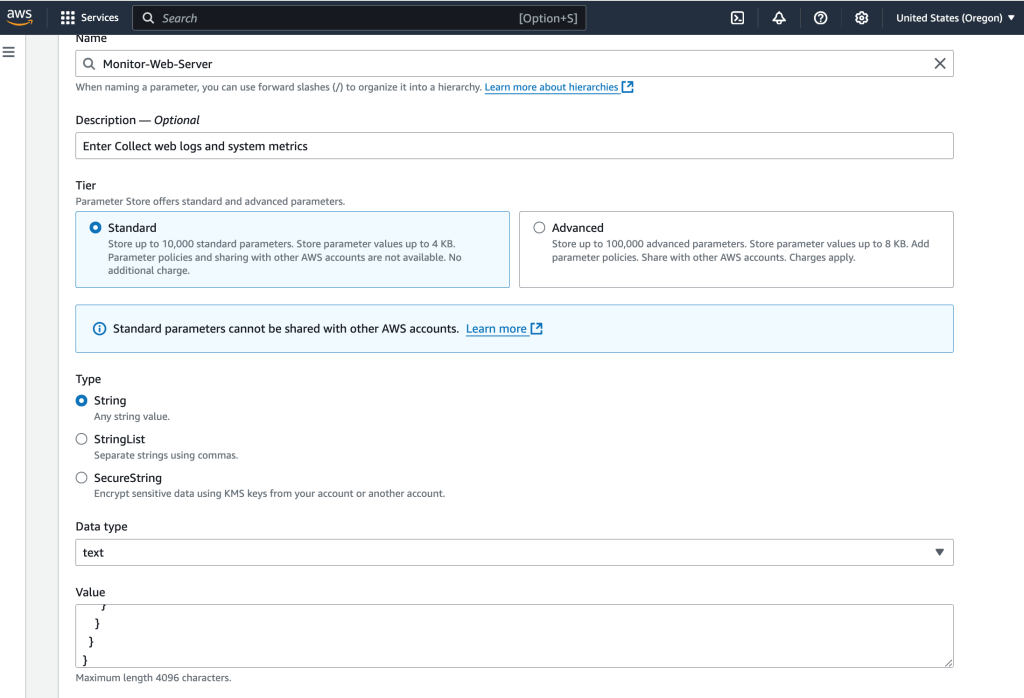
{
  "logs": {
    "logs_collected": {
      "files": {
        "collect_list": [
          {
            "log_group_name": "HttpAccessLog",
            "file_path": "/var/log/httpd/access_log",
            "log_stream_name": "{instance_id}",
            "timestamp_format": "%b %d %H:%M:%S"
          },
          {
            "log_group_name": "HttpErrorLog",
            "file_path": "/var/log/httpd/error_log",
            "log_stream_name": "{instance_id}",
            "timestamp_format": "%b %d %H:%M:%S"
          }
        ]
      }
    }
  },
  "metrics": {
    "metrics_collected": {
      "cpu": {
        "measurement": [
          "cpu_usage_idle",
          "cpu_usage_iowait",
          "cpu_usage_user",
          "cpu_usage_system"
        ],
        "metrics_collection_interval": 10,
        "totalcpu": false
      },
      "disk": {
        "measurement": [
          "used_percent",
          "inodes_free"
        ],
        "metrics_collection_interval": 10,
        "resources": [
          "*"
        ]
      },
      "diskio": {
        "measurement": [
          "io_time"
        ],
        "metrics_collection_interval": 10,
        "resources": [
          "*"
        ]
      },
      "mem": {
        "measurement": [
          "mem_used_percent"
        ],
        "metrics_collection_interval": 10
      },
      "swap": {
        "measurement": [
          "swap_used_percent"
        ],
        "metrics_collection_interval": 10
      }
    }
  }
}
This configuration monitors:
- Logs: Two web server log files to be collected and sent to CloudWatch Logs
- Metrics: CPU, disk, and memory metrics to sent to CloudWatch Metrics
Next, Run Command will be used to start the agent on the instance.
I select the appropirate filter:
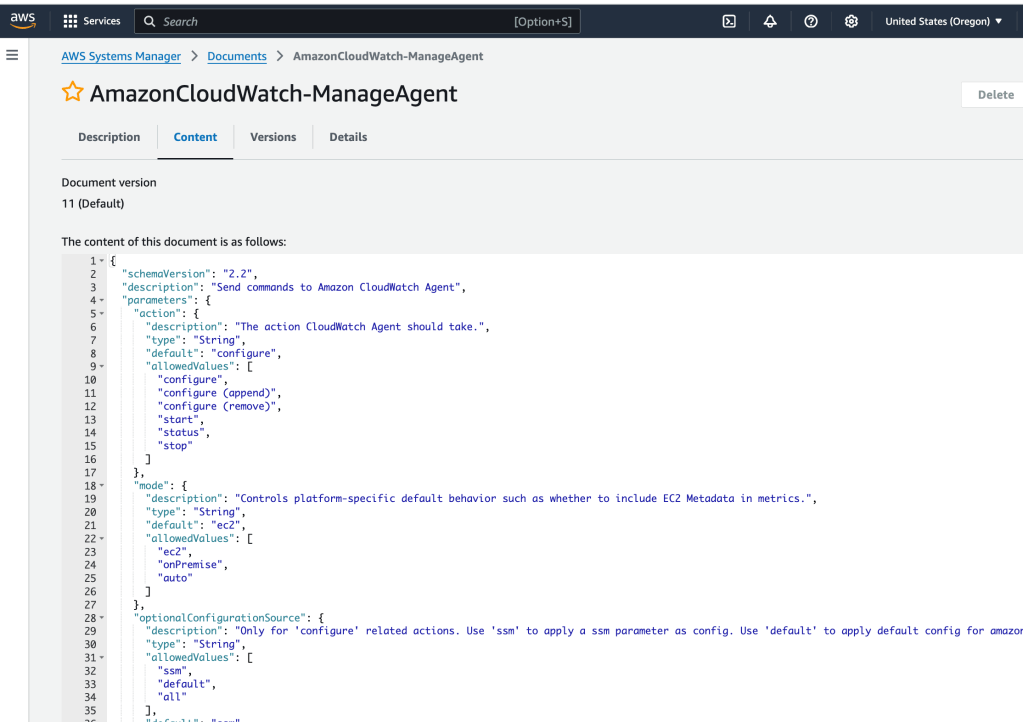
Here’s the script that will be run:
{
  "schemaVersion": "2.2",
  "description": "Send commands to Amazon CloudWatch Agent",
  "parameters": {
    "action": {
      "description": "The action CloudWatch Agent should take.",
      "type": "String",
      "default": "configure",
      "allowedValues": [
        "configure",
        "configure (append)",
        "configure (remove)",
        "start",
        "status",
        "stop"
      ]
    },
    "mode": {
      "description": "Controls platform-specific default behavior such as whether to include EC2 Metadata in metrics.",
      "type": "String",
      "default": "ec2",
      "allowedValues": [
        "ec2",
        "onPremise",
        "auto"
      ]
    },
    "optionalConfigurationSource": {
      "description": "Only for 'configure' related actions. Use 'ssm' to apply a ssm parameter as config. Use 'default' to apply default config for amazon-cloudwatch-agent. Use 'all' with 'configure (remove)' to clean all configs for amazon-cloudwatch-agent.",
      "type": "String",
      "allowedValues": [
        "ssm",
        "default",
        "all"
      ],
      "default": "ssm"
    },
    "optionalConfigurationLocation": {
      "description": "Only for 'configure' related actions. Only needed when Optional Configuration Source is set to 'ssm'. The value should be a ssm parameter name.",
      "type": "String",
      "default": "",
      "allowedPattern": "^[a-zA-Z0-9-\"~:_@./^(*)!<>?=+]*$"
    },
    "optionalRestart": {
      "description": "Only for 'configure' related actions. If 'yes', restarts the agent to use the new configuration. Otherwise the new config will only apply on the next agent restart.",
      "type": "String",
      "default": "yes",
      "allowedValues": [
        "yes",
        "no"
      ]
    }
  },
  "mainSteps": [
    {
      "name": "ControlCloudWatchAgentWindows",
      "action": "aws:runPowerShellScript",
      "precondition": {
        "StringEquals": [
          "platformType",
          "Windows"
        ]
      },
      "inputs": {
        "runCommand": [
          " Set-StrictMode -Version 2.0",
          " $ErrorActionPreference = 'Stop'",
          " $Cmd = \"${Env:ProgramFiles}\\Amazon\\AmazonCloudWatchAgent\\amazon-cloudwatch-agent-ctl.ps1\"",
          " if (!(Test-Path -LiteralPath \"${Cmd}\")) {",
          "     Write-Output 'CloudWatch Agent not installed.  Please install it using the AWS-ConfigureAWSPackage SSM Document.'",
          "     exit 1",
          " }",
          " $Params = @()",
          " $Action = '{{action}}'",
          " if ($Action -eq 'configure') {",
          "     $Action = 'fetch-config'",
          " } elseif ($Action -eq 'configure (append)') {",
          "     $Action = 'append-config'",
          " } elseif ($Action -eq 'configure (remove)') {",
          "     $Action = 'remove-config'",
          " }",
          " if ($Action -eq 'fetch-config' -Or $Action -eq 'append-config' -Or $Action -eq 'remove-config') {",
          "     $CWAConfig = '{{optionalConfigurationLocation}}'",
          "     if ('{{optionalConfigurationSource}}' -eq 'ssm') {",
          "         if ($CWAConfig) {",
          "             $CWAConfig = \"ssm:${CWAConfig}\"",
          "         }",
          "     } else {",
          "         $CWAConfig = '{{optionalConfigurationSource}}'",
          "     }",
          "     if (!$CWAConfig) {",
          "         Write-Output 'AmazonCloudWatchAgent config should be specified'",
          "         exit 1",
          "     }",
          "     if ($CWAConfig -eq 'all' -And $Action -ne 'remove-config') {",
          "         Write-Output 'Configuration location \"all\" can only be applied with action \"remove-config\"'",
          "         exit 1",
          "     }",
          "     $Params += ('-c', \"${CWAConfig}\")",
          "     if ('{{optionalRestart}}' -eq 'yes') {",
          "         $Params += '-s'",
          "     }",
          " }",
          " $Params += ('-a', \"${Action}\", '-m', '{{mode}}')",
          " Invoke-Expression \"& '${Cmd}' ${Params}\"",
          " Set-StrictMode -Off",
          " exit $LASTEXITCODE"
        ]
      }
    },
    {
      "name": "ControlCloudWatchAgentLinux",
      "action": "aws:runShellScript",
      "precondition": {
        "StringEquals": [
          "platformType",
          "Linux"
        ]
      },
      "inputs": {
        "runCommand": [
          " #!/bin/sh",
          " set -e",
          " set -u",
          " cmd='/opt/aws/amazon-cloudwatch-agent/bin/amazon-cloudwatch-agent-ctl'",
          " if [ ! -x \"${cmd}\" ]; then",
          "     echo 'CloudWatch Agent not installed.  Please install it using the AWS-ConfigureAWSPackage SSM Document.'",
          " exit 1",
          " fi",
          " action=\"{{action}}\"",
          " if [ \"${action}\" = 'configure' ]; then",
          "     action='fetch-config'",
          " elif [ \"${action}\" = 'configure (append)' ]; then",
          "     action='append-config'",
          " elif [ \"${action}\" = 'configure (remove)' ]; then",
          "     action='remove-config'",
          " fi",
          " if [ \"${action}\" = 'fetch-config' ] || [ \"${action}\" = 'append-config' ] || [ \"${action}\" = 'remove-config' ]; then",
          "     cwaconfig='{{optionalConfigurationLocation}}'",
          "     if [ '{{optionalConfigurationSource}}' = 'ssm' ]; then",
          "         if [ -n \"${cwaconfig}\" ]; then",
          "             cwaconfig=\"ssm:${cwaconfig}\"",
          "         fi",
          "     else",
          "         cwaconfig='{{optionalConfigurationSource}}'",
          "     fi",
          "     if [ -z \"${cwaconfig}\" ]; then",
          "         echo 'AmazonCloudWatchAgent config should be specified'",
          "         exit 1",
          "     fi",
          "     cmd=\"${cmd} -c ${cwaconfig}\"",
          "     if [ \"${cwaconfig}\" = 'all' ] && [ \"${action}\" != 'remove-config' ]; then",
          "         echo 'Configuration location \"all\" can only be applied with action \"remove-config\"'",
          "         exit 1",
          "     fi",
          "     if [ '{{optionalRestart}}' = 'yes' ]; then",
          "         cmd=\"${cmd} -s\"",
          "     fi",
          " fi",
          " cmd=\"${cmd} -a ${action} -m {{mode}}\"",
          " ${cmd}"
        ]
      }
    },
    {
      "name": "ControlCloudWatchAgentMacOS",
      "action": "aws:runShellScript",
      "precondition": {
        "StringEquals": [
          "platformType",
          "MacOS"
        ]
      },
      "inputs": {
        "runCommand": [
          " #!/bin/sh",
          " set -e",
          " set -u",
          " cmd='/opt/aws/amazon-cloudwatch-agent/bin/amazon-cloudwatch-agent-ctl'",
          " if [ ! -x \"${cmd}\" ]; then",
          "     echo 'CloudWatch Agent not installed.  Please install it using the AWS-ConfigureAWSPackage SSM Document.'",
          " exit 1",
          " fi",
          " action=\"{{action}}\"",
          " if [ \"${action}\" = 'configure' ]; then",
          "     action='fetch-config'",
          " elif [ \"${action}\" = 'configure (append)' ]; then",
          "     action='append-config'",
          " elif [ \"${action}\" = 'configure (remove)' ]; then",
          "     action='remove-config'",
          " fi",
          " if [ \"${action}\" = 'fetch-config' ] || [ \"${action}\" = 'append-config' ] || [ \"${action}\" = 'remove-config' ]; then",
          "     cwaconfig='{{optionalConfigurationLocation}}'",
          "     if [ '{{optionalConfigurationSource}}' = 'ssm' ]; then",
          "         if [ -n \"${cwaconfig}\" ]; then",
          "             cwaconfig=\"ssm:${cwaconfig}\"",
          "         fi",
          "     else",
          "         cwaconfig='{{optionalConfigurationSource}}'",
          "     fi",
          "     if [ -n \"${cwaconfig}\" ]; then",
          "         cmd=\"${cmd} -c ${cwaconfig}\"",
          "     fi",
          "     if [ \"${cwaconfig}\" = 'all' ] && [ \"${action}\" != 'remove-config' ]; then",
          "         echo 'Configuration location \"all\" can only be applied with action \"remove-config\"'",
          "         exit 1",
          "     fi",
          "     if [ -z \"${cwaconfig}\" ]; then",
          "         echo 'AmazonCloudWatchAgent config should be specified'",
          "         exit 1",
          "     fi",
          "     if [ '{{optionalRestart}}' = 'yes' ]; then",
          "         cmd=\"${cmd} -s\"",
          "     fi",
          " fi",
          " cmd=\"${cmd} -a ${action} -m {{mode}}\"",
          " ${cmd}"
        ]
      }
    }
  ]
}
I select the policy and the configure the command parameters:
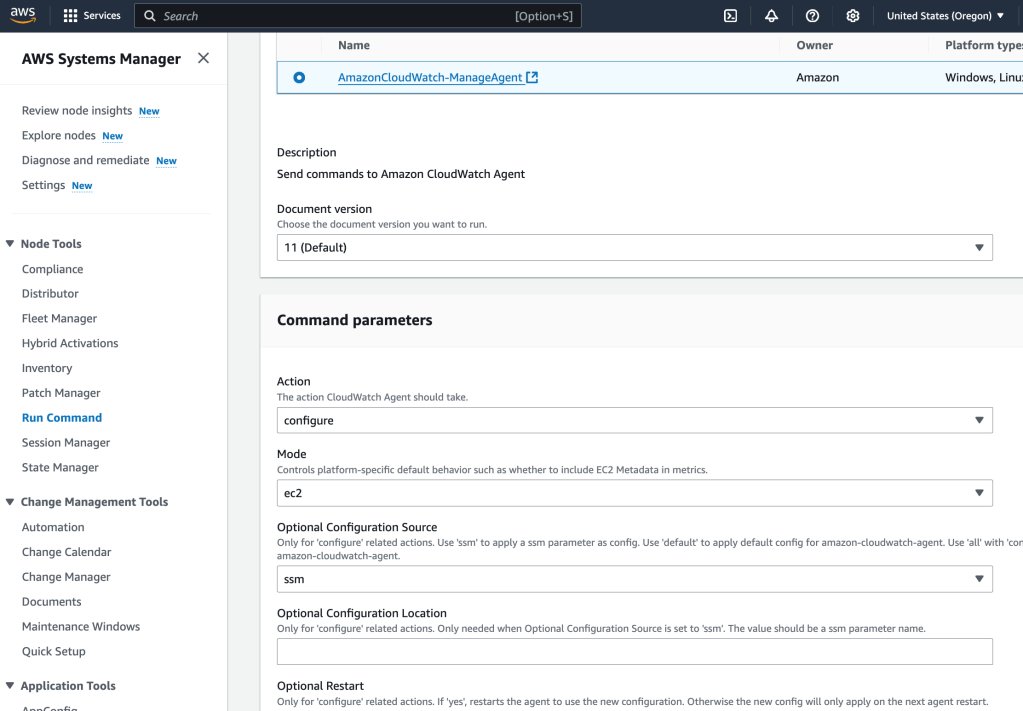
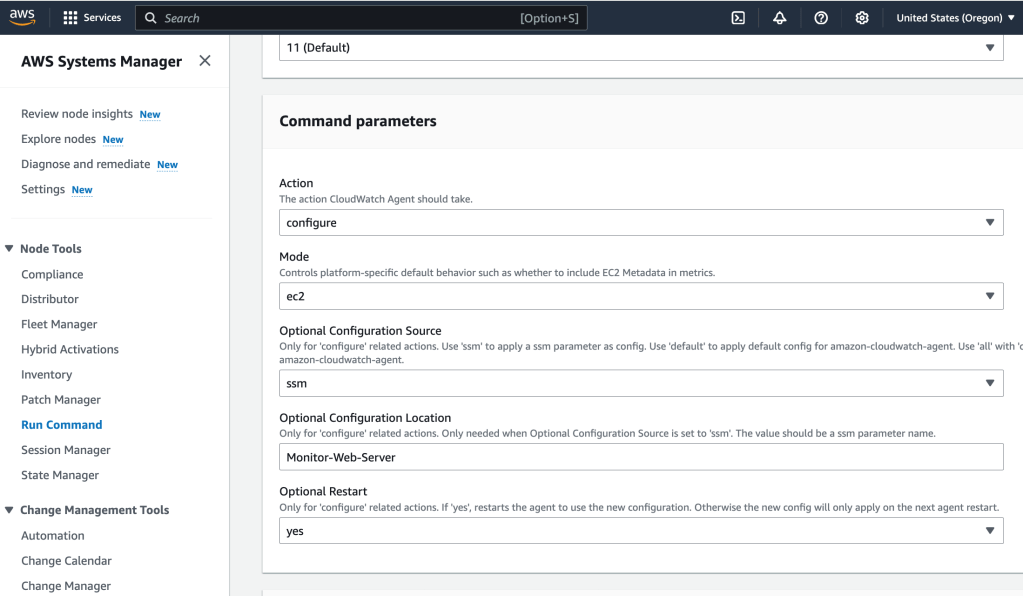
Here’s the parameters- these use the config stored in the Parameter Store:
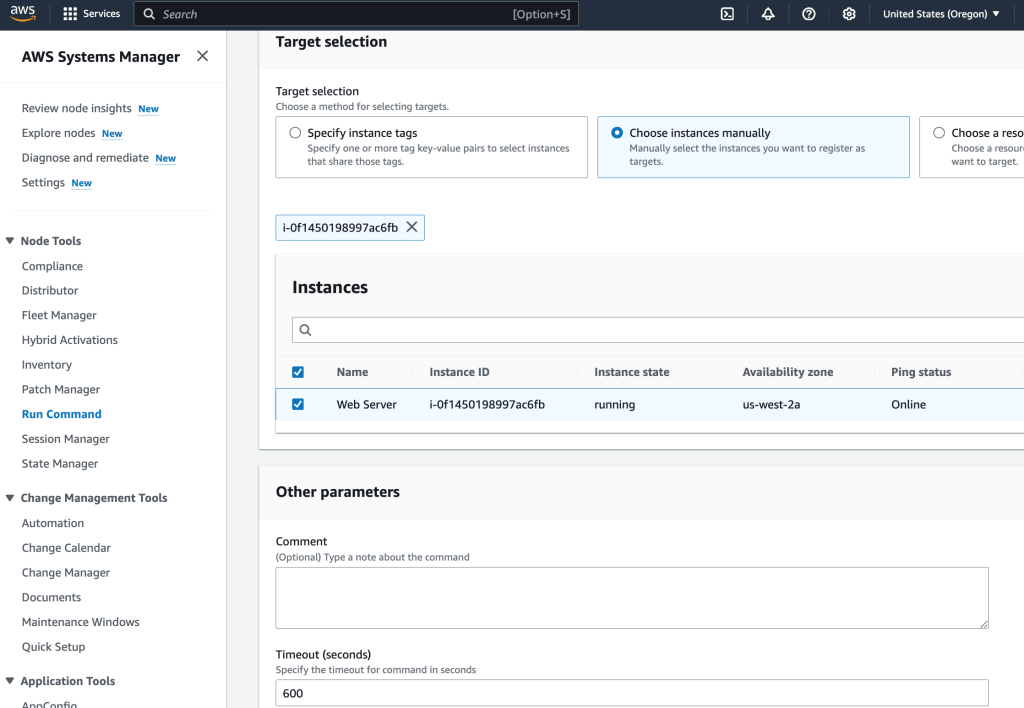
I select the target (the ec2 instance), and then hit ‘Run’:
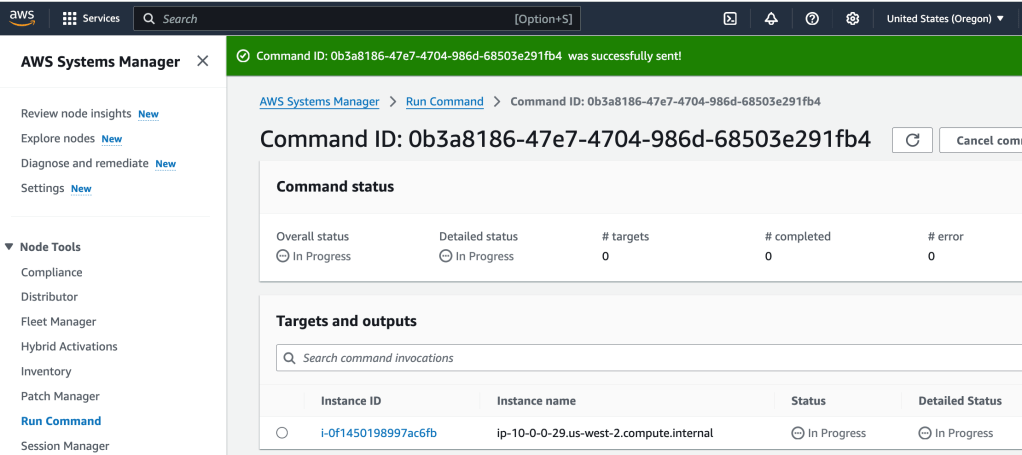
At this point, we have the CloudWatch agent running on the ec2 instance, and it is sending log and metric data to CloudWatch.
CloudWatch Monitoring
CloudTrail logs management and data events from API and non-API calls to resources, but CloudWatch is where the magic really lies- here you can bring together to monitor and analyze from a variety of sources, and also can analyze the data much more robustly. CloudWatch can also take actions based on metrics, such as sending an SNS alert for example if a threshold is exceeded. Now, I want to put that agent to work and monitor log data from the ec2 instance!
I first start by going to the web server’s web page, which, because it’s running an Apache server is the Test Page. No routes have been configured on the server, so adding a sample route to the URL creates an error page. Cool, this is what we can examine in the logs
I select CloudWatch in the services, and then Log Groups.
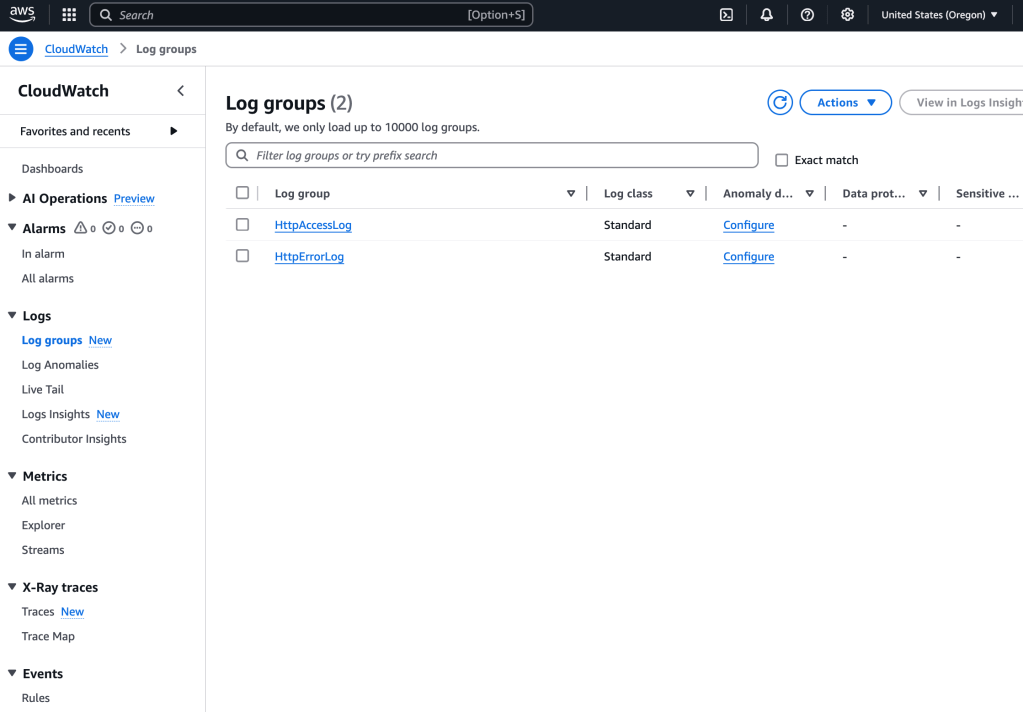
I select the first log group, and then I see, within that selection, a log stream:
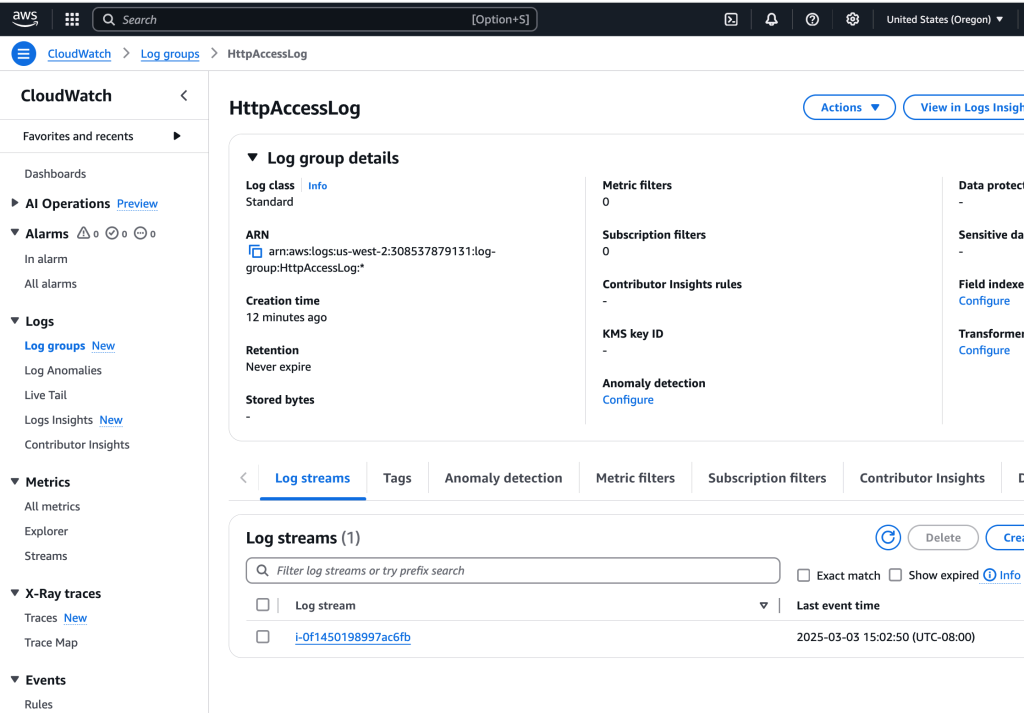
I open up that log (by clicking on the name), and sure enough, there is a log entry of my GET with corresponding 404 error:

What this shows is that log data can be obtained from a running ec2 instance without having to SSH into it or log in, a plus especially if you have a fleet of servers!
Creating Metric Filter w/ CW Logs
How can I filter out all those log entries by just finding the ones that have that ‘404 Errors’? By creating a filter! Here’s how to do that:
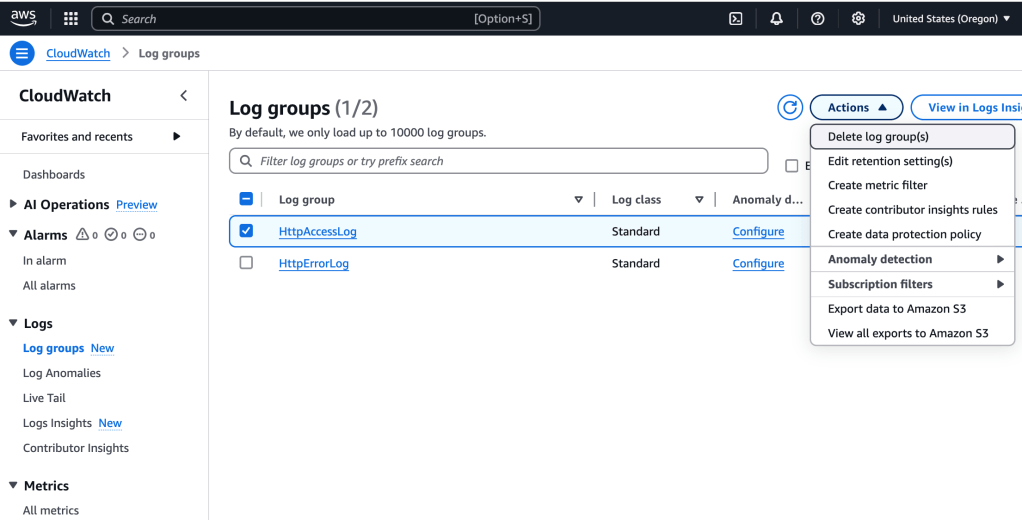
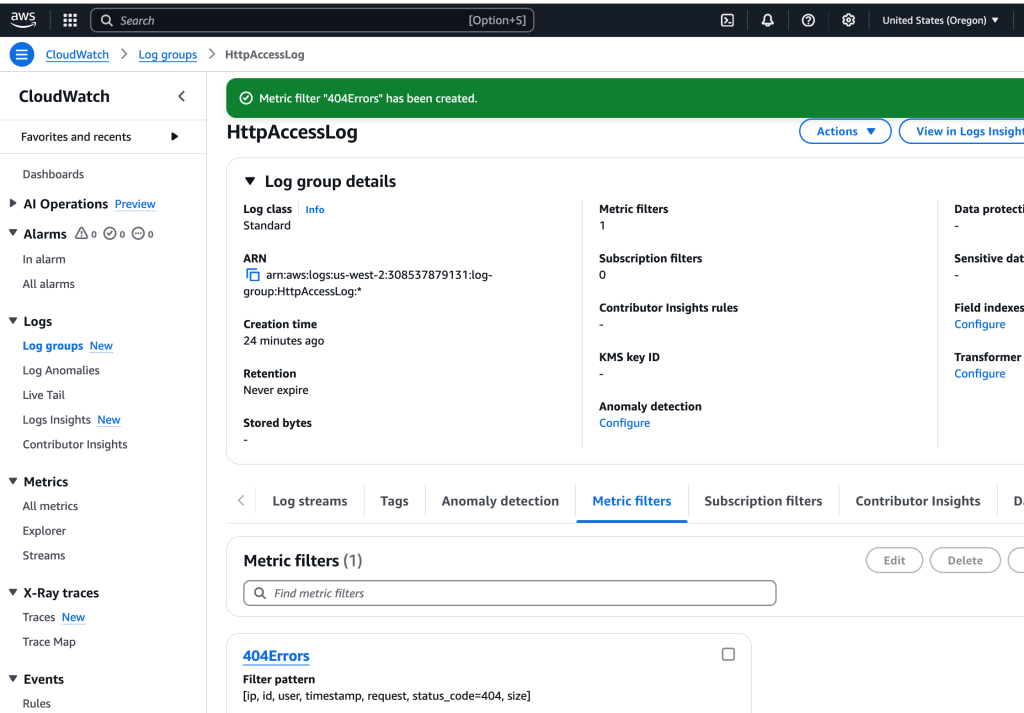
I select the Log Group of interest, and then Create Metric Filter from the Actions > Dropdown menu.
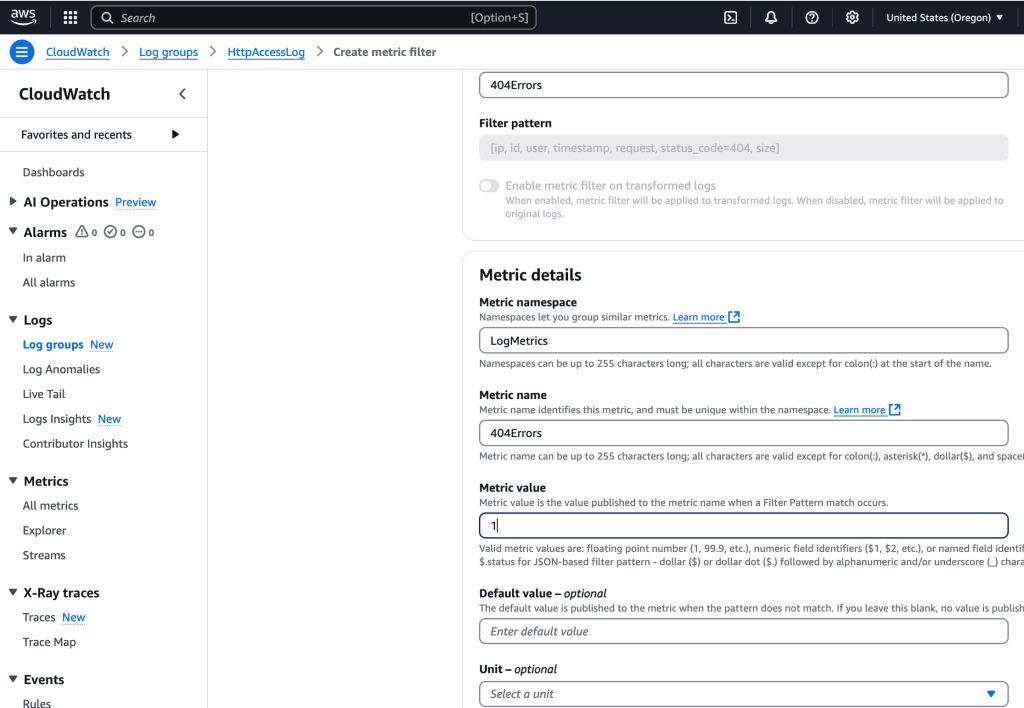
For the filter pattern, I use the following line, which tells CloudWatch Logs how to interpret the fields in the log data and defines a filter to find lines only with status_code=404, which indicates that a page was not found:
[ip, id, user, timestamp, request, status_code=404, size]And then I select the ec2 instance and select ‘Test pattern’ option:
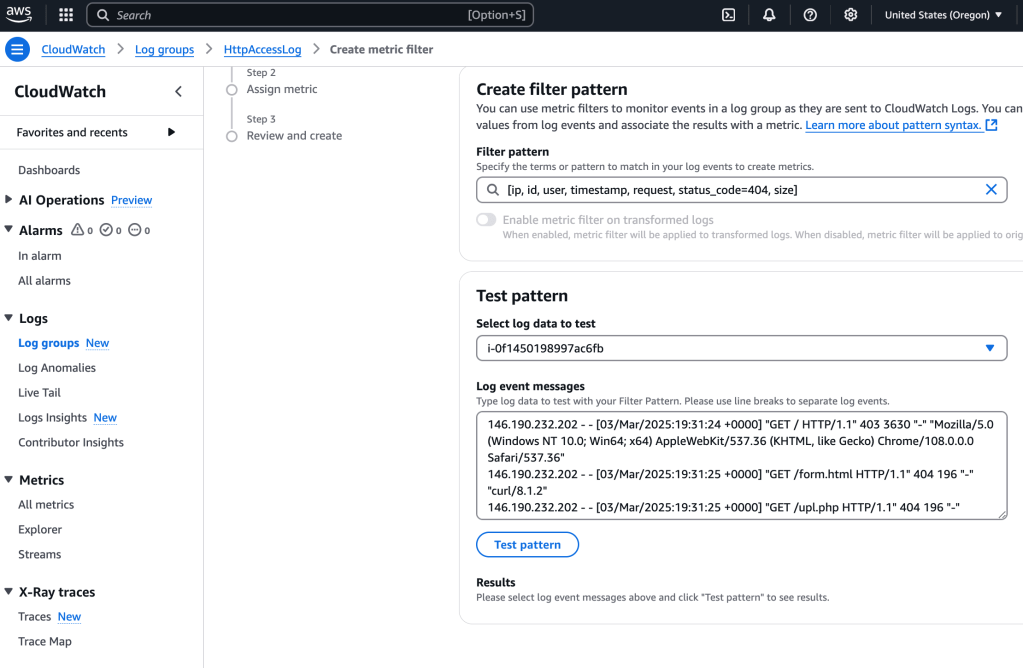
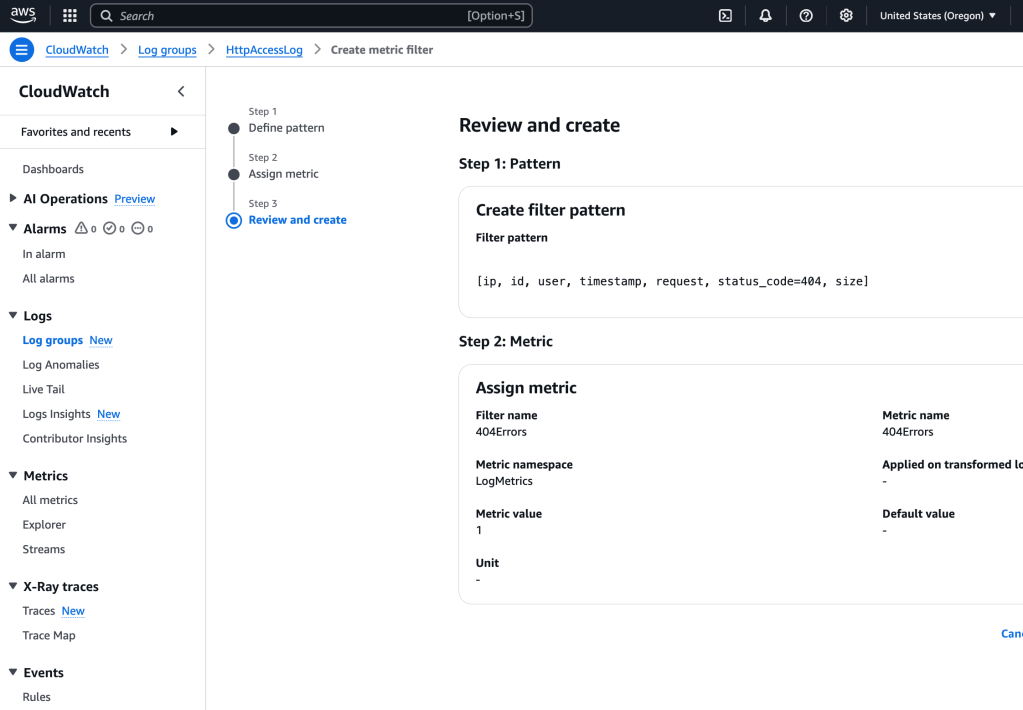
I select Next and then add Metric details, including namespace, name, value:
I select Create Metric Filter
Create Alarm Using The Filter
So we have created a filter that searches the logs looking for a match for the 404 Not Found error. We would like to create an alarm which will send a notification when too many of these are received- potentially an indicator of something amiss that needs to be addressed quickly.
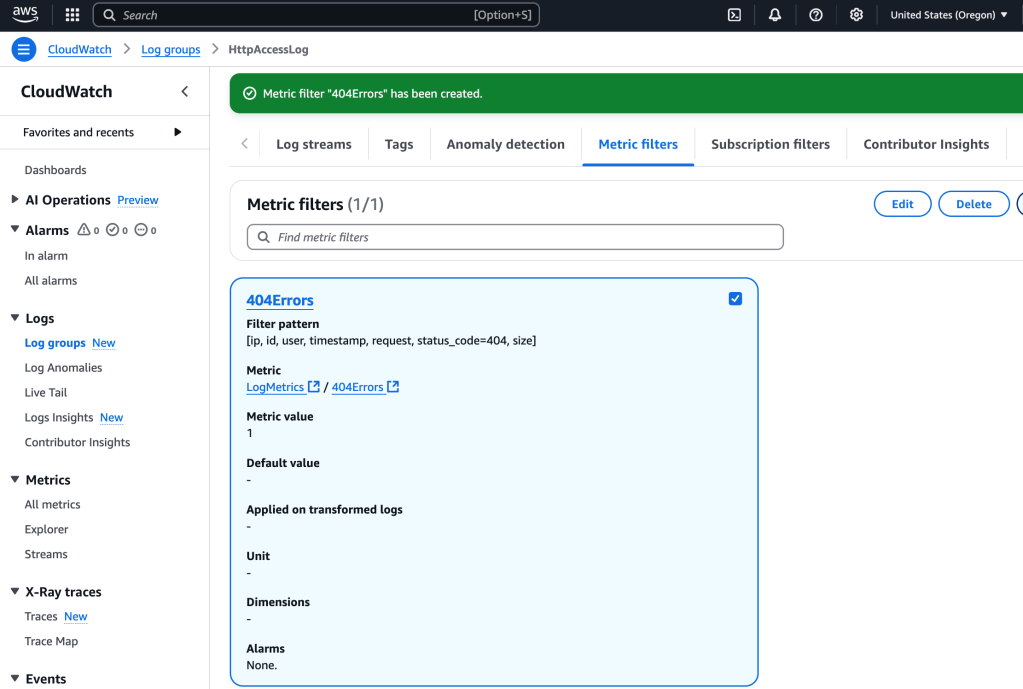
I select the metric filter and then ‘create alarm’:
I made the following configurations adjustments to the setttings:
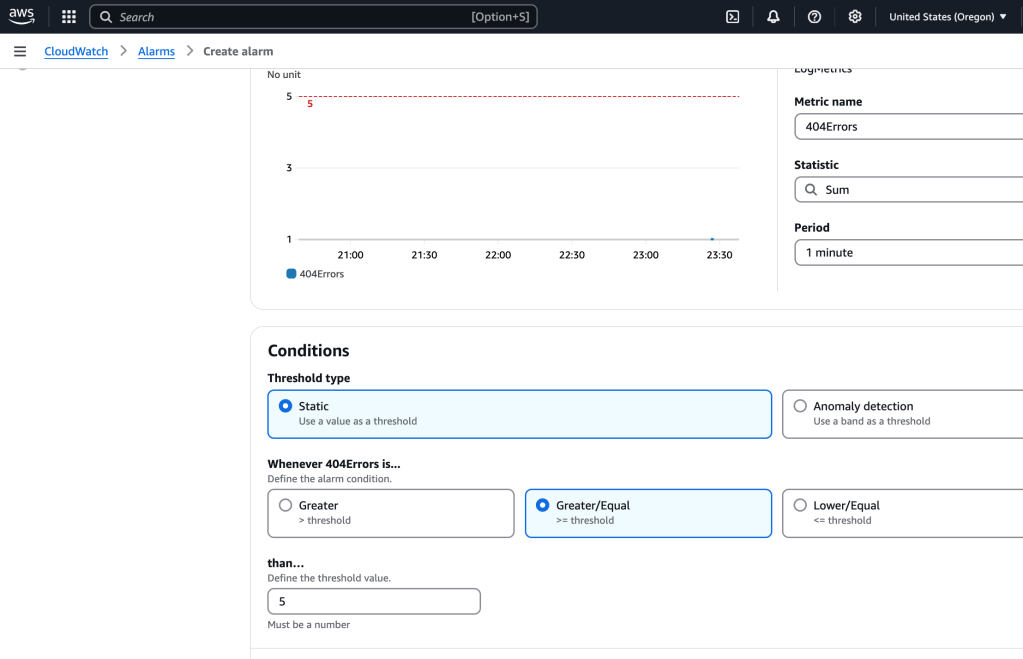
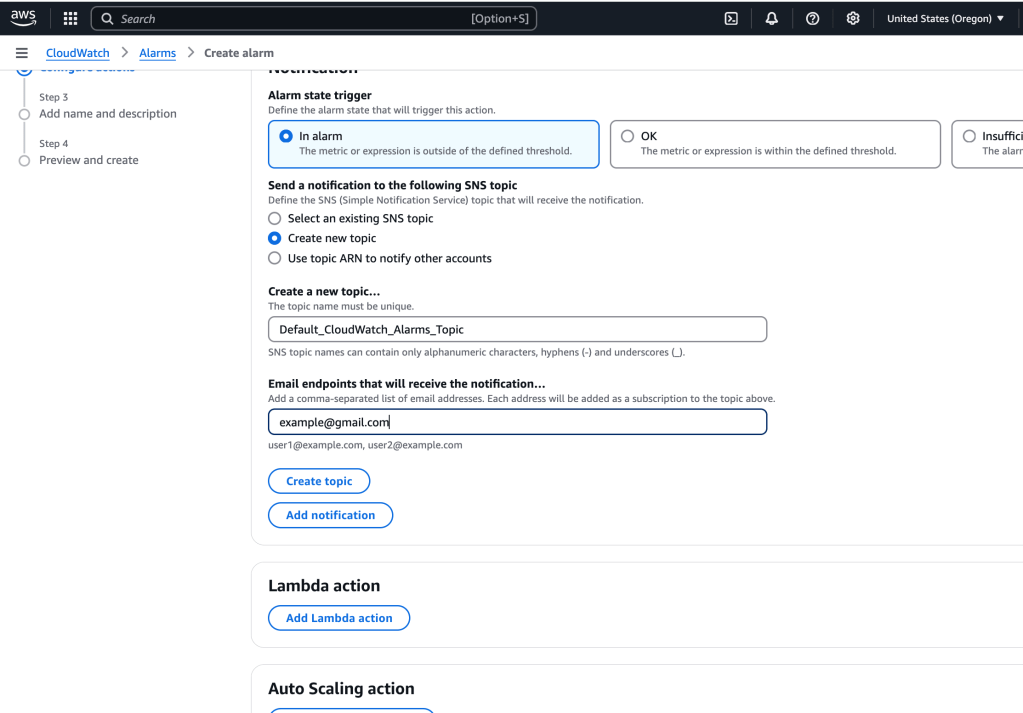
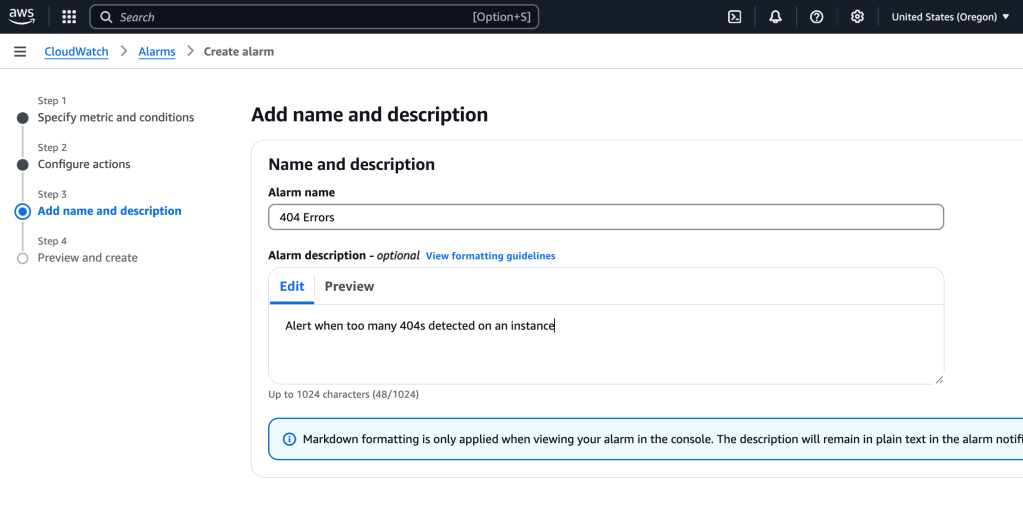
Review and create alarm:
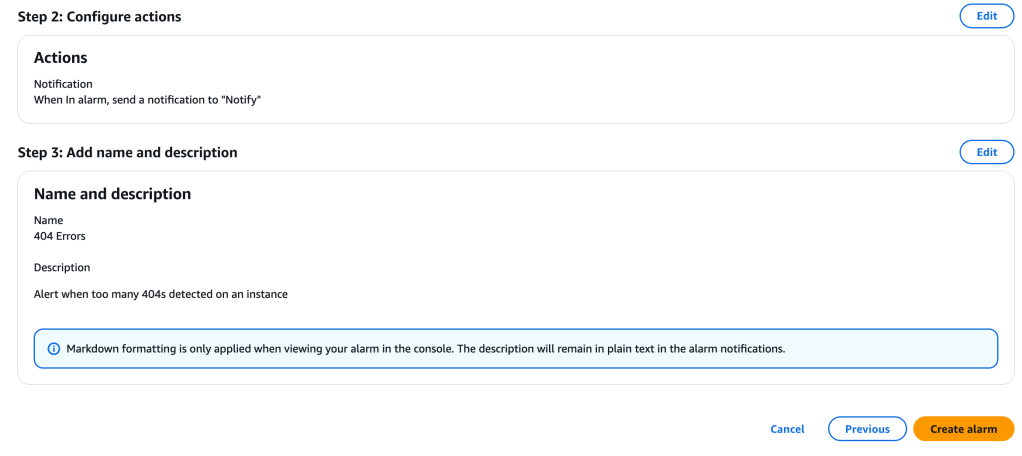
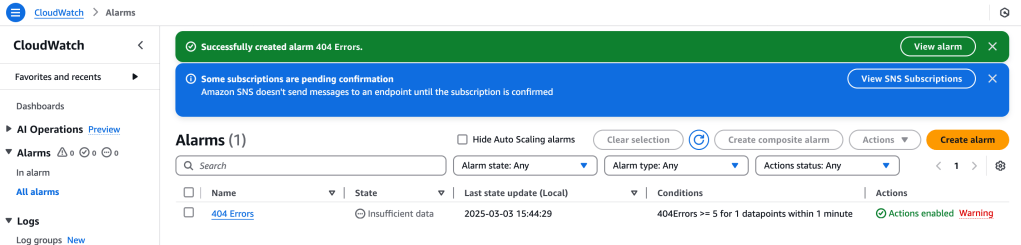
I receive an email, click ‘Confirm Subscription’.
Back on the main CloudWatch page, I can view the Alarms, including the one we just made, 404 Errors:
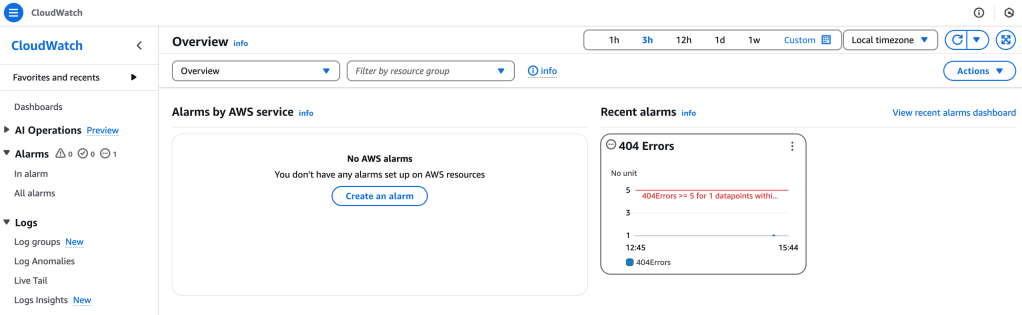
Time to test out the alarm! I go to the main landing page of the web server’s Apache web output, and try several URL pathnames added to the main URL. These will be registered as log entries. Now, to check the 404 Errors to catch that:
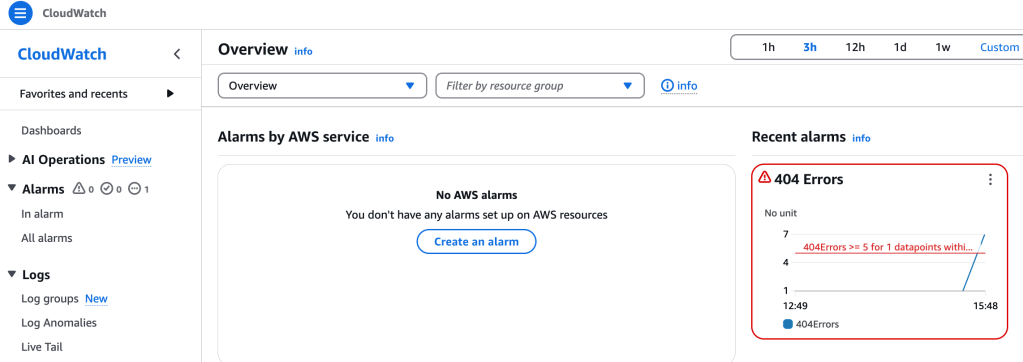
The alarm has changed the font color from yellow to red, showing that it is in alarm state. So that is really handy information to have!
Monitor Instance Metrics with CloudWatch
I’d like to get a better understanding of what is happening “under the hood” of the running server ec2 instance. I head to EC2 services and then select the running instance and the Monitoring tab attached to it:
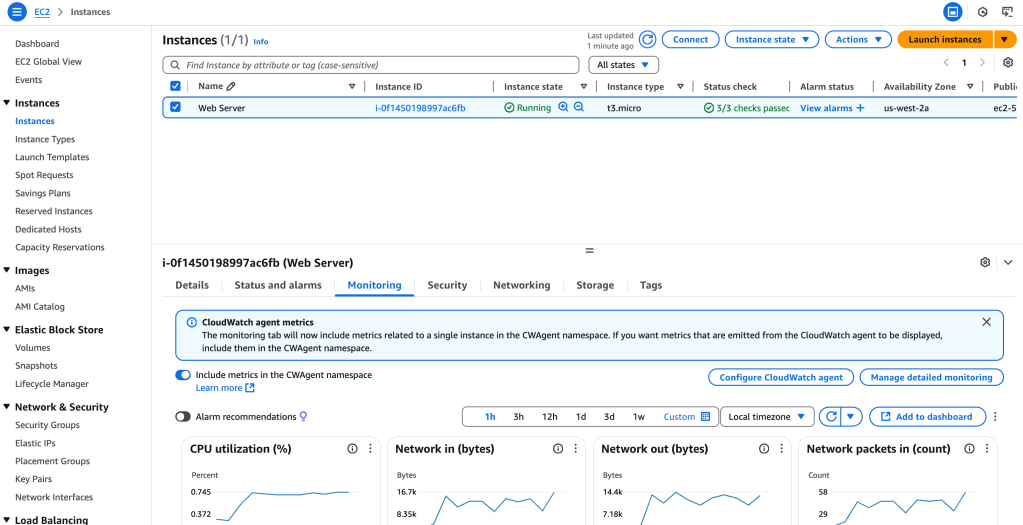
There’s a wealth of information provided here: CPU utilization, Network information, and much more.
Back in CloudWatch service, I select Metrics > All metrics:
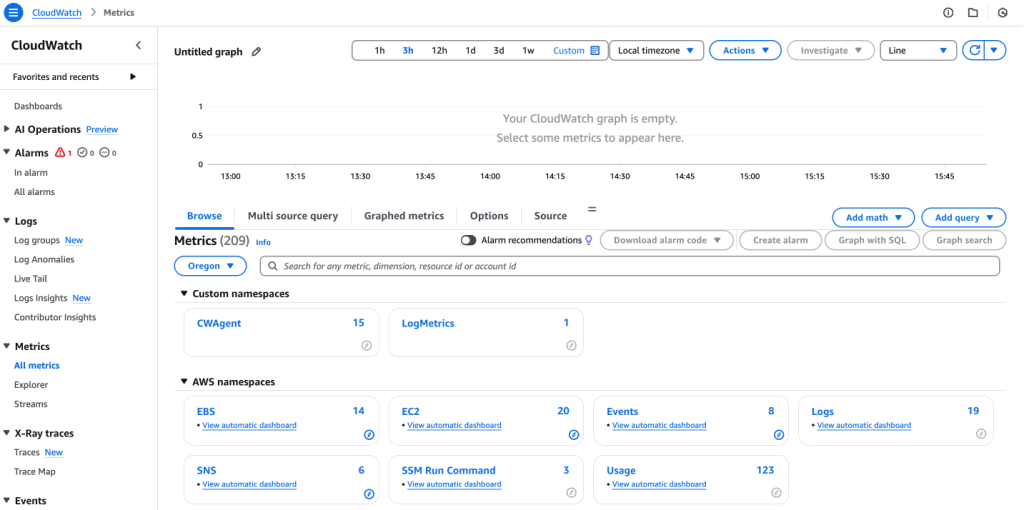
I select CWAgent:
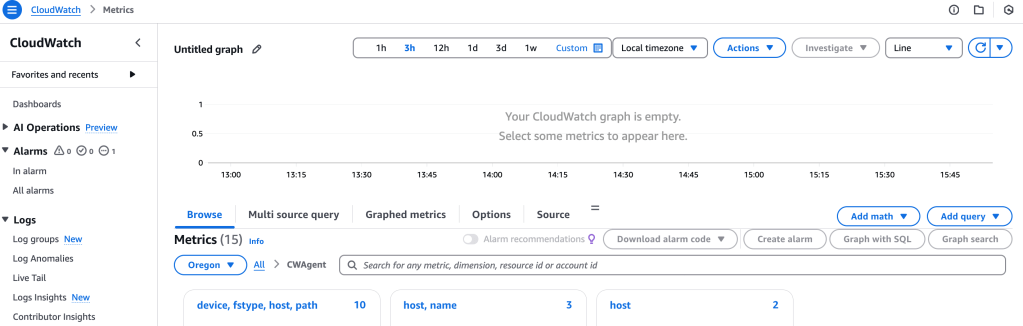
and then I select device, fstype, host, path:
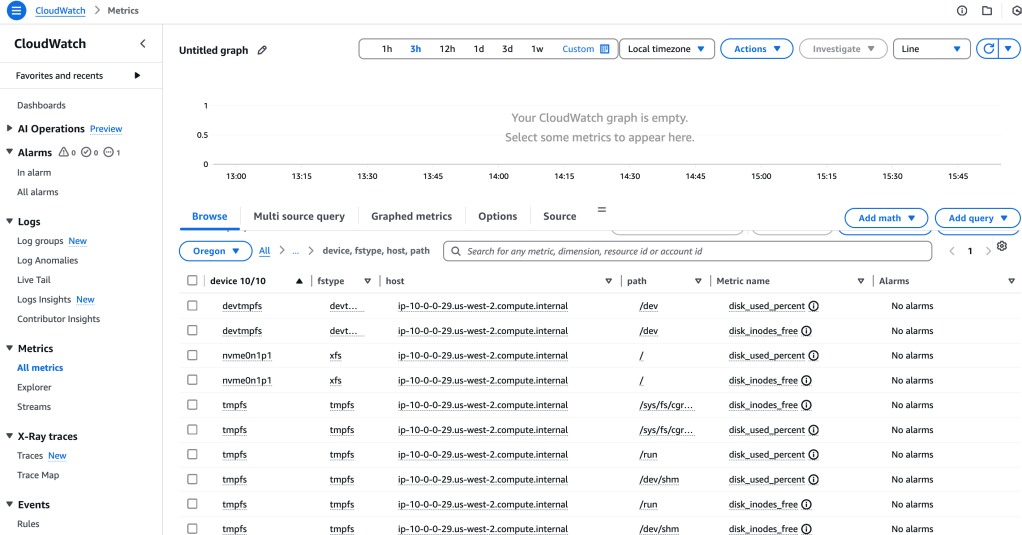
That isn’t what I want, so I backtrack and select ‘host’. This will give me system memory info:
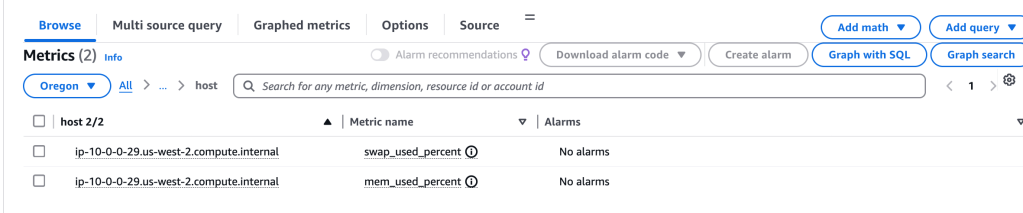
Creating R/T Notifications
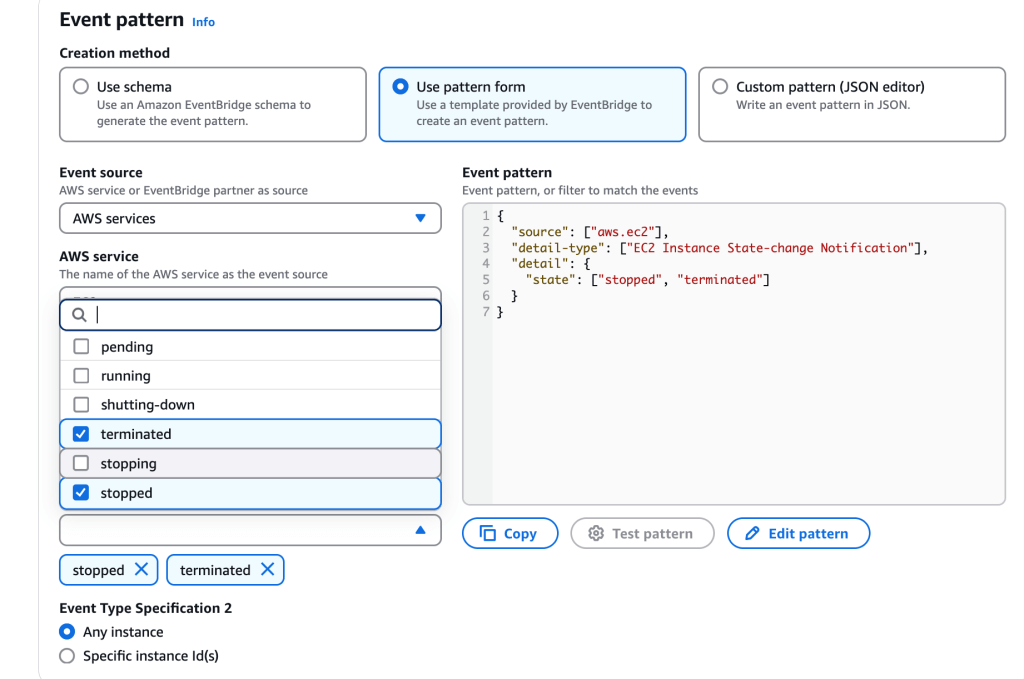
Wait! There’s more! Here I create a real time notification whenever an instance is stopped or terminated
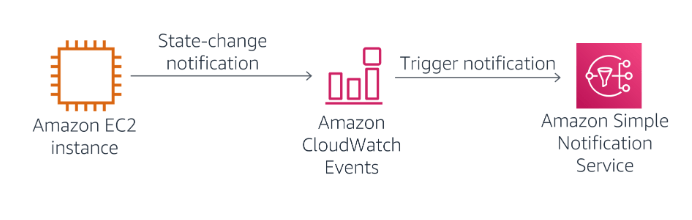
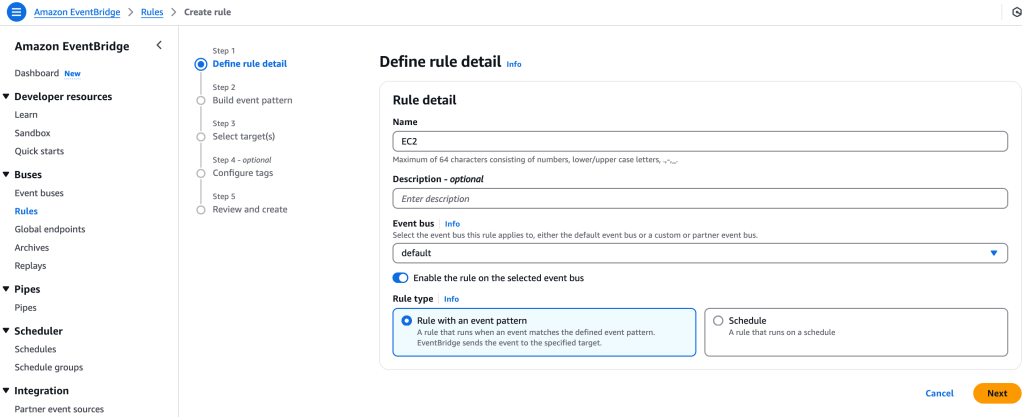
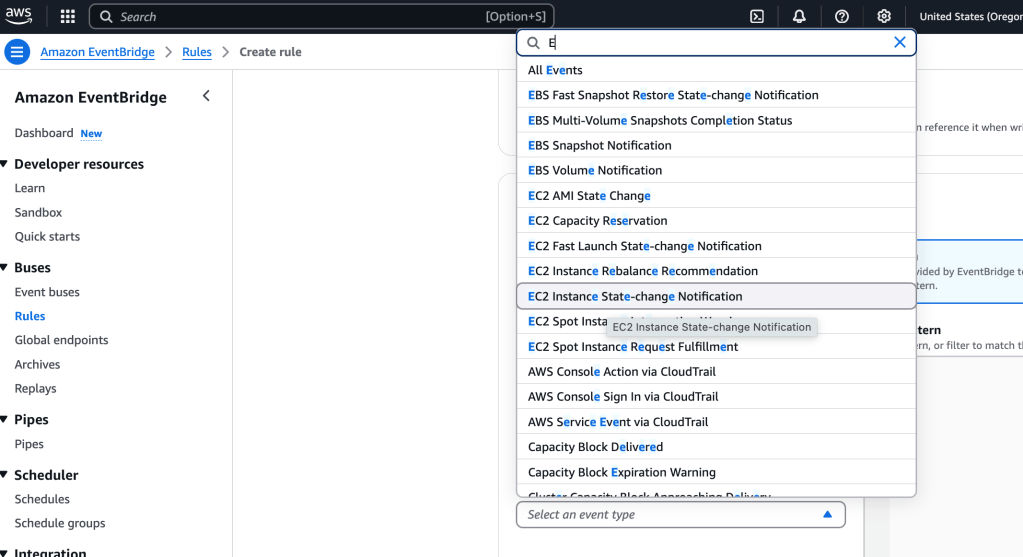
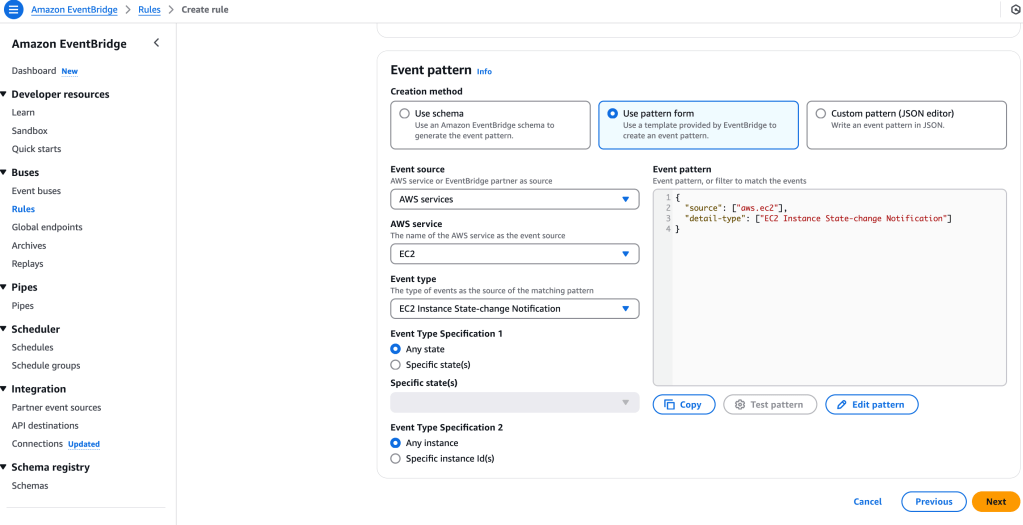
Still within CloudWatch, I select Events > Rules > Create Rule:
 davethemaker