In my last post, I explored provisioning AWS resources using CloudFormation, a change-up from my usual Terraform explorations. There’s a lot of similarities between the two approaches, which isn’t surprising. In this post, I’m going to practice working more with CloudFormation (CF).
One of the tools that I was recommended to learn by someone in the industry is JMESPath- http://www.jmespath.org Here you can enter a sandbox to experiment how to query JSON much more easily
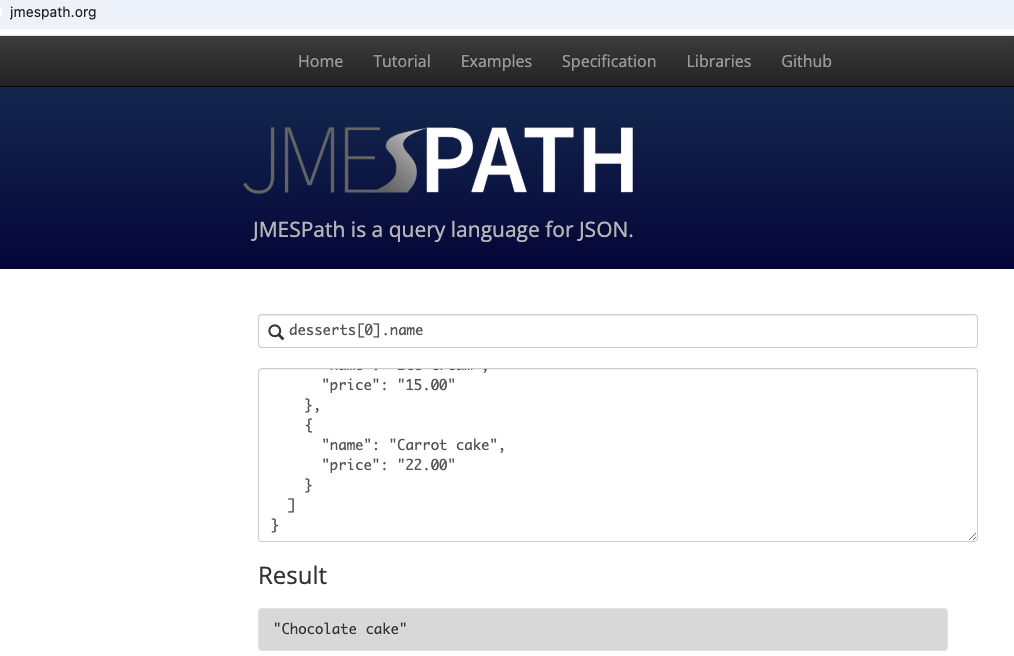
JMESPath with a filter
Up until now, I have been referring to elements by index position, but a filter gives much more flexibility. A filter might be <name of element>[? <expression] which will return the elements in the document that match the expression condition specified.
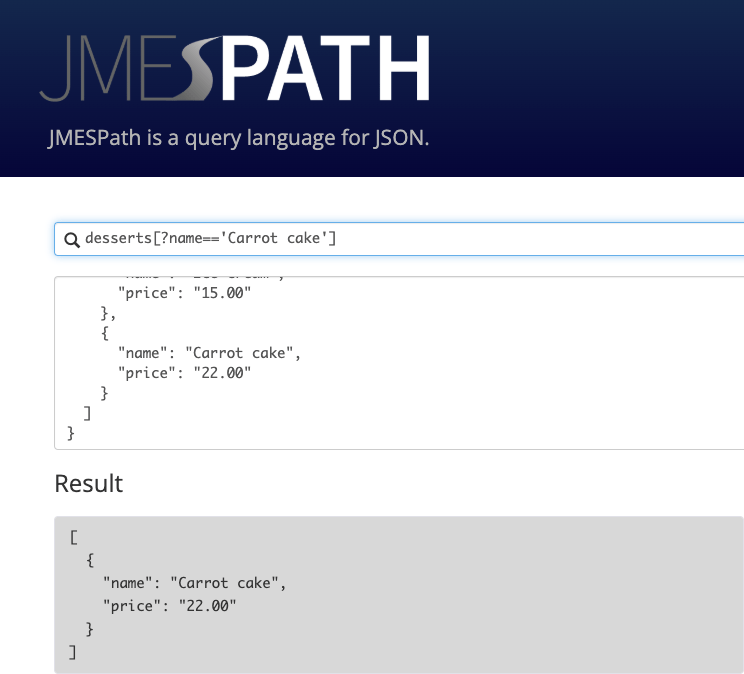
If we have a JSON snipped that contains, for example, three different resources, we could use a filter like the following to obtain the value for the key of interest:
StackResources[?ResourceType=='AWS::EC2::VPC'].LogicalResourceId
While this GUI sandbox is great for learning, out in the wild we will see JMESPath being used in the CLI, for example, using commands that include –query or –filter parameters. These use JMESPath expressions to filter the output returned by AWS CLI commands.
Great. The setup that we are working with is an EC2 instance, with port 22 open within security group, provisioned within a public subnet of a VPC. I want to SSH into the instance, and then spin up a CloudFormation stack via that instance. I have a key-pair, with the private key on my local workstation, and the public key on the EC2 instance – I log in:
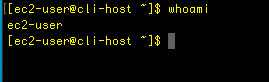
Great, now that we are in, let’s fine what region we are in using meta data:
curl http://169.254.169.254/latest/dynamic/instance-identity/document | grep region
So, the instance is located in the Oregon region, or us-west-2. We’ll use that later – running the $aws configure command, we have the chance to enter our AWS credentials and set the default region name, and the latter is where we enter us-west-2.
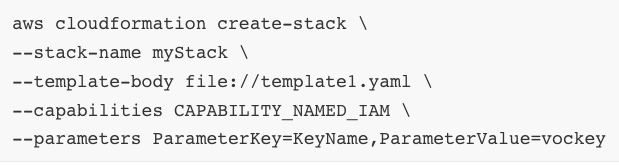
I got ahead and run $aws cloudformation create-stack command with the following parameters: stack-name, template-body, capabilities, parameters
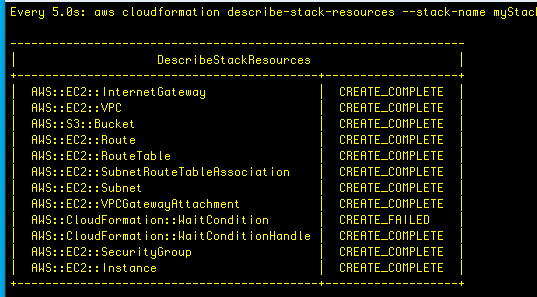
Now, let’s check the status of the resources that are created by the stack. Note, watch is a utility that invokes the describe-stack-resources command and highlights changes as they occur:
watch -n 5 -d \
aws cloudformation describe-stack-resources \
--stack-name myStack \
--query 'StackResources[*].[ResourceType,ResourceStatus]' \
--output table
Here’s the output for that:
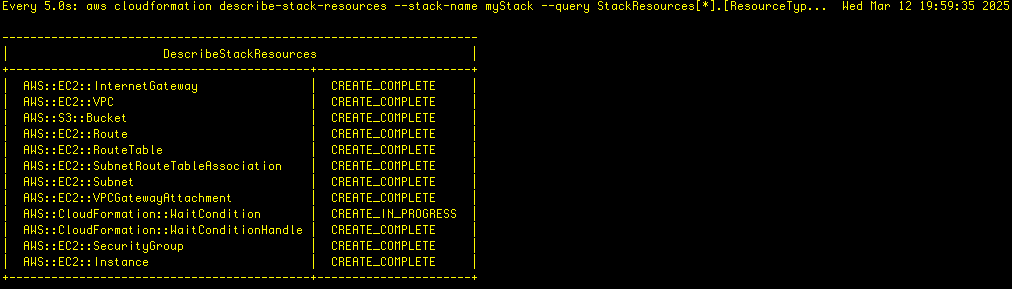
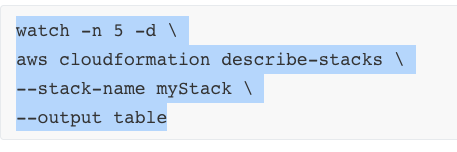
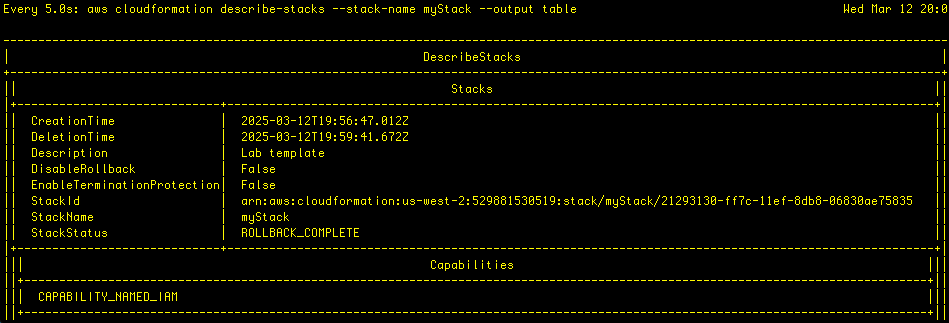
Before the process in complete, however, the provisioned resources begin to be rolledback and deleted, the result of an error. I check the sttatus using describe-stacks command:
and this shows that the rollback is indeed completed. Troubleshooting time!
Let’s use the describe-stack-events command again, but let’s use a query that filters for the ‘CREATE_FAILED’ events:
aws cloudformation describe-stack-events \
--stack-name myStack \
--query "StackEvents[?ResourceStatus == 'CREATE_FAILED']"
Here’s the output for that query:
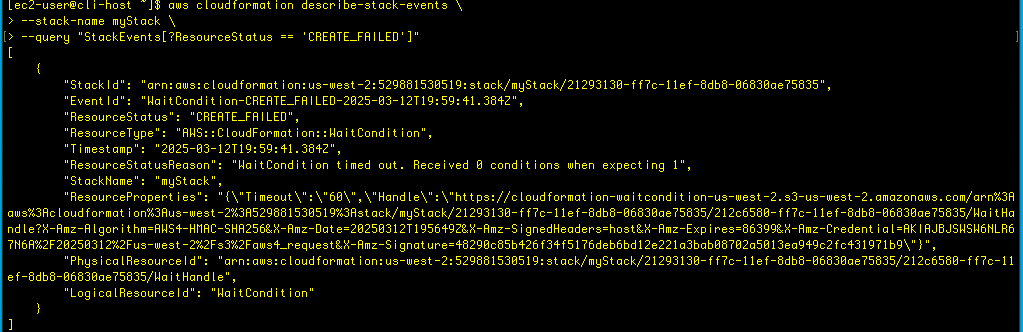
We can now see why the create failed:

There seems to be an issue with user data, but since the resources, including the ec2 were deleted upon rollback, we aren’t able to examine the logs. So, let’s re-run the stack formation, but disable the stack deletion feature if an error is detected:
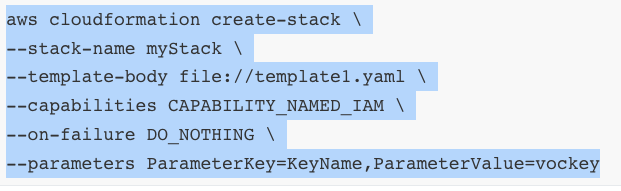
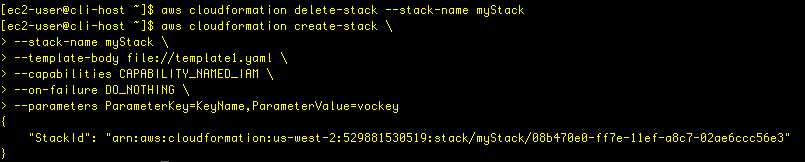
This works successfully:
With this new configuration, I run the describe-stack-resources command again, and wait until all the resources are created and deployed. We see the failure again:
I am still connnected to the EC2 instance via terminal, so I run a describe-instances command to get the public IP address:
aws ec2 describe-instances \
--filters "Name=tag:Name,Values='Web Server'" \
--query 'Reservations[].Instances[].[State.Name,PublicIpAddress]'
i use that public IP address for when I open another terminal window and ssh into that web server instance:
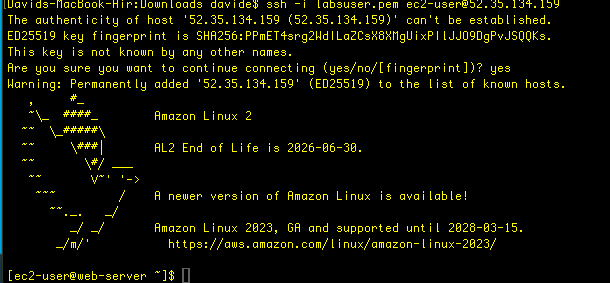
Now that I’m in the server instance- the one that had been created the first time and then deleted upon detection of an error, but this time remains since we disabled the rollback – we can do some sleuthing to determine the source of the error.
tail -50 /var/log/cloud-init-output.log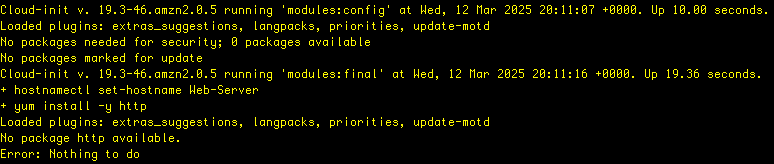
Notice the error of there not being an http package available.
Also, take a look at the message that says: “util.py[WARNING]: Failed running /var/lib/cloud/instance/scripts/part-001.”
Let’s examine that: sudo cat /var/lib/cloud/instance/scripts/part-001

We see that part-001 contains the contents of userdata from the CF template.
Fixing the CF template
We know there is an error in the userdate, so let’s open up the template in vim:

There is an error on line 128, which requires http to be corrected to httpd.
Let’s use grep to double-check:
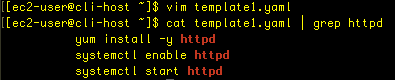
Okay, looks good. Let’s delete the previous failed stack:

Once it’s deleted, we can provision the stack again:
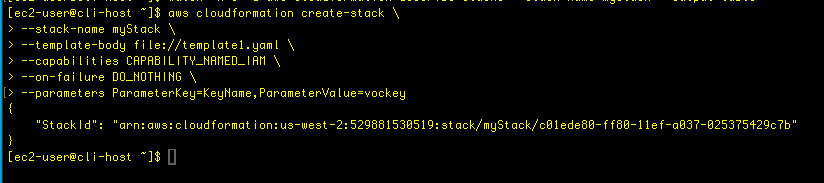
We then can use the watch utility to view the resource creation until all the stack is completed:
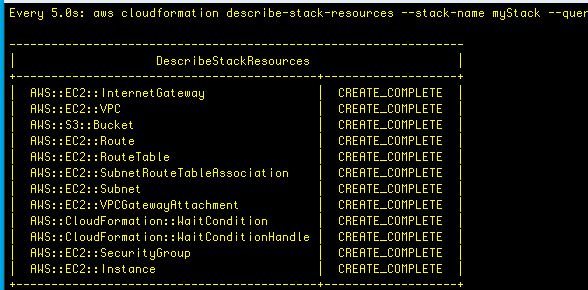
This time when we run the describe-stacks command, we see a successful stack creation. Woohooo!
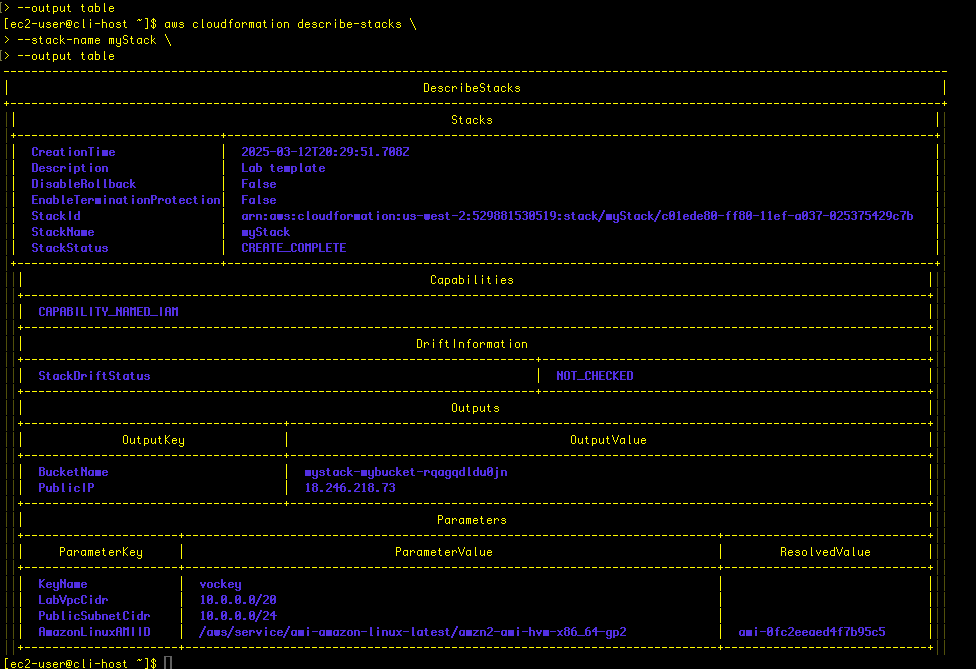
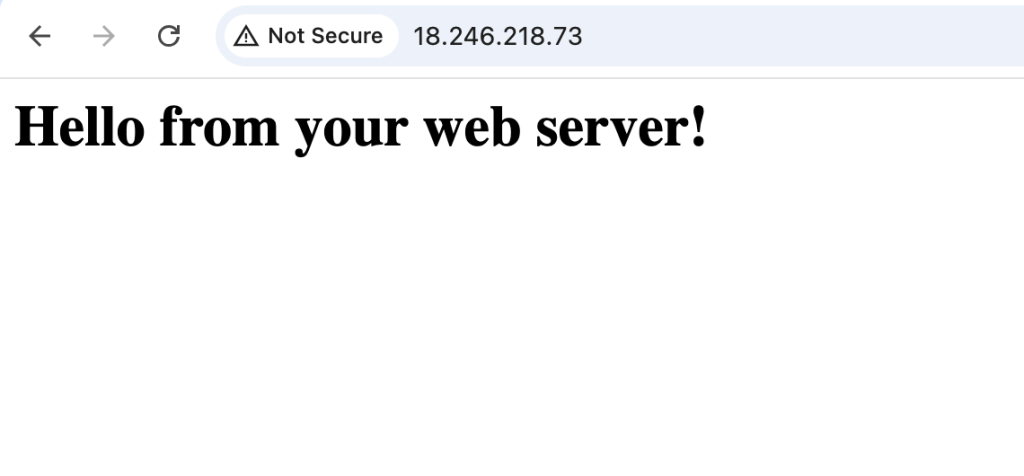
Conclusion
In this exercise, a CloudFormation template was used to provision a variety of resources: VPC, S3 bucket, security group, EC2 instance. There was a typo, however, so that the first time the template was invoked, the stack creation failed, and a rollback was automatically invoked.
As part of the problem-solving process, the instance was needed in order to access the logs, so the rollback feature was paused, the stack was run again, and this time, when the failure occurred, we were able to access the EC2 instance. We were able to view the logs, and narrow down the log values of interes using filters and queries. We discovered the error area, and armed with that knowledge, made the corrections in the CloudFormation template. As a result, the stack was successfully created.
This shows the value of a methodical approach, an understanding and familiarity of the tools available (vim, JMESPath, JSON, aws CLI, etc), and being able to work effectively to find the problems. A great exercise in learning!
Checking for Config Drift
What happens when configuration changes are made to the infrastructure outside of the template? For example, someone can make a change through the console or terminal- how to check and correct for this?
This command will start drift detection on the stack, returning a StackDriftDetectionID:
aws cloudformation detect-stack-drift --stack-name myStackNow, we can monitor the status of the drift detection using that id:
aws cloudformation describe-stack-drift-detection-status \
--stack-drift-detection-id driftId
If there is drift (i.e. a change has been made outside the template), then an output message will say so.
Assuming that this is the case, this command will describe exactly which resources have drifted:
aws cloudformation describe-stack-resource-drifts \
--stack-name myStack
Brace yourself, it’s a long output!

Let’s try a different approach, using a describe-sttack-resources command with a query parameter returning resource type, resource status, and drift status:
aws cloudformation describe-stack-resources \
--stack-name myStack \
--query 'StackResources[*].[ResourceType,ResourceStatus,DriftInformation.StackResourceDriftStatus]' \
--output table
Here’s the difference, much better!

Let’s get the specific details for the resource that has drifted:
aws cloudformation describe-stack-resource-drifts \
--stack-name myStack \
--stack-resource-drift-status-filters MODIFIED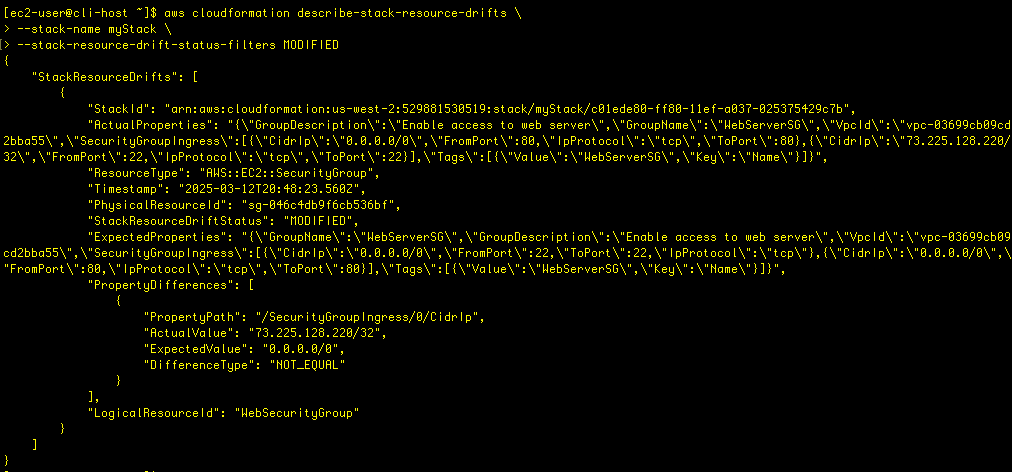
I had changed the security group to allow access to port 22 from only my IP address, and that is denoted in the PropertyDifferences output field.
Let’s fix the issue. First, let’s delete the stack
aws cloudformation delete-stack --stack-name myStackIt failed!
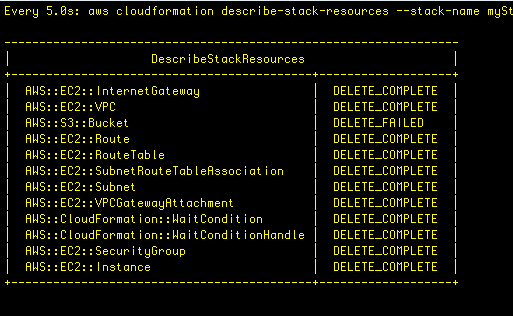
Let’s use the describe-stacks command:
aws cloudformation describe-stacks \
--stack-name myStack \
--output table
We see the reason: “StackStatusReason”: “The following resource(s) failed to delete: [MyBucket]. ” CF won’t delete an S3 bucket that isn’t empty, and in this case I had uploaded a file to the bucket. This is a failsafe on the part of AWS to safeguard accidental deletion of resources. In this case, I deleted the object from the S3 bucket, and then was able to delete the stack.
 davethemaker
One response to “CloudFormation, JMESPath, and more”
Wow. You’re able to write about a very complicated topic in a very clear and interesting manner. Although I didn’t understand everything, I am looking forward to your next post.
LikeLike